
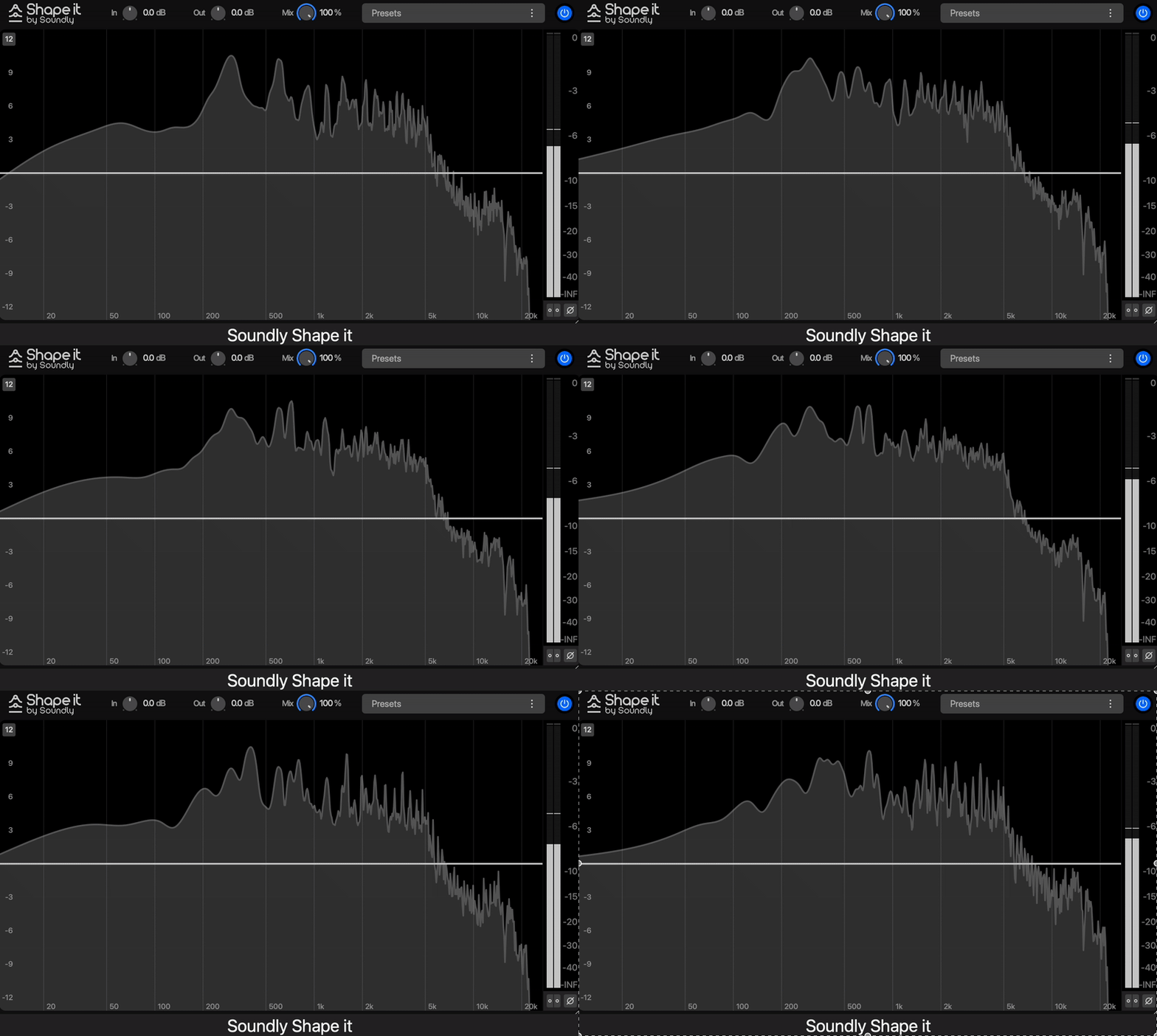
A great EQ lets you shape the tone, enhance clarity, and bring out the natural character of a vocal without the nasty harshness or muddy buildup. And trust me, finding the best free EQ VST plugins can seriously level up your mix.
Whether you need surgical precision to cut problem frequencies, broad tonal shaping for warmth and color, or dynamic EQ for extra control, don’t stress; there’s a freebie out there with your name on it. Some of these even come packed with analog-style saturation, dynamic bands, and slick UI designs that make you wonder why they’re free in the first place.
I’ve rounded up some of the best free EQ VSTs that I’ve used (and probably abused) to help you clean up, enhance, and add some serious mojo to your mixes.
From surgical fixes to vintage-style tone shaping, these plugins deliver pro-level control without costing a dime. Let’s jump in before someone realizes they should be charging for these!
1. Soundly Shape It
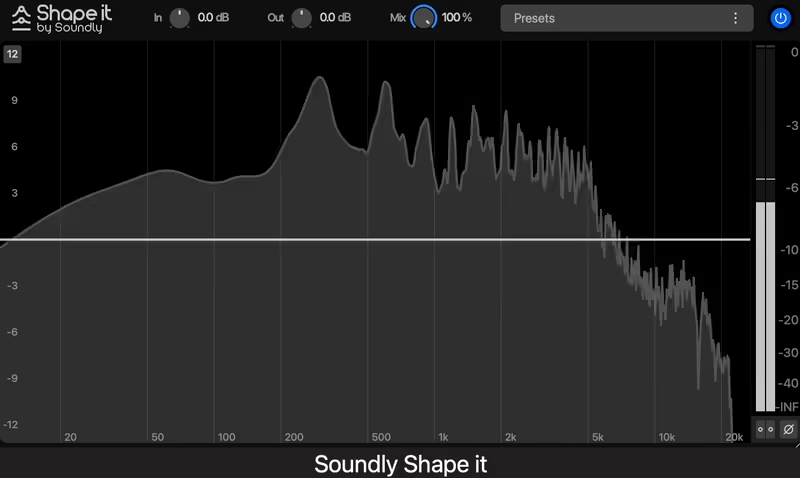
I love it when a plugin comes along that makes life easier without sacrificing quality. Soundly Shape It, the powerful EQ plugin, does exactly that.
Originally designed as part of Soundly’s sound effects software, it became so popular that users demanded a standalone version. Now, it’s finally available for all DAWs, and the best part is that it costs literally nothing.
Built for speed and efficiency, Shape It is more than another parametric EQ. The 10-band design lets me cut and boost frequencies with lightning-fast precision, making it ideal for both music production and sound design.
- Intuitive Workflow and Design
The interface is simple yet powerful, offering quick access to high-pass and low-pass filters, gain control, and bandwidth adjustments. From subtle frequency corrections to a complete sonic transformation, this EQ can do all.
- 10-Band Parametric EQ
This EQ gives you 10 fully adjustable bands, each with independent frequency, gain, and Q controls.
I’ve used it to clean up dialogue, tame harsh resonances in vocals, and even shape entire drum busses. The range goes from 20Hz to 24kHz, making it versatile enough for everything from deep bass sculpting to fine-tuning high-end shimmer.
- Preset Power
One of the things I enjoy most about Shape It is the wide selection of built-in presets. Need to instantly brighten a dull vocal, want to add weight to a kick drum, or make a synth sit perfectly in the mix? There’s a preset for that.
- Smooth Analog-Like Processing
Unlike some digital EQs that sound clinical, Shape It manages to retain warmth and character while still offering surgical precision.
I’ve found the high and low-pass filters particularly effective for cleaning up recordings without introducing unwanted harshness.
The only minor downside is that it doesn’t include dynamic EQ features like some other modern equalizers. However, for a free plugin with professional-grade quality, it’s hard to complain.
Soundly Shape It comes in VST, AU, and AAX formats for macOS and Windows users.
2. Samsara Cycle Audio P-T-Q
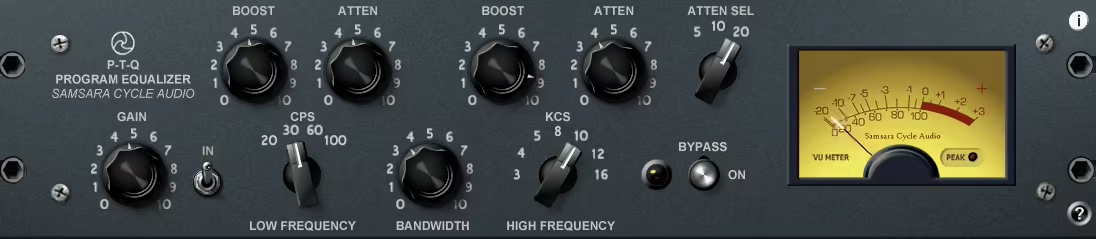
A simple, no-frills EQ inspired by the legendary Pultec units, P-T-Q brings smooth tone shaping to your DAW without unnecessary complexity.
When I tried it out, I liked this free VST EQ for its classic low-end warmth and silky high frequencies, as this single-channel EQ delivers vintage character with an easy-to-use interface.
- Classic Frequency Selection
With P-T-Q it allows me to dial in a low-end punch with boost and attenuation controls at 20, 30, 60, and 100Hz, or shape high frequencies with options ranging from 3kHz to 16kHz.
A high-shelf attenuation section provides additional shaping at 5, 10, or 20kHz, making it great for gentle high-end smoothing.
- Simple Yet Effective Controls
With a bypass switch, signal in control, and overall gain adjustment, P-T-Q keeps things focused and efficient.
I also realized the MIDI Learn support and 64 patch spaces are great as they make it easy to recall settings and automate parameters, ensuring a seamless workflow.
For more flexibility, P-T-Q X2 offers switches to double the boost and attenuation levels, giving you more control over how aggressively you shape your sound.
P-T-Q comes in VST format for Windows users.
3. Analog Obsession RareSE

RareSE brings the legendary Pultec tone into a dual-mono, stereo, and mid/side workflow, making it a killer option for buses and mastering.
I love how RareSE keeps that classic vibe while offering the flexibility we actually need in modern mixes.
This free EQ VST nails the rich bass, airy highs, and warmth of the original while adding modern reliability and flexibility, so you get the best of both worlds.
- Mid/Side and Left/Right Processing
RareSE lets you sculpt your stereo image with independent Mid/Side or Left/Right EQ adjustments.
I’ve used this to enhance a mix bus and fine-tune a master, and it adds depth and clarity without messing up the balance.
- Classic Pultec Controls with Modern Additions
With separate boost and cut knobs, a variable bandwidth control, and oversampling, this EQ is powerful yet musical.
The link function makes adjustments super smooth when working in Mid/Side or stereo modes, which I really appreciate.
If you’re after vintage analog warmth with modern precision, RareSE is definitely worth checking out. I’ve found it incredibly useful for shaping tones without overcomplicating things.
RareSE is available in VST3, AU, and AAX formats for macOS and Windows users.
4. Fuse Audio Labs W2395c

Adding color and musicality to a mix, this free EQ plugin does way more than just shape frequencies, it actually enhances the vibe of a track.
With the smooth response of a Baxandall EQ and a powerful mid-band that brings tracks to life, W2395c naturally warms up the sound without making it muddy or overpowering.
I appreciate how it keeps things rich and analog-like, even when making big tonal moves.
- Versatile EQ with Minimal Controls
Even with a simple control set, this EQ gives plenty of flexibility. The low and high bands are switchable, letting you pick between 80Hz or 110Hz for lows and 2kHz or 5kHz for highs. I find this especially useful when dialing in subtle tonal shifts without overthinking it.
- Musical Highs, Tight Lows, and Punchy Mids
The high shelf adds just the right amount of clarity for percussion and vocals, while the low band keeps the bass tight without overpowering the mix. But the real magic is in the semi-parametric mid-band, which has three selectable Q settings that make it easy to go from broad tonal shaping to surgical tweaks. I’ve used it on vocals, synths, and guitars, and it always delivers.
- Built-in Saturation
One of the coolest surprises is the drive control, which adds a touch of harmonic grit. I wasn’t expecting much from a free EQ, but this saturation feature actually adds warmth and subtle coloration that makes digital mixes feel more alive.
The only minor downside is that preset names don’t always save correctly in some DAWs, but honestly, that’s a small issue compared to how good this thing sounds.
W2395C comes in VST, VST3, AU, and AAX formats for macOS and Windows users.
5. Sky Blue EQ4

Inspired by the legendary Maag EQ4M, this free EQ plugin delivers smooth, musical tone-shaping and that iconic Air Band that adds sparkle without harshness.
Sky Blue EQ4 is all about vibe and precision. Whether you’re thickening up a mix or adding clarity, this EQ makes it easy to get professional results.
If you’re after a fast, intuitive workflow, this plugin is for you. I recommend it as it keeps things straightforward with 5 fixed bands and an Air Band boost.
The Sky High/Gain controls let you dial in a high-end lift that goes well beyond the audible range, which is ideal for giving vocals, drums, and synths extra presence without making them harsh.
- Musical Fixed Bands
Instead of giving you endless tweaking options, Sky Blue EQ4 focuses on carefully chosen frequencies: Sub, 40 Hz, 160 Hz, 650 Hz, and 2.5 kHz.
These frequencies are ideal for shaping low-end weight and adding midrange punch, making it great for both individual tracks and bus processing.
- The Legendary Air Band
The real magic is in the Sky High feature, which replicates the famous Maag Air Band. Unlike a typical high-shelf, it boosts at 2.5, 5, 10, 15, 20, or 40 kHz, giving me that silky, open top end.
I think this is fantastic for vocals, acoustic instruments, and mastering chains, adding brightness without making things brittle.
- More Headroom, No Strange Analog Quirks
One common issue with some analog EQ emulations is that boosting a frequency can sometimes lift the whole signal. I like that Sky Blue EQ4 avoids that problem, meaning your mix stays balanced.
That said, the plugin does behave differently depending on how you run it, so checking the developer’s notes on GitHub is a good idea.
While I believe it’s a great free alternative to the Maag EQ4M, there’s no mid-side processing, and some users have reported incompatibility with Pro Tools. But if you’re after an easy-to-use, musical EQ for mixing and mastering, this one’s definitely worth adding to your collection.
Sky Blue EQ4 comes in VST3 and AU formats for macOS and Windows users.
6. Sonimus SonEQ

Not every EQ needs to be a surgical tool and some are built for character, tone, and musicality, and SonEQ falls right into that category.
This vintage-inspired equalizer brings the warm, smooth sound of classic analog gear to your DAW without you having to reach your wallet.
I like working with simple interfaces without endless tweaking or complex menus. SonEQ’s 3–band EQ design makes it easy to dial in the right balance, while its dedicated preamp stage lets you boost the low end with a smooth, rounded tone.
Well, this isn’t about surgical adjustments, as it’s more about shaping sound with musicality in mind.
- More Than Just EQ
There’s more to SonEQ than simple tone shaping cause it has high-pass and low-pass filters that allow for fast and effective frequency cleanup, helping to keep your mixes clear and controlled.
- Pro-Grade Processing, Zero Latency
As I always say, performance really matters, especially when working on demanding projects. SonEQ supports 192kHz sample rates and 64-bit floating-point processing, meaning it delivers high-quality sound with no compromise.
Even better? It introduces zero latency, so it’s safe to use on live tracks, during tracking, or in CPU-heavy sessions.
While SonEQ nails broad, musical tone shaping, it’s not designed for precision EQ work. There’s no mid/side processing or adjustable Q controls, so if you need pinpoint accuracy, you’ll need to pair it with another tool.
SonEQ comes in VST, VST3, AU, and AAX formats for macOS and Windows users.
7. DDMF ColourEQ

ColourEQ lets you rethink how you approach EQing by adding an extra dimension to each band with a curve shape control, giving you unique, flexible frequency curves that you won’t find in typical EQ plugins.
One of the strong points here in my opinion is that this creative tool feels both natural and experimental, making it perfect for producers who want to push their sound design further.
Despite its advanced processing, ColourEQ keeps things clean and easy to use. I enjoyed using the interface is fully resizable, which is great if you want to keep things minimal or blow it up for fine-tuning.
Plus, you can customize the colors to match your workflow, a feature I wish more plugins offered. Low CPU usage means you can stack multiple instances without slowing down your session, making it an excellent option for mixing and mastering.
- Super Parametric EQ Bands
One of the strong features of this free equalizer is its 5-band design with adjustable shape control. I take advanhtae of it thanks to the completely unique EQ curves that aren’t possible with conventional parametric EQs.
I’ve found this especially useful for sculpting vocals and complex synth layers, giving me more control over how the frequencies interact rather than just where they sit.
- Customizable Filter Curves
Each band offers a curve shape adjustment. Instead of just boosting or cutting in a predictable way, you can reshape how the EQ applies gain, allowing for subtle tonal shifts or extreme sound design effects.
The only thing to keep in mind is that it doesn’t have built-in saturation or oversampling, so it’s best used before adding character-based processing like tape emulation or tube-style saturation.
But if you need a free, creative, flexible EQ that works in ways most don’t, this one’s a must-try.
ColourEQ comes in VST, VST3, and AU formats for macOS and Windows users.
8. Analog Obsession BLENDEQ

Some EQs give you precision, others give you character, but BlendEQ brings both, plus a unique twist, like in BLENDEQ.
Instead of locking you into a single classic EQ model, BLENDEQ lets you blend between two legendary styles per band.
That means you can shape your lows with one flavor and your highs with another, crafting a sound that’s truly yours. I love how it lets me mix and match tones in a way that wouldn’t be possible with just one EQ type.
- Custom Blending for Every Band
This is what makes BlendEQ stand out. Each band has its own blend control, so you can sculpt tight, focused lows with the “A” model while keeping the highs airy and smooth with the “N” model.
The real magic happens when you start mixing between them, I’ve created some crazy textures that wouldn’t be possible with a standard EQ.
- Pre-Filters That Work Smarter
Instead of applying filters after EQ adjustments, eBlendEQ places them before the line amps.
This means unwanted frequencies never evn hit the EQ stage, keeping everything cleaner and more controlled. I’ve found this super useful for taming low-end rumble or rolling off harsh highs without messing with the phase.
- Analog Warmth with Extra Drive
This isn’t just another EQ with vintage curves, it has true analog modeling under the hood.
The IN knob blends two different line amps, adding warmth and color to your signal. Need even more analog mojo? Clicking the Analog Obsession logo activates 4x oversampling, giving you smoother processing without those annoying digital artifacts.
A minor downside is that auto-gain handling can sometimes interfere with gain-staging experiments, but honestly, it’s a small trade-off for how much creative freedom this EQ offers.
BlendEQ comes in VST3, AU, and AAX formats for macOS and Windows users.
9. Viator Graphic EQ

Viator DSP’s Graphic EQ isn’t just another free equalizer, as it brings the feel of classic analog hardware to your DAW with dynamic filter bandwidth and musicality-focused EQ bands.
The first thing I notices was that unlike many digital EQs that remain static, Viator Graphic EQ reacts dynamically to your boosts and cuts, making every adjustment feel natural and organic.
- Dynamic Filter Bandwidth
One of the standout features here is how the Q factor changes depending on gain adjustments, a hallmark of classic hardware EQs. Boosting a frequency slightly narrows the bandwidth, enhancing musicality without sounding harsh.
On the other hand, cutting frequencies makes the bandwidth even tighter, allowing for precise removal of unwanted resonances without compromising the overall tone.
- Pre-Defined Frequency Bands
With 10 bands spread across octave increments, this EQ encourages a more intuitive, musical approach to shaping sound.
While some might see fixed bands as a limitation, I found out that it actually helps focus on broader tonal adjustments rather than overthinking exact frequencies.
- Additional Features
Beyond just EQ shaping, lowpass and highpass filters are included for quickly controlling the frequency range, while input & output controls let you monitor gain staging effectively.
A real-time VU meter gives instant visual feedback, making it easy to see the impact of your adjustments.
Available on a pay-what-you-want basis, I think Graphic EQ is a great option if you’re looking for an analog-inspired, easy-to-use graphic equalizer that actually reacts dynamically like the real thing.
Graphic EQ comes in VST3 and AU formats for macOS and Windows users.
10. Ignite Amps PTEq-X

PTEq-X is a faithful emulation of three classic passive program equalizers that capture every detail of the original hardware with a few modern twists.
If you’ve ever wanted the smooth, musical curves of a Pultec-style EQ but with extra flexibility and improved precision, I 100% recommend this freebie from Ignite Amps, as it is an absolute no-brainer.
- 3 Classic EQs in One Plugin
What makes PTEq-X special for me is its 3 independent EQ models, each designed to replicate the analog response of legendary vintage units.
- Tube-Driven Warmth
This free EQ VST models 4 different tube types, allowing you to dial in the exact character and saturation you need.
- Modern Features
While staying true to the original hardware, PTEq-X takes things further with selectable frequencies, refined filter precision, and switchable oversampling to reduce aliasing.
Plus, the ability to toggle each EQ module separately helps optimize CPU performance, making it as efficient as it is powerful.
Whether you’re tracking, mixing, or mastering, this free passive EQ is one of the best free EQ plugins you’ll find. It’s warm, transparent, and endlessly flexible, and did I mention it’s free?
PTEq-X comes in VST and AU formats for macOS and Windows users.
11. Analog Obsession Poortec

I’ve always been a fan of the warm, musical character of Pultec-style EQs, but let’s be real; owning a real one (or even some of the premium plugin emulations) isn’t exactly budget-friendly. But we have Poortec by Analog Obsession.
Poortec brings the signature Pultec sound without the price tag, and while it strips away a few things, it adds a Fairchild-style line amp to give it a unique color.
I loved that it stays true to the classic Pultec layout as you get low and high-frequency bands with independent boost and cut controls.
The interface is clean, straightforward, and resizable, making it easy to dial in tones quickly. It’s not just a vintage replica, though; the trim pot (TP) on the gain stage adds an extra layer of drive, enhancing transients in a way that feels more aggressive than a standard Pultec emulation.
- Low-Frequency Magic
One of the things I enjoyed about Pultec-style equalizers is the famous “low-end trick,” boosting and cutting at the same frequency to get a tight, punchy bass without muddiness.
Poortec offers extra frequency options here, making it even more flexible than some of its premium competitors. It works wonders on kicks, bass guitars, and even full drum busses.
- Shelf-Style High Boost and Cut
Unlike some Pultec emulations that use a bell-shaped high boost, Poortec leans toward a shelf-style response.
While this means it may not give you the exact same presence bump as the original, it still adds air and sparkle to vocals, cymbals, and acoustic instruments in a smooth, musical way.
- Fairchild-Style Line Amp & Drive Control
What sets Poortec apart from most Pultec-style EQs is its built-in Fairchild-style gain stage. The trim pot (TP) control lets you push the circuit harder, adding a subtle saturation that enhances transients.
It’s great for giving drums and vocals extra bite without needing a separate saturation plugin.
Poortec doesn’t offer oversampling, which might result in some aliasing when boosting high frequencies aggressively. That said, Reaper users can apply plugin instance oversampling to get around this if needed.
Poortec comes in VST3, AU, and AAX formats for macOS and Windows users.
