
Today, we look at some of the best convolution reverb plugins, with which you can capture the essence of a space and use it creatively in your mix.
Convolution reverb effects are the storytellers of sound design, as they add more than just reverb and carry the audio to real-world spaces, such as cathedrals and cozy jazz clubs. They even reach places that you would never be able to get in, like inside of a piano or an abandoned spacecraft (okay, maybe not literally, but you got the idea).
So, whenever you have a home-recorded vocal, you can give it the warmth of a legendary concert hall or the eerie vibe of an underground cave. Convolution reverb creates that by applying the actual acoustic fingerprints of these spaces to your sound. It’s like teleporting your audio but without the sci-fi tech.
However, it can be tricky to find the best or the most suitable one to use in your workflow as the realism, creative potential, intuitive design, and more aspects differ from one unit to another. That is why I have compiled some of my favorite convolution reverb plugins that offer a wide palette of sonic possibilities for you to add depth to your mixes.
Ready to elevate your productions and explore new dimensions of reverb? Let’s get into it!
1. LiquidSonics Reverberate 3

Reverberate 3 is a deep dive into the art of impulse responses, turning static captures into vibrant, customizable reverb experiences.
I love this unit, as it feels like you’re reviving legendary studio hardware IRs or twisting them into something completely unrecognizable. Reverberate 3 lets you manipulate and modulate with an incredible depth of control. It’s not just about reverb; it’s about reimagining what your IR library can do.
- Enhanced Fusion-IR Technology
The plugin’s soul is its Fusion-IR engine, a proprietary approach to capturing the dynamic, evolving nature of hardware reverbs. I’ve had so much fun experimenting with Fusion-IR’s ability to separately balance early and late reflections.
You want to nudge the late tail forward or erase pre-delay entirely? Easy. The re-decay feature also blew my mind, letting me stretch or shorten reverb times seamlessly without any ugly artifacts. I can say it is great for fine-tuning cinematic textures.
- True Stereo Made Smarter
Reverberate 3’s ability to simulate true stereo is like giving old IRs a second life. Many IRs are static two-channel captures, but this plugin crossfeeds and modulates channels for a lush, dynamic spatial effect.
I tried this with an old hall reverb, and the added airiness made it feel like a brand-new space. And, because the direct channels stay unmodulated, the integrity of the original reverb remains intact.
- Split Modulation Magic
Static IRs? Not anymore, as the plugin lets you split an IR into early and late components, modulating each separately. I had a blast adding subtle chorusing to early reflections while giving the tails a dreamy, pitch-modulated vibe.
This feature is a sound designer’s playground, transforming even basic IRs into rich, evolving spaces.
If you geek out over impulse responses or want to turn classic reverb captures into modern masterpieces, this is your dream tool. It’s ideal for sound designers, mixers, and anyone ready to dive deep into creative reverb design.
Reverberate 3 comes in VST 2.4, VST 3, Audio Unit, and AAX Native formats for macOS and Windows users.
2. Spitfire Audio AIR Studio Reverb
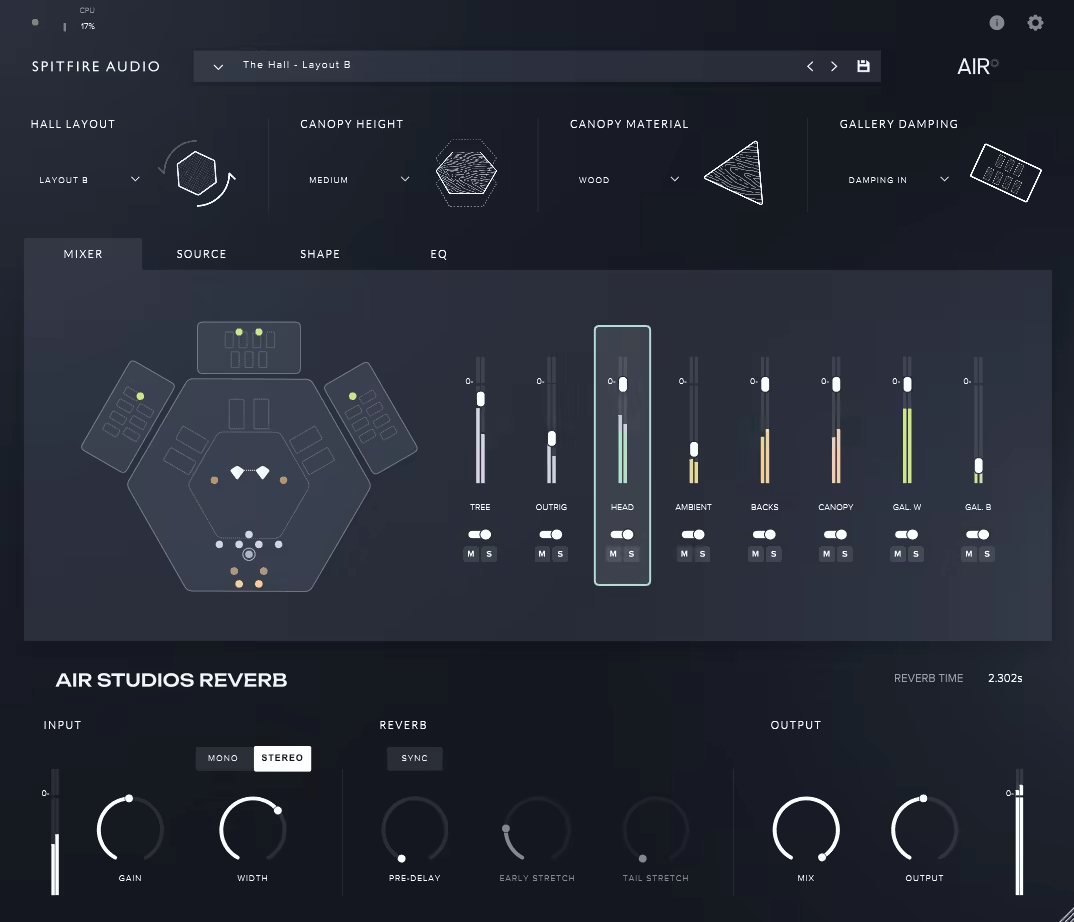
Studios Reverb captures the iconic acoustics of London’s AIR Lyndhurst Hall, bringing its renowned natural reverb to your productions.
AIR Studio Reverb faithfully captures the unique reverb of this legendary space, allowing you to recreate the sound of blockbuster film scores or classical orchestras with pinpoint accuracy.
From the towering canopy to the side galleries, every detail of the hall’s reverb is at your disposal. Whether you want to refine a solo flute or make a percussion section thunder, the flexibility to position your source anywhere in the hall makes this one a must-have for precise, tailored sound design.
- Control the Room Like a Pro
The Room Controls give you the power to tweak the physical characteristics of the hall. I like that you can adjust the canopy height to control reverb length or swap between soft Melatech and reflective wood for different tones.
Gallery Damping adds another layer of control by taming reverb in the side galleries.
I recommend raising the canopy to its highest position for grand, epic reverb or lowering it for tighter, more controlled reflections.
- Play with Mic Placements
Another feature I really appreciate is the mic placement. With 8 stereo mic positions, like the classic Decca Tree or ambient gallery mics, you can mix and match to find the perfect blend of clarity and depth.
For cinematic drums, I often combine the canopy and gallery mics to balance punch with expansive ambiance.
- Move Your Sound
Thanks to Virtual Positioning Technology, you can move your instrument or ensemble anywhere in the hall. Want to recreate Hans Zimmer’s unique layout? Flip the orchestral setup with one click. This flexibility makes it perfect for immersive mixes where spatial dynamics really matter.
I must say this is a pretty pricey unit, which can push the limits of your budget. But it is a top-quality unit that sounds beautiful and gives you engineer‑level control over the hall’s physical characteristics and reverb reflections.
AIR Studio Reverb is available in AU, VST2, VST3, and AAX formats for macOS and Windows users.
3. Heavyocity VAST
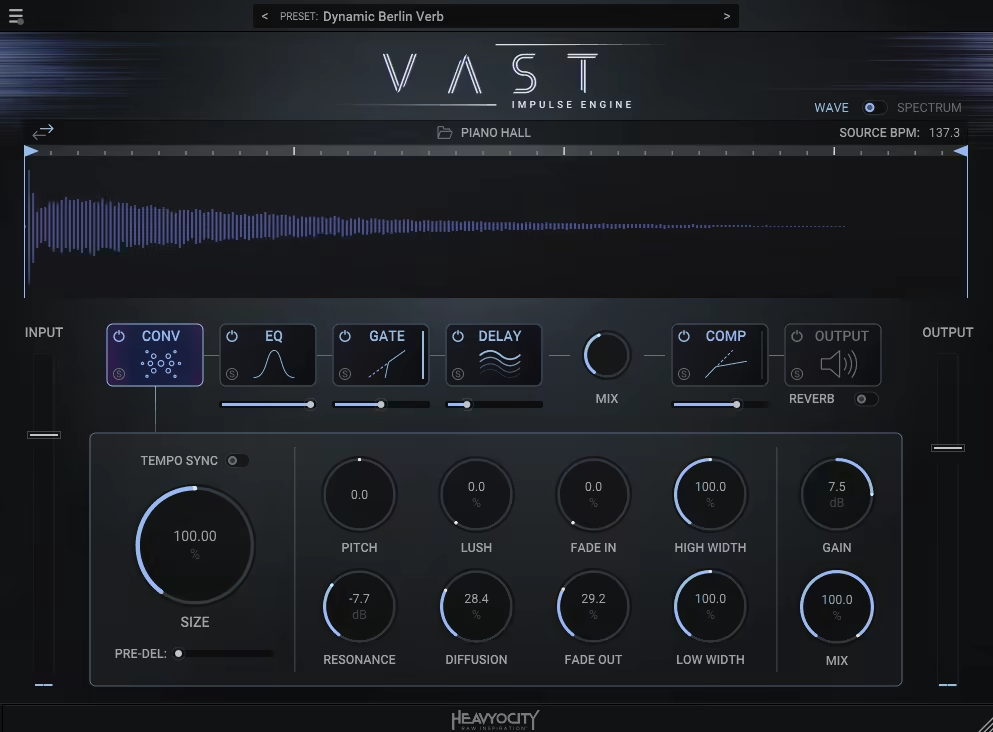
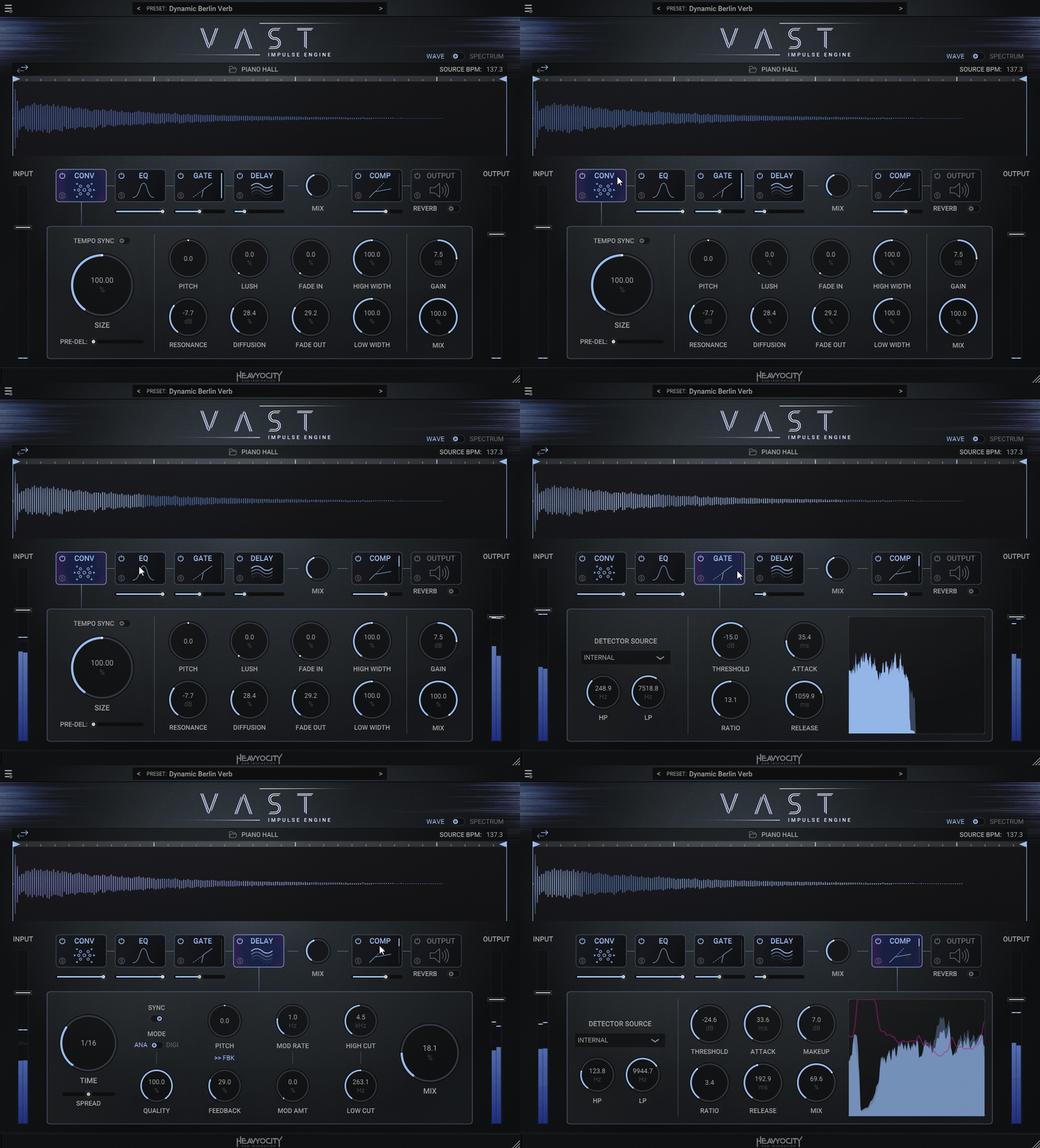
The first unit is VAST, which isn’t just another reverb plugin as it’s a full-on sound design playground.
At the core of VAST is the Impulse Engine, an advanced convolution system packed with over 200 impulse responses (IRs) ranging from lush halls to quirky experimental spaces. But what truly sets VAST apart is its ability to let you load your own IRs, turning any sound into a custom reverberant texture.
Whether you want realistic spaces or mind-bending soundscapes, VAST delivers flexibility and innovation like no other.
- A Treasure of Impulses
The 200+ built-in IRs cover a staggering range of sonic environments, but the real magic happens when you start importing your own. I’ve tried everything from vocal snippets to field recordings, and the results are endlessly fascinating.
Imagine your guitar reverberating in a swirling canyon or your vocals bouncing off imaginary glass walls. The ability to customize your IRs opens up a universe of possibilities for creating unique reverbs.
- Effect Modules for Deep Customization
VAST doesn’t stop at IRs cause it also includes powerful effect modules like Gate, Compression, EQ, and Delay. These tools let you sculpt your reverbs to perfection, whether you’re after tight rhythmic patterns or sprawling atmospheric layers. The dry-wet mix control is intuitive, making it easy to blend effects seamlessly into your mix.
- Presets to Inspire Creativity
If diving into parameters feels daunting, VAST has you covered with over 200 professionally crafted presets. From cinematic ambiances to glitchy echoes, the presets are perfect for sparking ideas or adding instant polish to your tracks.
Heavyocity VAST is for anyone craving a reverb plugin that doubles as a creative tool for sound exploration. It is a good addition to your collection for scoring a film or crafting experimental beats; it’s got the depth and flexibility to take your sound somewhere truly unique.
VAST comes in AAX, VST2, VST3, AU, and Standalone formats for macOS and Windows users.
4. AudioThing Fog Convolver 2

Fog Convolver 2 takes convolution reverb to a whole new level, transforming it into a versatile tool for both reverb enthusiasts and experimental sound designers.
With over 710 impulse responses (IRs), a dual IR engine, and some seriously innovative features, Fog Convolver 2 become one of my go-to tools for everything from lush ambiances to downright bizarre soundscapes.
The best part? It’s incredibly easy to use, even when you’re diving into experimental territory.
- Dual IRs: Double the Fun
I think the dual IR engine is where Fog Convolver 2 really shines. You can load 2 separate IRs or go for a true stereo to create intricate layers.
I had a blast pairing a spring reverb with a gritty vintage mic IR, and it gave my synths an otherworldly, dusty charm. Each IR has its own filters, EQ, and LFOs, so you can shape them however you like. I’d often find myself tweaking for hours, just exploring how far I could push the combinations.
- Build Spaces from Scratch
Imagine designing your own virtual room by adjusting dimensions, picking wall materials, and placing the listener wherever you want.
I created a concrete bunker vibe for a drum loop, and it instantly felt like a scene from a sci-fi movie. And if you’re into creating even weirder stuff, the impulse generator lets you build your own reverbs with a synth-like approach. It’s perfect for making metallic, alien-like textures.
- Impulse Libraries That Think Outside the Box
What I love the most about Fog Convolver 2 is how weird it gets. The included libraries go beyond typical reverbs, as there are IRs made from vintage mics, nuclear resonance recordings, and even homemade devices.
One of my favorite moments was turning a simple piano track into a haunting drone using the “Organic Compounds” bank. It’s like opening a box of sonic surprises.
If you’re tired of cookie-cutter reverb sounds and want a tool that lets you stretch your creativity, Fog Convolver 2 is your new playground.
Fog Convolver 2 comes in AAX, VST2, VST3, and AU formats for macOS, Windows, and Ubuntu users.
5. Inspired Acoustics INSPIRATA

Inspirata lets you position and move your sound within realistic spaces, offering precise control over how it interacts with the environment.
With over 100GB of IR data and innovative time-variant algorithms, Inspirata provides unparalleled realism and control.
Occasional tonal transitions during automation also highlight the sheer complexity of its IR database, making Inspirata versatile for film composers, sound designers, and anyone working with acoustic or orchestral arrangements.
- Real Spaces, Infinite Possibilities
Inspirata is built around a revolutionary IR library, where each space contains thousands of measurements across performer and listener grids. This precision allows you to move sources and receivers freely within a venue.
I had a blast dragging instruments around virtual stages; just imagine placing a vocalist on center stage or moving a guitar to the back of a cathedral. The spatial realism is jaw-dropping, making every adjustment feel like you’re physically in the room.
- Time-Variant Reverb Algorithms
The unit’s time-variant algorithm eliminates the static nature of traditional convolution. As you automate source movement, the reverb responds smoothly, creating continuous motion in the soundscape.
I found it perfect for crafting dynamic environments in film scores or immersive audio projects, though occasional discontinuities reminded me of the incredible data load behind this magic.
- Immersive Surround Capability
For surround enthusiasts, Inspirata goes beyond stereo with configurations up to 22.2 channels in its Immersive edition. Whether you’re simulating an orchestra’s movement in a concert hall or placing dialogue in a 3D soundstage, it handles it effortlessly.
However, without multichannel track support in your DAW, you won’t be able to unlock its full potential.
I must say that all this innovation comes at a cost. The hefty library size and resource-hungry processing can tax your system, so a modern, high-performance machine is essential.
If you need hyper-realistic reverb or the ability to automate sources within a virtual space, this plugin will blow you away. Just ensure your system can handle its demanding resource requirements!
Inspirata comes in AAX, VST3, and AU plugin formats for macOS and Windows users.
6. Kilohearts Convolver
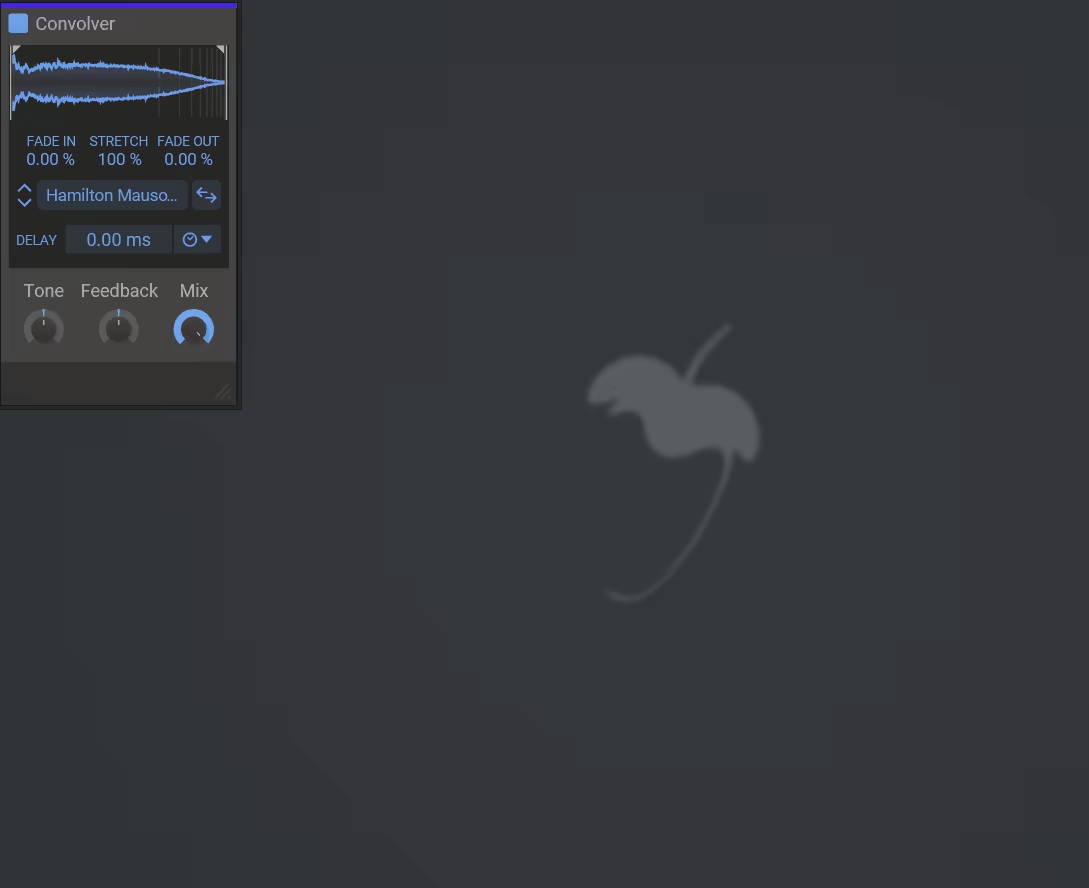
As a pretty straightforward yet powerful unit, Convolver delivers convolution processing to the forefront.
From creating lush reverbs and altering tonal characteristics to diving into experimental sound design, Convolver gets the job done with over 100 included IRs covering everything from natural spaces to quirky effects.
- Convolution Reverb, Refined
Let’s start with the reverb side of things. Convolver comes loaded with over 100 impulse responses (IRs), spanning real acoustic spaces, digital reverb units, and experimental textures.
I particularly loved how you can adjust the reverb size, pre-delay, and tone, giving you the power to sculpt the perfect ambience. My tip would be to use the pre-delay to separate the reverb from your dry signal for cleaner mixes.
On the downside, there’s no built-in audition feature for impulse responses, and the waveform display updates a bit slower than you’d hope.
- Creative Impulse Libraries
Reverb isn’t the only trick here, as the unit includes a diverse range of IRs designed to color your sound, from mic models to guitar and bass cabinets. Want to push boundaries? Try the filter, glitch, and delay IRs to morph your audio into something completely unique.
And if the presets aren’t enough, importing your own samples as IRs is ridiculously simple, opening up endless creative possibilities.
- Precision Controls for Shaping Sounds
For me, what sets this plugin apart is its control over the loaded impulses. You can adjust sample start and end points, add fade-ins/outs, reverse IRs, or even stretch them.
While the lack of an impulse audition feature can be frustrating, these tools make sculpting your sounds incredibly intuitive.
Convolver’s ability to load custom IRs and its intuitive controls make it a great choice for producers looking to expand their sonic palette.
Convolver comes in VST2, VST3, AAX, or Audio Unit formats for macOS and Windows users.
7. Melda MConvolutionMB

MConvolutionMB opens up a world of sound-shaping possibilities with its multiband convolution engine.
What immediately stood out to me was how MConvolutionMB allows up to six frequency bands, each with its own unique impulse response (IR).
This means I can create entirely customized spaces or even layer different IRs for wildly creative results. Whether I’m working on precise cabinet simulations or blending reverb textures, the level of control feels tailor-made for experimentation.
The multiband capabilities and modulation options make it ideal for sound designers and producers who want to push the boundaries of convolution processing.
- Multiband Processing with Crossover Control
The multiband processing was an immediate standout for me. Instead of applying a single IR across your entire signal, you can divide your audio into up to six bands, each with its own IR.
This is great for tailoring reverb or cabinet simulations to specific frequency ranges. I used this feature to create a reverb where the bass had a tight, small-room feel while the highs soared in a cathedral-like ambiance. It’s not just flexible, but it’s also inspiring.
- Integrated Reverb and Filter Generator
This plugin isn’t limited to loading external IRs; it also lets you generate your own reverbs and filters. With customizable parameters, you can design impulses that perfectly match your vision.
I experimented with generating short, metallic reverbs for a snappy, industrial vibe. It’s a terrific feature for anyone who loves shaping sound from scratch.
- Modulation Madness
The modulators here can animate any parameter preventing static sound. I had a blast linking the ratio slider between two IRs to a randomizer modulator, creating dynamic shifts that made my sound feel alive.
If you’re looking for a convolution plugin that goes beyond basic reverb, this one is worth exploring. Just be ready to spend some time exploring its vast features. It’s a rabbit hole but one worth diving into.
MConvolutionMB is available in VST, VST3, AU, and AAX formats for macOS and Windows.
8. Liquidsonics Cinematic Rooms
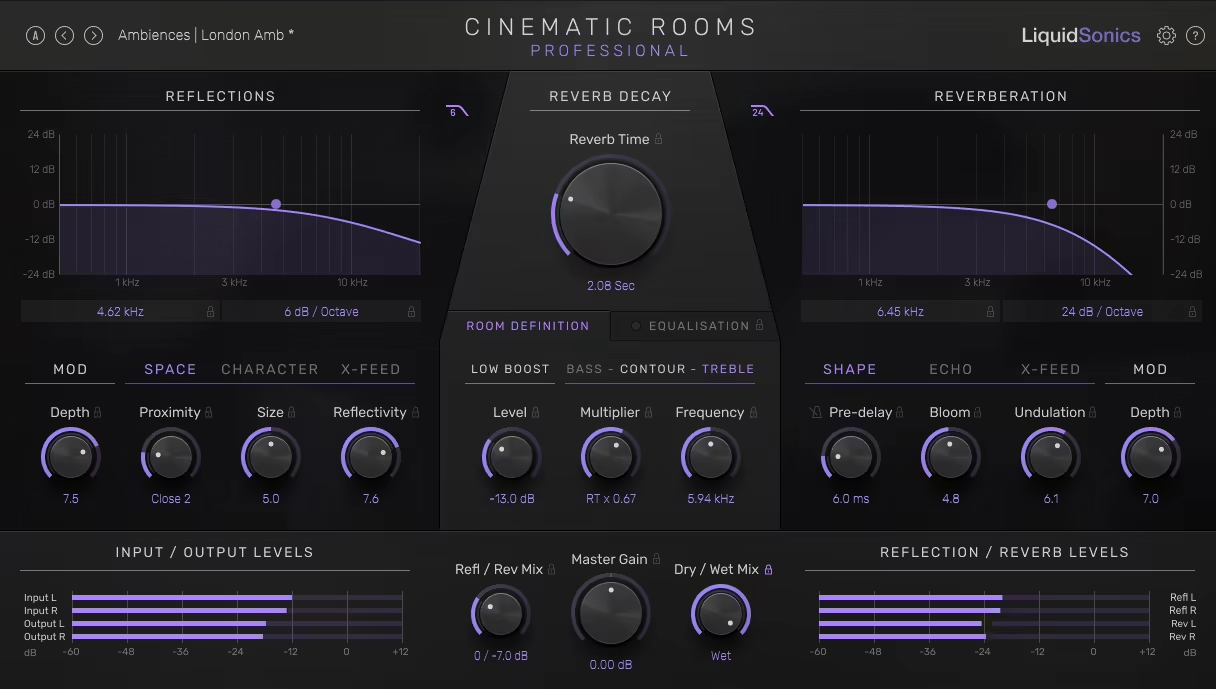
Cinematic Rooms is an algorithmic reverb plugin that bridges the gap between music production and immersive audio design.
Designed for stereo and surround setups, it offers detailed control over early reflections, reverb tails, and spatial positioning. Unlike many reverbs, it excels at both subtle enhancements and large, enveloping spaces without ever sounding metallic or artificial.
What hooked me the most was Cinematic Rooms‘ Proximity and Bloom parameters, which allow for precise adjustments in-depth and ambiance.
The plugin also shines in multichannel formats, supporting up to 7.1.6 surround sound, making it a powerhouse for film and game audio. If you’re working in stereo, its detailed control still brings unparalleled realism to your mixes.
- Precision with Reverb Planes
The Professional version introduces reverb planes, a unique feature that separates control across different spatial dimensions like front, rear, and vertical planes.
Adjusting these planes let you create more realistic environments for surround mixes, especially when simulating spaces with distinct left-right and front-back reflections. Even in simpler setups, this added flexibility made a noticeable difference in clarity and depth.
- Shape Early Reflections with Proximity
The Proximity control in the early reflections section offers nuanced depth placement, from close and intimate to distant and expansive. Paired with the Pattern options, I could create natural-sounding spaces or even experiment with nonlinear reverb effects.
This feature worked wonders when I needed vocals to sit naturally in the mix or sound distant yet clear.
- Subtle Modulation for Dynamic Tails
With parameters like Bloom and Undulation, Cinematic Rooms goes beyond static reverb. Bloom adjusts the reverb’s build-up, perfect for smooth transitions, while Undulation adds subtle movement for an organic feel. These settings gave the longer reverb tails a cinematic polish that’s hard to replicate elsewhere.
Cinematic Rooms is ideal for professionals needing high-quality music and film reverb. Its surround capabilities are a dream for post-production, but even in stereo, it delivers stunning results for any genre.
If you’re looking for gritty or trashy reverbs, this isn’t it, as this plugin is all about refined, high-fidelity spaces.
Cinematic Rooms comes in VST 2.4, VST3, Audio Unit (AUv2), and AAX Native plug-in formats for macOS and Windows users.
9. SirAudioTools SIR3
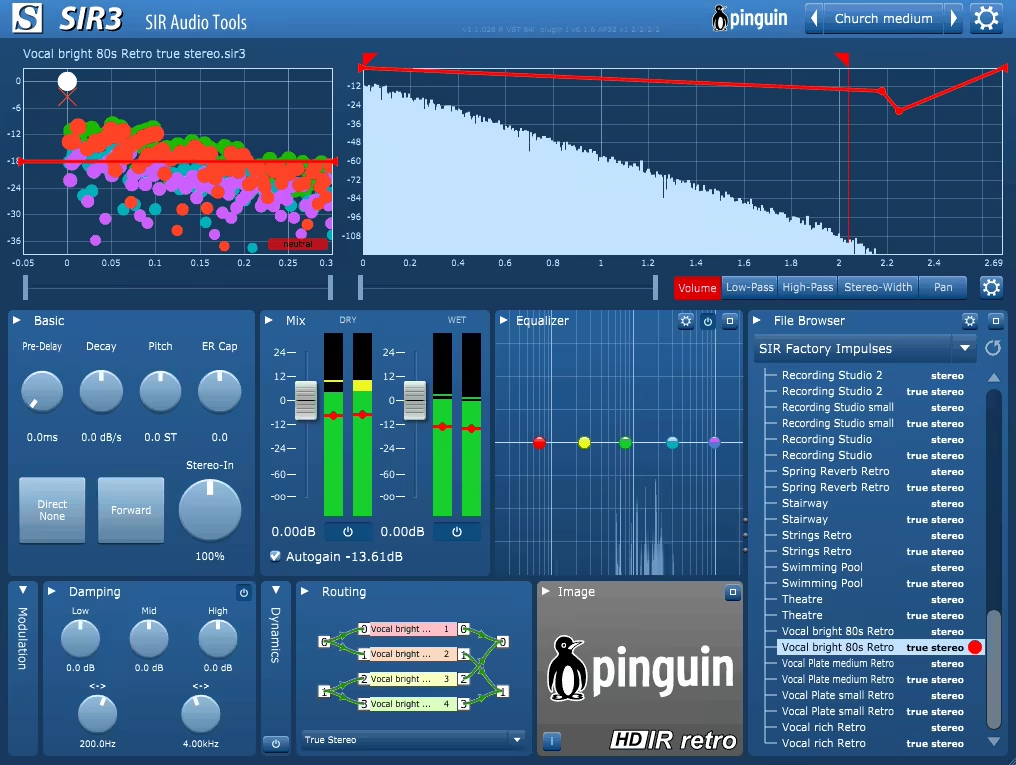
SIR3 brings a fresh perspective to convolution reverb with a set of 33 HDIR (High Dynamic Impulse Response) models developed by Pinguin Ingenieurbüro in Hamburg.
Designed for pristine natural fidelity and high dynamic range, these IRs stand out for their realism and clarity. But SIR3 isn’t just about static convolution; it combines robust dynamic processing and creative modulation to redefine what you can do with reverb.
- 33 HDIR Models for Stunning Realism
The highlight of the show is the 33 HDIR models with options from concert halls to stairways and planetariums; each impulse response captures the essence of real-world spaces with incredible detail.
When I loaded the American Hall model, I was amazed by its lush, expansive reflections, ideal for orchestral mixes. On the other hand, spaces like the Swimming Pool and Church Cabinet offer characterful options for atmospheric or experimental tracks.
- Creative Modulation & Dynamic Processing
What sets the VST apart is its ability to modulate parts of the reverb tail or head. The multi-stage delay with random pitch and amplitude modulation brought life to my reverbs, creating subtle movement in long ambient tails.
Features like gating and ducking let you carve space dynamically, especially for vocals or drums. I found the ducking particularly handy cause it kept the reverb prominent yet out of the way during busy passages.
- Envelope Control for Precision Sculpting
SIR3’s envelope processing takes customization to the next level. I could use Volume, Width, and Pan Envelopes to sculpt the reverb precisely.
For instance, narrowing the width of the early reflections gave me a more focused sound for tighter mixes. When I experimented with the high-pass filter envelope, it added a shimmering decay perfect for cinematic tracks.
Its HDIR models ensure lifelike reflections, while its dynamic and modulation capabilities invite endless experimentation. At its price, it’s a great addition to any producer’s toolkit.
SIR3 comes in AU and VST formats for macOS and Windows users.
10. Eastwest Sounds Spaces 2
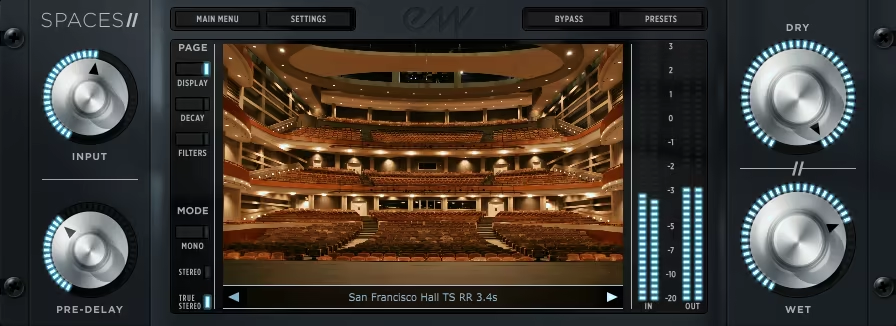
With a massive library of meticulously captured impulse responses, including 10 new venues with instrument-specific presets, Spaces 2 excels at placing instruments into natural acoustic spaces.
The IRs aren’t just generic; they’re tailored, offering options for strings, brass, and even solo vocals in iconic venues like Abravanel Hall and the War Memorial Opera House. The LA Studio Drum Rooms presets add punch and air to drums, making them perfect for pop and rock.
While Spaces 2 doesn’t include extensive sound-shaping features, its streamlined interface is designed for fast, professional results.
- Halls Tailored for Every Instrument
The instrument-specific IRs are a standout feature, with presets for violins, brass, and more. These aren’t just one-size-fits-all spaces, as they make each instrument shine in its acoustic sweet spot.
- Versatile for All Genres
From orchestral to rock and pop, this tool provides gorgeous reverbs for any source. Short ambiances like the LA Studio Drum Rooms are game-changers for modern production.
Spaces II trades complexity for content, delivering highly realistic and cool impulse responses around for different projects like movie scores as well as modern music production.
Spaces 2 comes in VST, AU, or AAX formats for macOS and Windows users.
11. Altiverb 7 Regular

Altiverb 7 offers highly realistic convolution reverb for your projects, building on its legacy as the go-to plugin for detailed room simulations.
With a massive library of over 3.4GB of impulse responses (IRs), it covers everything from legendary concert halls to quirky spaces like car interiors and even buckets. Whether you’re creating lush ambiances for instruments or crafting cinematic soundscapes, the IR collection of Altiverb 7 is both versatile and meticulously detailed.
The plugin now features a streamlined interface with improved navigation through a pop-out browser and searchable IR categories. I appreciate how the Similar IR button helps me quickly find related spaces without interrupting my workflow.
Plus, the addition of algorithmic reverb as a secondary layer adds brightness and depth to high frequencies, making the sound more polished.
- Advanced Source Positioning
Its upgraded Positioner allows precise placement of sound sources in virtual spaces, giving you control over left-right and front-back placement.
- Enhanced Modulation and Tempo Sync
Modulation tools add subtle randomness to early reflections, creating a natural feel. The tempo-synced pre-delay and gating features are ideal for rhythmic effects or tight mixes.
- Custom IR Creation
Drag-and-drop functionality simplifies loading your own impulse responses, offering endless creative possibilities for personalizing spaces.
Altiverb 7 excels in realism and flexibility, making it a great fit for scoring, post-production, and acoustic recordings. While not essential for electronic producers or existing Altiverb 6 users, its refined features make it a standout for immersive, real-world reverb.
Altiverb 7 comes in VST, AU, or AAX formats for macOS and Windows users.
12. Waves IR1

Waves IR1 redefines convolution reverb, giving you unparalleled control over impulse responses (IRs).
Unlike typical IR-based plugins, IR1 offers advanced editing features, allowing you to shape spaces with precision. Whether you’re working with lush halls or tight studio rooms, this plugin offers creative freedom.
Before starting, it’s worth noting that this plugin is a bit of a resource hog. Running intricate settings or higher sample rates can push your CPU to its limits. If you’re on an older machine, you might find yourself compromising on quality or freezing tracks to save processing power.
- Sculpt Your Space
The plugin excels in reverb customization, letting you adjust decay time, room size, and stereo spaciousness. I found the ability to balance early reflections and reverb tails especially handy for fine-tuning mix clarity. These controls give you the power to adapt any IR to fit your project’s needs.
- A Library of Iconic Spaces
With over 60 IRs, including legendary spaces like the Sydney Opera House and vintage studios, the library offers immense variety. I particularly enjoyed how the studio captures enhanced drums, adding depth without washing out the sound. Plus, you can import your own IRs for even more flexibility.
- Stretch or Shrink Impulses
What really sets this unit apart is its ability to stretch or shrink impulse response decays without introducing artifacts. This feature alone makes it invaluable for tweaking reverb tails to match your track’s tempo or vibe. It’s like having a reverb that listens to your mix.
If you love the realism of convolution but crave more control, IR1 is perfect for you. From enhancing acoustic mixes to adding iconic spaces to your tracks, this plugin delivers; just keep an eye on your CPU.
Waves IR1 is available in VST 3, AU, and AAX formats for macOS and Windows users.
When to Use Convolution Reverb?
Use convolution reverb when you want ultra-realistic space emulation. It's perfect for adding depth to vocals, creating cinematic soundscapes, or placing instruments in authentic acoustic environments like concert halls or churches.
