
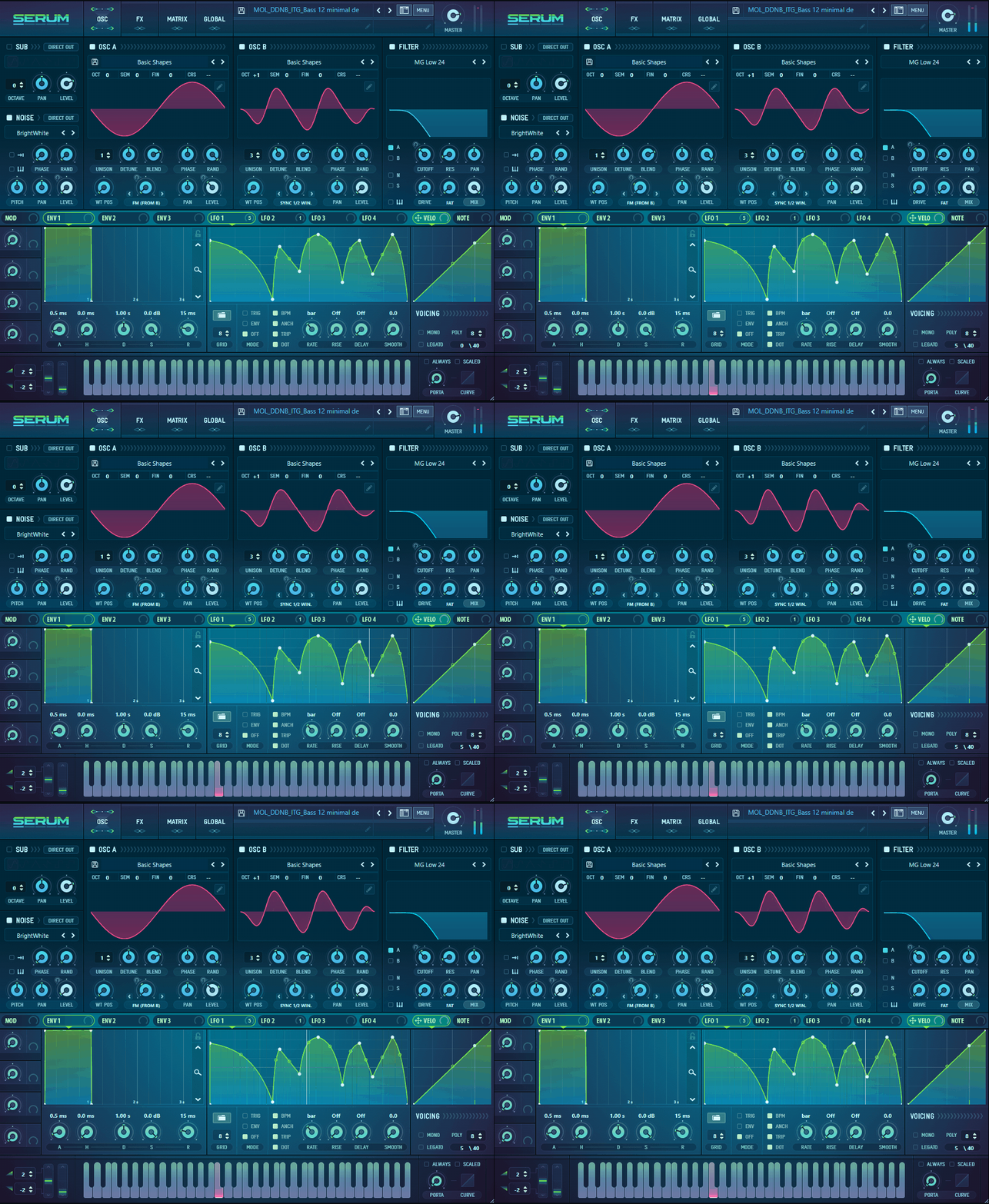
Sometimes, a mix just feels static and tasteless, like it’s missing something, and I learned that that “missing element” is oftentimes a movement or a change in dynamics that may be needed. For that, thank God, there are modulators like LFOs, envelopes, phasers, sidechain plugins, etc. So, here I bring you the best LFO plugins to give life to your mixes!
LFO, in particular, doesn’t just add movement and texture to the audio but can also make space in the mix and create that “alive” feeling that can completely change a sound. It’s not just about making things wobble or pulsate; it’s about adding personality and depth in ways you didn’t even know your track needed.
Sometimes I also use LFO VST for sidechaining and triggering one element’s movement from another or creating a vacuum for different elements to breathe. They can also create subtle or even dramatically dynamic pulses and synchronizations. When I first started using LFOs, I’ll admit, I didn’t really get them.
They felt overly technical, like something for synth nerds who spoke in modulation jargon. But as I played around, I started to see how they could breathe life into anything like pads, basslines, vocals, and even drum loops. It’s like discovering a new seasoning in cooking; once you know how to use it, you start sprinkling it everywhere and wonder how you ever worked without it.
In this article, I’m sharing my experiences with some plugins that can help you on the way. These are plugins I’ve tested and liked. They all have something special to offer. Let’s get into it!
1. Matt Tytel Vital (FREE)
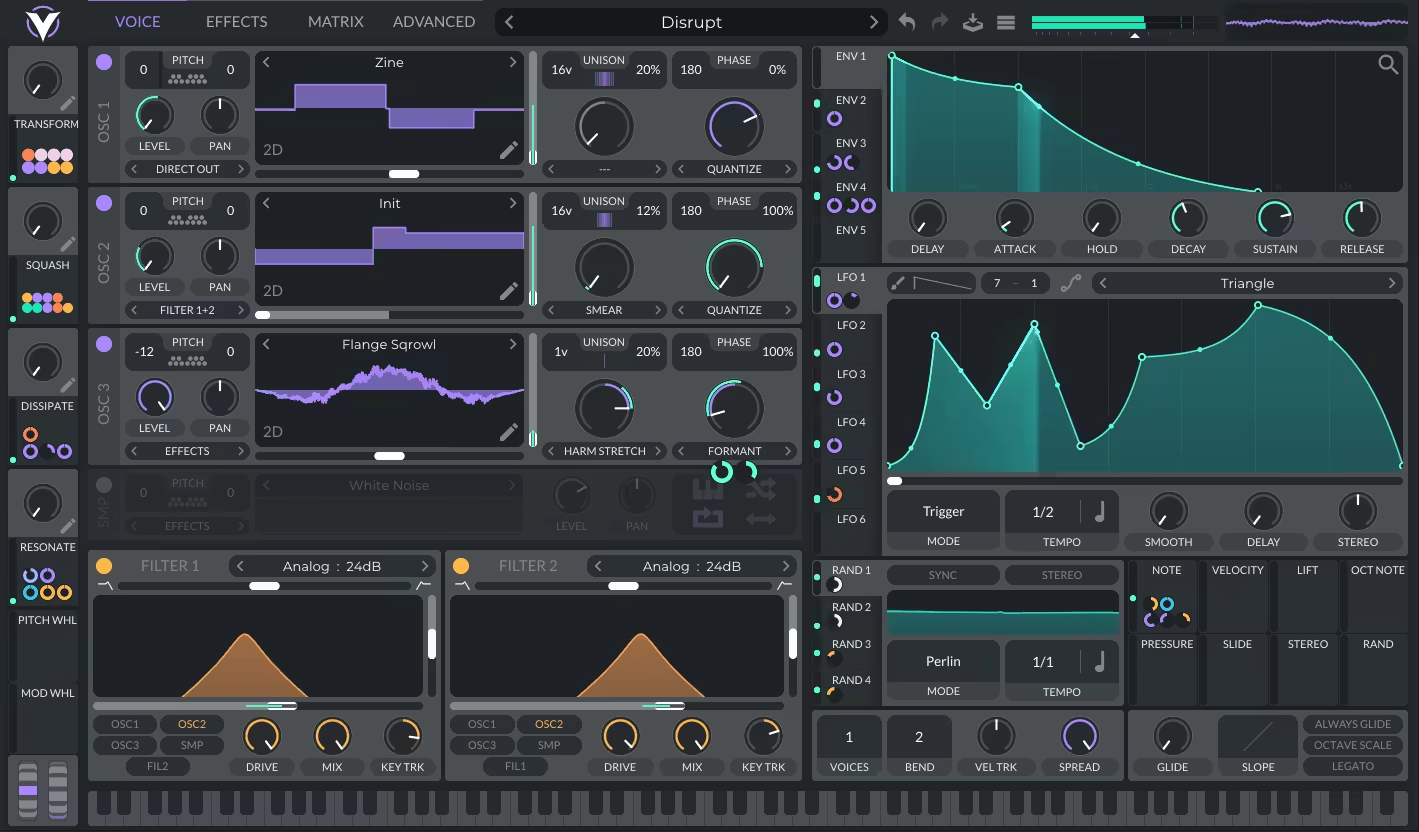
Vital has a way of pulling you in with its vibrant interface and innovative features. From the moment I opened it, I could tell it was built for experimentation. It can be considered as a great LFO VST.
What sets Vital apart for me is how approachable it feels, yet it offers all the depth you’d expect from a professional wavetable synthesizer. I wasn’t sure what to expect when I first tried it, but within minutes, I realized how well-thought-out the design was.
- Flexible Modulations
The drag-and-drop modulation is super intuitive, so you can just grab an LFO, drop it onto a parameter, and boom, it’s connected.
You can tweak the curves, adjust the tempo sync, and even add randomization for a more organic feel. Honestly, it’s one of the most flexible modulation systems I’ve ever used.
- Hands-on Tweaking
I appreciate that the plugin gives you a highly visual and intuitive experience, especially with its wavetable editor. You can easily tweak existing wavetables or create entirely new ones, and the real-time feedback is a huge help when fine-tuning your sounds.
- Onboard Effects
Vital’s onboard effects are another big win. Things like phasers, delays, and choruses can be modulated by LFOs, too, which is perfect for creating deep, moving textures. I’ve used it for thick basslines, intricate leads, and lush atmospheric pads, and it handles everything beautifully. It’s a synth that’s as at home in electronic music as it is in experimental or cinematic tracks.
That said, Vital does have its quirks. It’s pretty CPU-heavy if you go all-in with multiple layers and effects, so keep that in mind for big projects. Also, while the interface is stunning, the sheer number of features can feel a bit overwhelming at first. But trust me, once you spend some time with it, it all starts to click.
I’d recommend making use of the randomization features to quickly discover unique textures you might not have thought of on your own. And don’t forget to explore the macro controls; they’re a fantastic way to add dynamic movement to your patches.
Matt Tytel Vital is available in AAX, VST, and AU plugin formats and is compatible with Windows 10 or later, Ubuntu Linux 18.04 and above, and macOS 10.12 or later operating systems.
2. Xfer LFO Tool
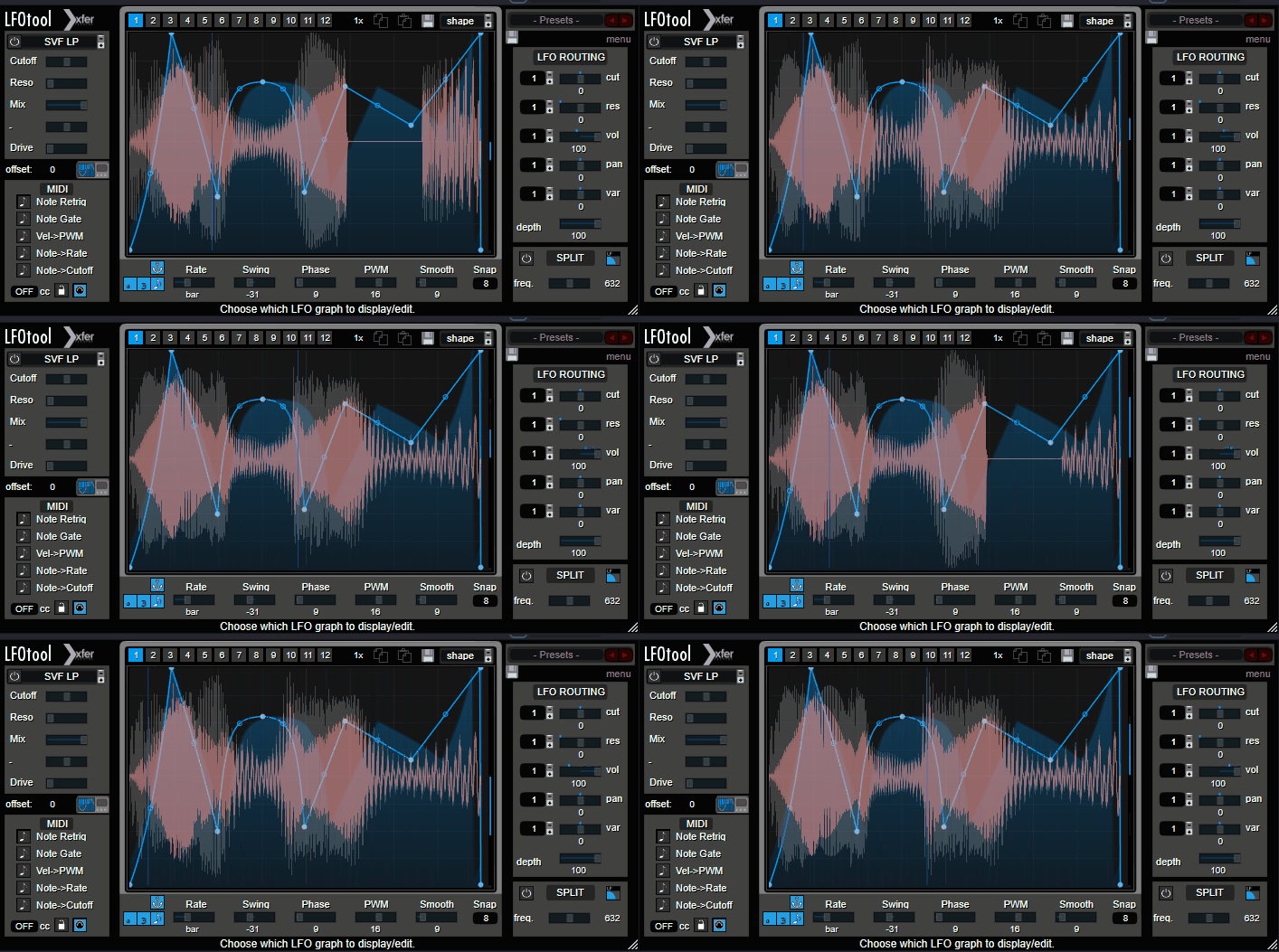
LFO Tool‘s intuitive interface makes it easy to dive right in and start shaping sounds, even if you’re new to modulation.
I think this LFO plugin VST is an ideal modulator plugin that offers a customizable point-and-tension curve editor, allowing you to craft unique LFO shapes. With up to 12 graphs per preset, switchable via MIDI notes or automation, it provides extensive modulation possibilities.
- Multiple Parallel Modulations
In my experience the star of the show is its ability to run up to four graphs simultaneously, affecting parameters like cutoff, resonance, and pan, adding depth to your sound design.
It has 12 tabs, each of which you can test different shapes of LFOs. What I love about this plugin is that I can sketch my LFO curves the way I want to and the flexibility around them.
- Easy Workflow
LFO Tool includes a variety of preset shapes and allows you to save your own, streamlining your workflow. Its low CPU usage ensures smooth performance, even in complex projects.
I often use this plugin to create rhythmic gating effects, simulate sidechain compression, and add movement to static sounds. Its precision and flexibility make it a staple in my production process.
One of the main advantages for me is its ease of use; the interface is straightforward, making complex modulations accessible. The low CPU footprint is another huge plus, allowing for multiple instances without taxing your system.
- MIDI Modulation
Advanced MIDI triggering options, including Note Retrigger, Note Gate, Velocity-to-PWM, Note Rate, and Note Cutoff, allow for dynamic and responsive control, making it a perfect tool for live performances or studio production.
Additionally, parameters such as Rate, Swing, Phase, PWM (Pulse Width Modulation), Smooth, and Snap provide fine-tuned adjustments to tailor your modulation effects with precision.
With that being said, there are some drawbacks to think about. To me, this is just a personal opinion; the interface feels a bit outdated, and the note retrigger function can be cumbersome. Still, I would say these are minor setbacks when you consider how much control and creativity it brings to your workflow.
Taking advantage of the MIDI CC output feature to control other software synths or external hardware is a good idea, as it expands your modulation capabilities beyond the plugin itself.
Xfer LFO Tool is available in AAX, VST 2/3, and AU plugin formats and is compatible with macOS Catalina 10.11 or later (macOS 11 or later rec.) and Windows 7 SP1 or later operating systems.
3. Devious Machines Duck
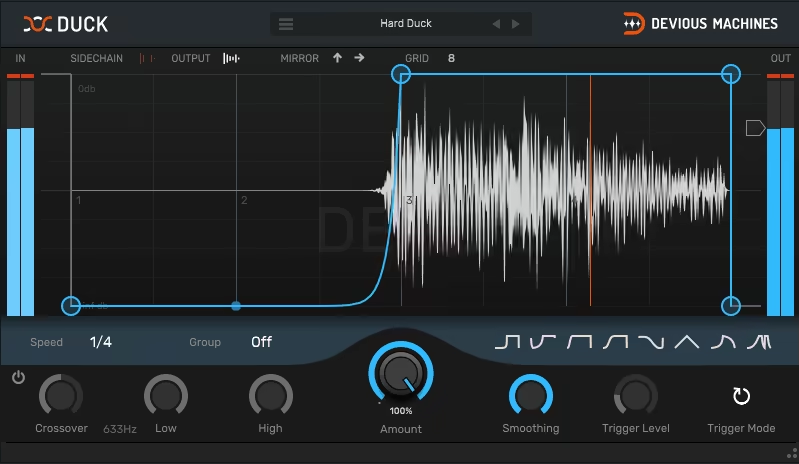
Finding a tool that simplifies sidechain compression without compromising on flexibility is like striking gold. That’s where Duck comes into play.
Duck by Devious Machines is designed LFO VST plugin to give you that classic pumping effect effortlessly, and honestly, it’s become a staple in my workflow.
Right out of the box, you can choose from 8 preset curves or 58 creative patches, making it easy to find the right groove for your track, and if you’re feeling adventurous, you can draw your own curves and rhythms, tailoring the effect to your exact needs.
- Multiple Trigger Modes
The plugin offers different trigger modes: Repeat, side-chained audio, or MIDI signals. This flexibility means you can sync the effect to your project’s tempo or have it respond dynamically to other elements in your mix. Plus, the optional lookahead feature ensures glitch-free audio, which I think is a lifesaver when dealing with transient-heavy material.
- Groups function
Groups function allows you to link multiple instances of the plugin together, so editing the shape on one updates all others in the group – that makes it incredibly efficient when working on complex projects with multiple tracks requiring the same ducking effect.
- Adjustable Crossover
You can set the overall pump or apply it to low and high bands separately, giving you precise control over which frequencies are affected. This is particularly useful for maintaining the integrity of your bass while adding movement to higher frequencies.
Regarding performance, the plugin is light on CPU usage, so you can run multiple instances without bogging down your system (yeah, we all love low CPU tools!)
In summary, this plugin offers a straightforward yet powerful solution for achieving dynamic sidechain effects. Its ease of use, flexibility, and efficiency make it a valuable addition to any producer’s toolkit.
Devious Machines Duck is available in VST, AU, and AAX plugin formats and is compatible with both Windows and Mac.
4. SlateDigital Submerge
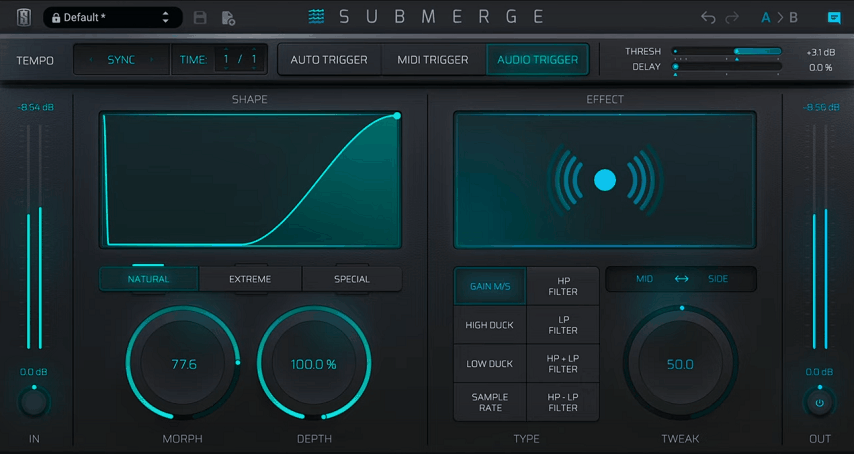
Submerge, essentially an auto-sidechain plugin quickly became one of those tools I didn’t realize I needed until I tried it 😀
I am impressed by how effortlessly it handles dynamic ducking and pumping effects while keeping everything intuitive and easy to control. I’ve used other plugins for sidechain-style effects, but Submerge felt different and straightforward yet packed with features that make you want to explore it and do some experiments.
- Different styles of triggers
The plugin offers 3 trigger modes: Auto, MIDI, and Audio, each designed to fit different workflows. Auto Sync mode ensures seamless integration with your project’s tempo and automatically aligns the LFO with the host DAW’s timeline.
MIDI Triggering, on the other hand, enables detailed hands-on control, allowing you to trigger LFO events dynamically through MIDI notes.
This mode is particularly useful for creating intricate, note-specific modulations, such as per-note cutoff shaping or velocity-sensitive effects, providing exceptional responsiveness for live performances or complex arrangements.
Lastly, Audio Triggering allows the LFO to react to incoming audio signals, making it suitable for effects that depend on amplitude variations, such as sidechain emulation or envelope-following effects.
- Advanced Curve Editing
The plugin’s curve editor offers powerful control with 3 specialized tabs: Natural, for smooth, organic shapes ideal for subtle modulations; Extreme, for sharp, aggressive curves suited to stuttering effects and rhythmic gating; and Special, for unconventional shapes perfect for experimental sound design.
I also find its responsive display very convenient as it provides real-time visual feedback, ensuring precise adjustments, while tools like grid snapping, tension control, and point editing make sculpting curves intuitive.
- Comprehensive Effects
What really caught my attention were the 8 built-in effects, including filters and sample rate reduction, that allow you to go beyond standard ducking and add creative flair to your sounds. The customizable control curves let you fine-tune the behavior, whether you’re going for a subtle pulsing vibe or a hard-hitting rhythmic pattern.
- Versatility
I’ve used this plugin for everything from EDM basslines to creating breathing room in busy hip-hop mixes. The feature I love is how you can independently duck the center or side channels, giving you pinpoint control over the stereo image. It’s one of those things you don’t think about until you need it, and then you wonder how you ever managed without it.
I must say that the interface is incredibly user-friendly, so even if you’re new to this kind of effect, you’ll get the hang of it quickly.
I believe the unit can feel a bit overwhelming at first because of the depth of options, but once you start experimenting, it all clicks. For me, the key was spending some time with the different trigger modes to see what worked best in each situation. This plugin has saved me so much time while adding polish to my mixes.
My tip would be to try using the MIDI trigger mode for precise control over rhythmic effects, especially if you’re working on something groove-heavy. Also, don’t skip over the built-in effects, as these are perfect for adding unexpected textures without complicating your signal chain. I feel this plugin isn’t just a tool for ducking!
Slate Digital Submerge is available in AAX, VST 2/3, and AU plugin formats and is compatible with macOS Catalina 10.15 or later (macOS 11 or later rec.) and Windows 10/11 operating systems.
5. TAL-Filter-2 (FREE)
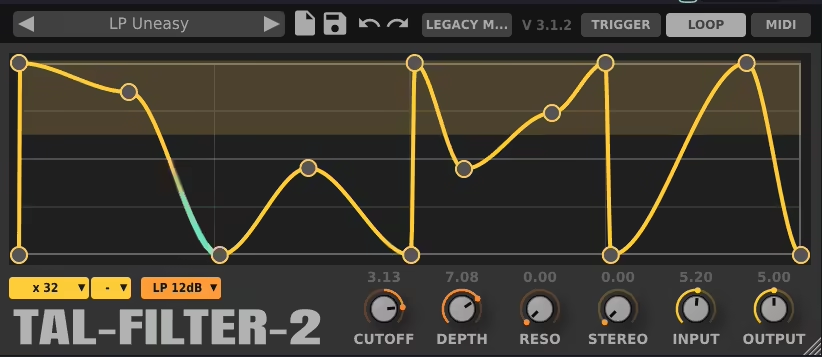
TAL-Filter-2 is perfect LFO plugin for anyone looking to add rhythmic movement to their tracks without sifting through many unnecessary options. You’ve got to hand it to a tool that’s simple but still manages to inspire creativity.
TAL-Filter-2‘s ability to sync seamlessly with your DAW’s tempo makes it special, offering precise control over modulation as it features a host-synced filter module with low-pass, high-pass, and band-pass options, which are great for shaping your sound.
- Versatile Amplitude Modulations
You can also use it to modulate volume and panorama, giving you the flexibility to create everything from subtle tremolo effects to bold trance gates.
Its Graphical editor lets you draw your modulation patterns directly, and I found this whole process very intuitive. Also, the depth control slider makes adjusting how pronounced the effect is easy, so you can go subtle or dramatic depending on your needs.
- Trigger Mode
In Trigger Mode, TAL-Filter-2 responds dynamically to the incoming audio signal, initiating modulation effects based on specific transients or changes in the waveform.
- Loop Mode
TAL-Filter’s Loop Mode offers an intuitive way to set up cyclic modulation patterns that repeat continuously over time. By allowing you to define the number of repetitions and the length of each loop, it ensures you can introduce rhythmic consistency or evolving effects that automatically repeat at precise intervals.
- MIDI Mode
Finally, in MIDI Mode, modulation is fully controllable via MIDI input, allowing users to sync the modulation parameters to MIDI notes, velocities, or automation.
My favorite feature is the panorama modulation to create interesting stereo effects on percussion and add an extra dimension to your mix.
Another thing that I enjoy is how lightweight it is; you can stack multiple instances without worrying about overloading your CPU!
In short, this plugin proves you don’t need to spend a fortune to get a solid, dependable tool that gets the job done.
TAL-Filter-2 is available in AAX, VST 2/3, and AU plugin formats and is compatible with Windows 7 or later, Ubuntu 18 or similar (Linux ), and macOS 10.9 or higher operating systems.
6. Magix coreFX VolumeFormer

Sometimes, you just need a plugin that takes care of volume modulation quickly and efficiently, and VolumeFormer fulfills that need.
In my experience, VolumeFormer is one step ahead as it brings you all the sidechain-like effects you could want without needing a separate compressor or complicated routing.
To be honest, I wasn’t expecting much when I first tried it, but it quickly became one of my go-to tools for creating that signature pulsing effect.
- Intuitive Workflow
For me, the unique side here is how easy it makes controlling volume changes.
It syncs to your project tempo, allowing you to create rhythmic volume dips and swells with precision. The graphical envelope editor is simple yet effective, letting you adjust the curves exactly how you want them.
You can use it for everything from subtle ducking to dramatic volume fades, depending on how aggressive you want to be. And guess what? The real-time preview makes tweaking settings a breeze, so you’re not stuck guessing how it’ll sound in the mix.
- Unique Features and Flexibility
Unlike traditional compressors, VolumeFormer manipulates gain directly, keeping your original dynamics intact.
This approach allows you to fine-tune compression separately while still achieving precise sidechain effects. With controls for sidechain triggering, manual triggering, timing adjustments, and depth modulation, the plugin offers granular control over how and when modulation occurs.
The depth adjustment is particularly useful for creating gradual, subtle sidechain effects, while the clean metering and central waveform visualization provide a polished and professional workflow.
- Lightweight and Effective
With its lightweight design, VolumeFormer won’t tax your CPU, even in larger projects.
While it’s not packed with advanced features for power users, its efficiency and practicality make it an excellent choice for quick, no-nonsense volume modulation.
My tip would be to use it on pads or synths to create space for your kick and bass without needing to set up sidechain compression, as it’s fast and gets the job done. This plugin is a practical, no-nonsense solution for anyone looking to add movement and dynamics to their mix without overthinking it.
Comparable to tools like LFOTool and Kickstart, VolumeFormer delivers comparable results without the hefty price tag, and it’s an excellent introduction to volume shaping for beginners.
Magix coreFX VolumeFormer is available in AAX, VST 2/3, and AU plugin formats and is compatible with Windows 10 or later and macOS High Sierra – macOS Ventura operating systems.
Bonus (LFO-based Synths for Producers)
1. Xfer Serum
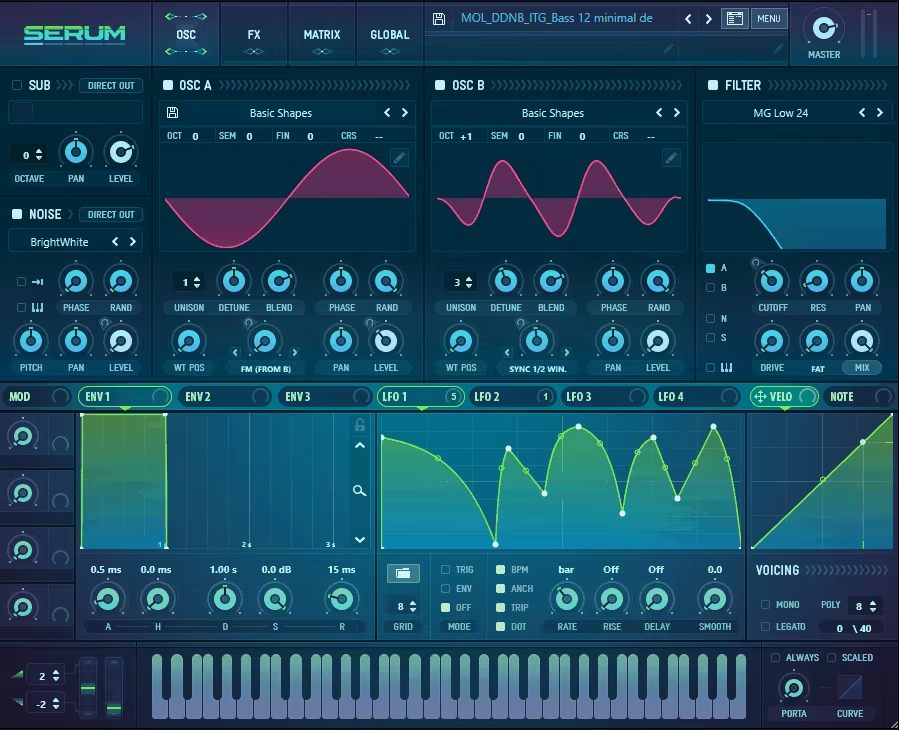
Serum is one of those synths that completely changes the way you approach sound design. At least it did for me.
The drag-and-drop modulation system in Serum is so flexible and cool. You can apply the LFOs and envelopes to any parameters and go into detailed adjustments of how they act by tweaking their direction, mix/intensity, and other similar parameters in its elaborate modulation matrix.
- Easy LFO Assignment
You can connect an LFO to just about anything, like filter cutoff, pitch, wave position, you name it. And the best part? It’s all so visual. You can see exactly how your LFO is shaping the sound in real-time, which makes it so much easier to dial in exactly what you’re hearing in your head.
- LFO Editing
In total, you get 4 LFOs in the plugin, and its wavetable editor is where Serum really shows off. It’s not just about tweaking presets (though it has some great ones to start with); you can create custom waveforms.
Pair that with multiple LFOs, each with its own curves and tempo-sync options, and you’ve got everything you need to create sounds that evolve and move in intricate ways. Moreover, you can also sketch out the LFOs just like in the LFO Tool, which I think is great when you consider this is a freebie.
Xfer Serum is available in AAX, VST, and AU plugin formats and is compatible with Windows 7 SP1 or later and macOS 10.11 or later operating systems.
2. DHPlugins LFO-EQ
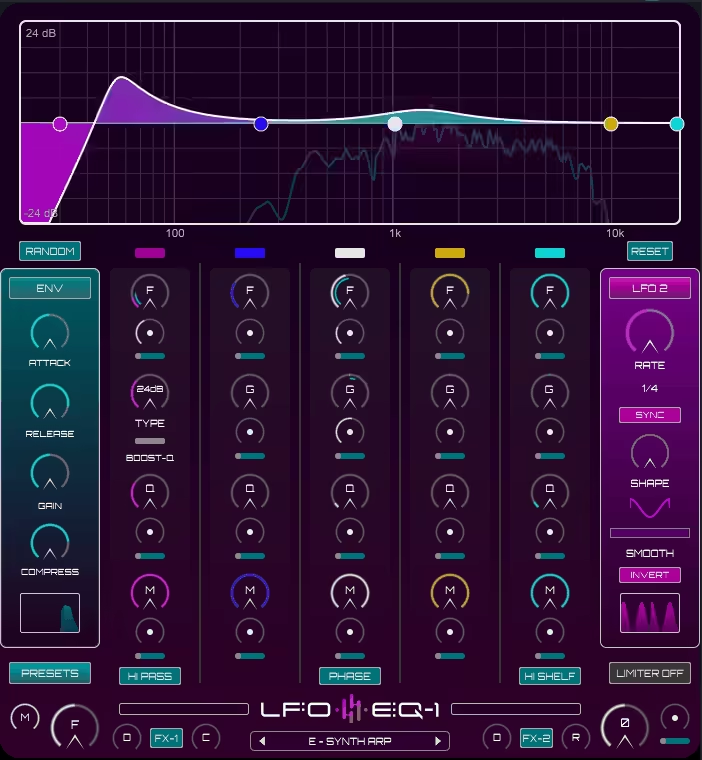
LFO-EQ immediately grabbed my attention with its ability to modulate EQ parameters like frequency, gain, and Q factor with LFOs or an envelope follower, which is quite unique.
I remember trying it on a dull pad and being amazed at how quickly it added texture and life to the sound. LFO-EQ is a creative playground for modulation. You’ve also got five bands to work with, and you can modulate each individually or together, opening up a world of possibilities.
- Effects within an EQ plugin
The built-in FX suite, including drive, chorus, delay, and reverb, gives you even more ways to sculpt your sound, making it far more versatile than a typical EQ.
- Simple Starting Point
What I enjoy most is how you can use it to create rhythmic effects or subtle shifts, depending on what your track needs, plus, having over 450 presets is a big bonus when you’re looking for quick inspiration.
On the downside, there’s a bit of a learning curve when you first dive in. The interface is intuitive, but the depth of features might feel a bit overwhelming until you’ve spent some time exploring. It’s also not too heavy on CPU, which is always a relief when you’re running a big session!
Here is the surprise: This plugin comes with a bonus in PluginBoutique. When I grabbed it during a promotion, it included a free enhancer and drive unit that’s perfect for adding grit and warmth to basslines.
Its 3 drive modes in the bonus tool, Bass-Face, are simple but effective, and I’ve found myself using them even on synths and drums for extra character. Honestly, it felt like getting two tools for the price of one.
This isn’t just about EQ or modulation but about sparking creativity and making your sounds move in ways you didn’t think possible, So if you’re looking for a tool that can add depth and character to your tracks while keeping things fun and inspiring, this one’s worth checking out.
LFO-EQ is available in AAX, VST 3, and AU plugin formats and is compatible with Windows 7 or later and macOS 10.8 or higher operating systems.
Last Words
So, with all that being said, the LFO plugins that stand out in the list for me are VolumeFormer, Vital, and Serum. VolumeFormer’s ability to create precise volume modulation with a simple interface makes it a go-to for quick, effective sidechain-style effects.
Then there’s Matt Tytel Vital, which stands out for its vibrant interface and powerful wavetable editing, perfect for producers who want to push their creativity to new heights. Finally, Xfer Serum deserves a spot, thanks to its built-in wavetable editor and drag-and-drop modulation, which open up endless possibilities for sound design and creativity.
At the end of the day, each of these plugins brings something special to the table, whether it’s about shaping dynamics, adding rhythmic modulation, or diving deep into sound design. The real takeaway is that finding the right tools is less about having the “perfect” plugin and more about discovering what fits your workflow and inspires your creativity. So don’t rush, experiment, and enjoy the process. After all, making music is as much about the journey as it is about the final product 🙂

Shaurya discovered his passion at the intersection of writing and music. Starting his career as a songwriter and rapper, he gradually picked up FL Studio and soon delved deep into the world of audio engineering and music production. Based in Delhi, India, he has worked with top studios, been featured on Red FM, garnered millions of streams on Spotify, and released music with major labels like Sony and Hitz.