
Here I present you some of the best filter VST plugins to sweep the highs and turn basic sounds into madness!
I used to think filters were just for DJs flexing on their decks, but nah, these things are great tools for sound design, mixing, and making your track do wild backflips.
A solid filter cleans up the mud, adds movement or straight-up destroys your sound in the best way possible.
Some of these are clean and precise, others are gritty and chaotic, and a few are just plain disrespectful (in a good way). And let’s be real, who doesn’t love a massive, face-melting filter sweep before the drop? That’s music producer law at this point.
I’ve thrown these on drums, synths, bass, vocals, heck, even white noise, just to see what happens, and the results are always fire. Whether you’re after smooth, buttery filtering or full-blown alien spaceship modulation, these plugins will do the trick.
Let’s dive into the best filter plugins that’ll make your sounds move, groove, and straight-up slap!
1. Polyverse Filterverse
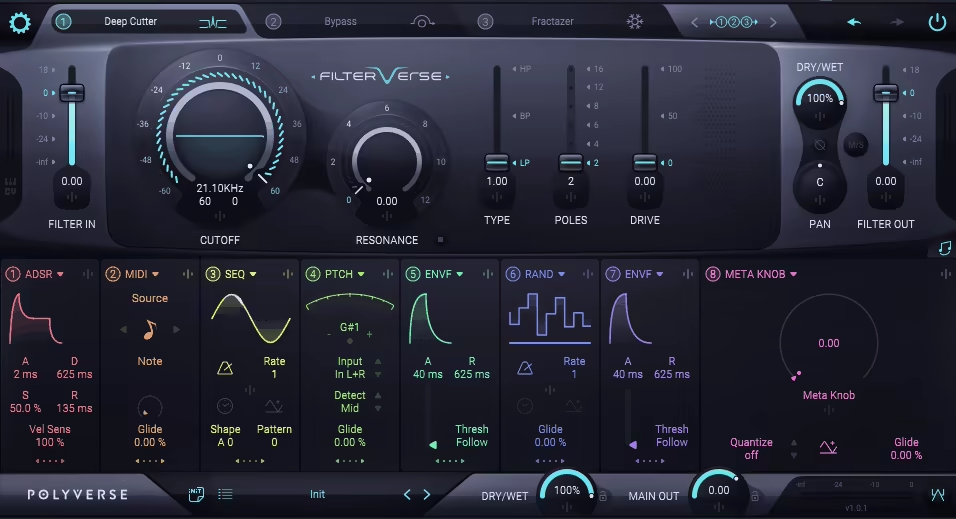
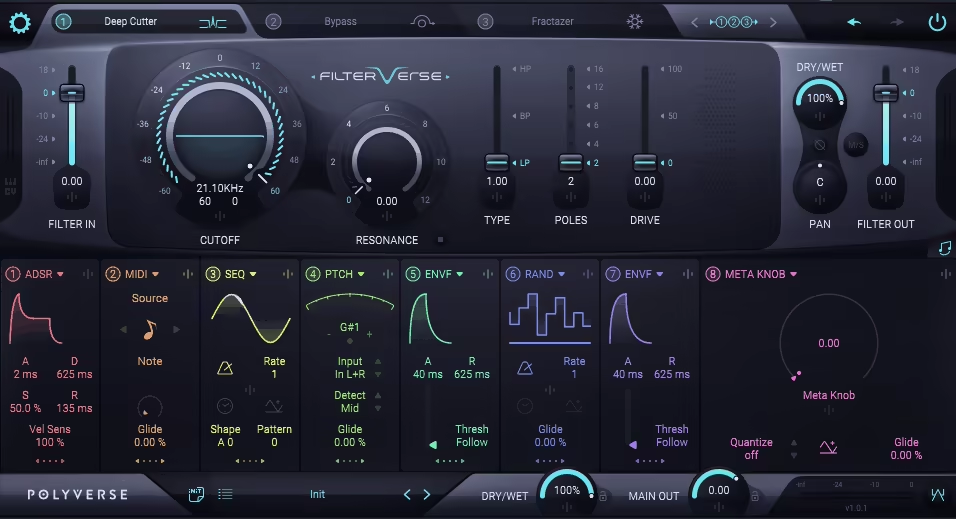
Polyverse just gave filter freaks a new playground, and I’ve been stuck in it ever since.
What makes Filterverse stand out isn’t just the number of filters (though yeah, there’s a ridiculous amount). It’s how Polyverse turned filtering into a full-blown creative experience. I’ve never used a filter plugin that made me feel this experimental and in control at the same time.
At first, the interface looks like a spaceship dashboard, but once I figured out the layout, it all made sense. You get 3 https://www.deepseek.com/filter slots up top, eight modulation sources down below, and a super clean routing system that’s more fun than fiddly. I love how everything’s color-coded and intuitive once you know where to look.
- Huge Variety of Filter Types
You get over 25 filters to choose from, including wild stuff like Vowel, Strings, and Robo Comb.
I used the Vowel filter on a vocal chop and suddenly it started talking back like a robot with feelings. You can stack any combo you want, 3 of the same, or mix classics with experimental weirdness.
- Powerful and Playful Modulation Engine
Each filter can be modulated by anything: LFOs, sequencers, randomizers, even pitch detection.
I had an envelope follower modulating a comb filter on a snare, and it gave me this metallic shimmer that followed the transient. The Meta Knob is also great for macro-style control, I mapped it to multiple cutoffs and rode it like a DJ filter sweep from space.
- Massive Preset Library with Real Use Cases
Filterverse ships with 700+ presets, and they’re not just throwaways. I found one that turned a clean Rhodes chord into some kind of futuristic water harp.
It’s also a great way to learn what each filter or modulator can actually do, I’ve picked up a ton of tricks just from reverse-engineering them.
One thing I’d love? The built-in tooltips. The manual is insanely detailed (and actually a good read), but having those insights inside the plugin would make exploration even smoother.
Still, Filterverse is one of those rare plugins that inspires me to just mess around until something magical happens. It’s perfect for experimental sound design, electronic stuff, or just adding movement and color to plain sounds.
It’s my go-to when I want to twist audio into something new or just vibe out and see where the filters take me.
Filterverse comes in VST, AU, and AAX formats for macOS and Windows users.
2. Kilohearts Filter Table
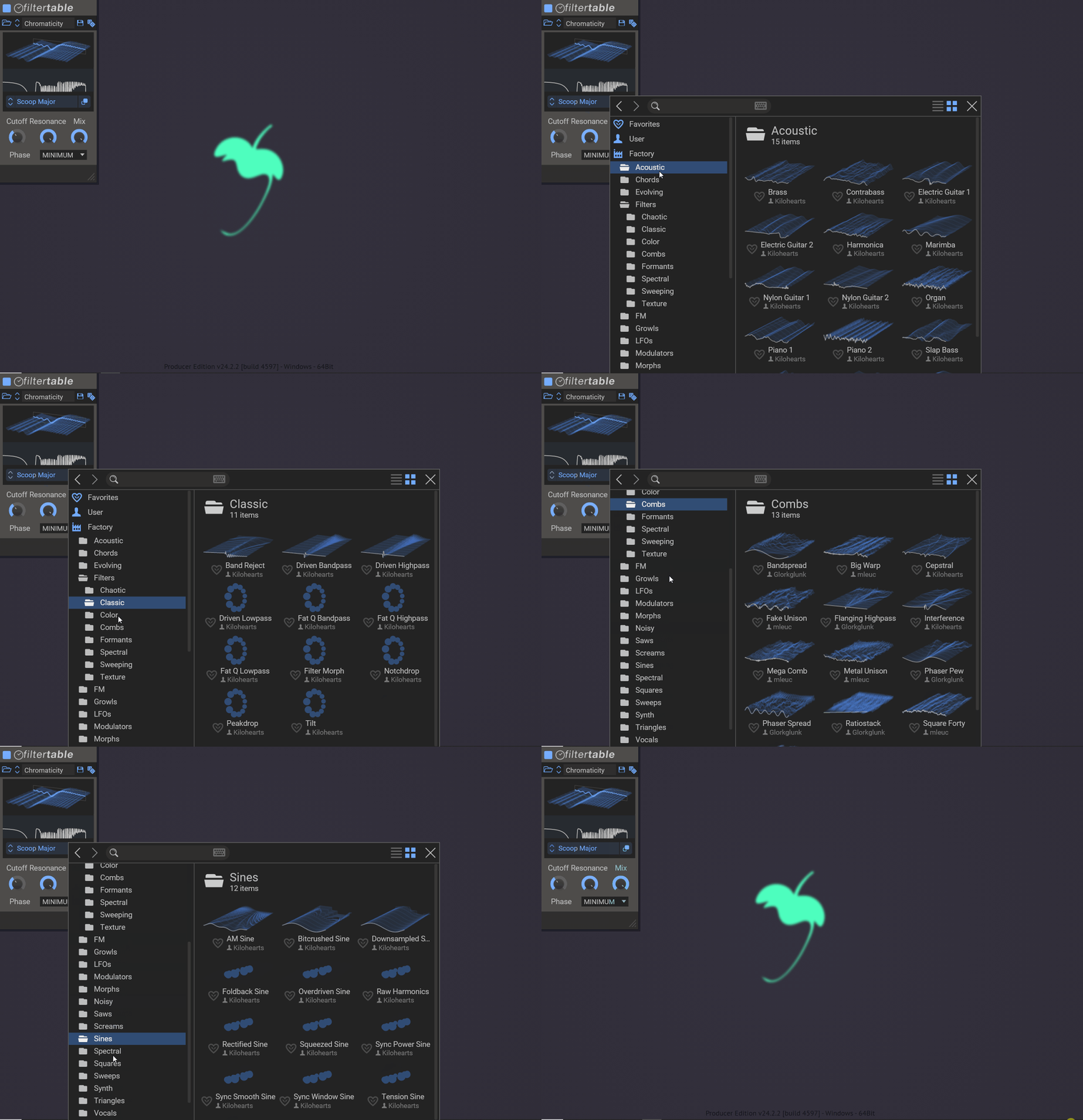
Now this is not your typical filter, Filter Table takes wavetable synthesis and smashes it together with filtering, creating a completely new playground for sound design.
Instead of just tweaking cutoff and resonance, you get to load a wavetable and let it drive the effect, which means you can morph, twist, and reshape sound in ways you wouldn’t expect from a filter plugin.
I love Filter Table design as this opens up endless possibilities like adding subtle movement to pads or completely destroying a drum loop with glitchy chaos.
- Wavetable-Driven Filtering
Instead of just static filter curves, Filter Table lets you scan through a wavetable, meaning the filter’s shape constantly evolves.
The included wavetables are solid starting points, but the fact that you can load on your own or design new ones makes it limitless.
- Visual Feedback
The 3D graph for wavetables and the spectrum plot make it easy to follow what’s happening, even when you’re doing crazy, experimental sound shaping.
And with multiple phase modes like Linear and Minimum, you can fine-tune the character of your filtering to be either smooth and natural or aggressive and edgy.
- Experimentation & Motion
For me, this isn’t the plugin you reach for when you just need a quick low-pass filter. This is for when you’re ready to experiment.
Try modulating the wavetable position to create evolving textures, or automate the resonance for dramatic, sweeping effects. It’s not rocket science, but it gives you the tools to make completely original sounds.
I don’t think producers looking for a simple high-pass or band-pass filter, would find this plugin handy. But if you want to push the boundaries of sound design, it is gold.
With its affordable price, Filter Table is a steal for sound designers and experimental producers. It’s filtering, but completely reimagined.
Kilohearts Filter Table is available in VST, VST3, AU, and AAX formats for macOS and Windows.
3. Cableguys FilterShaper XL
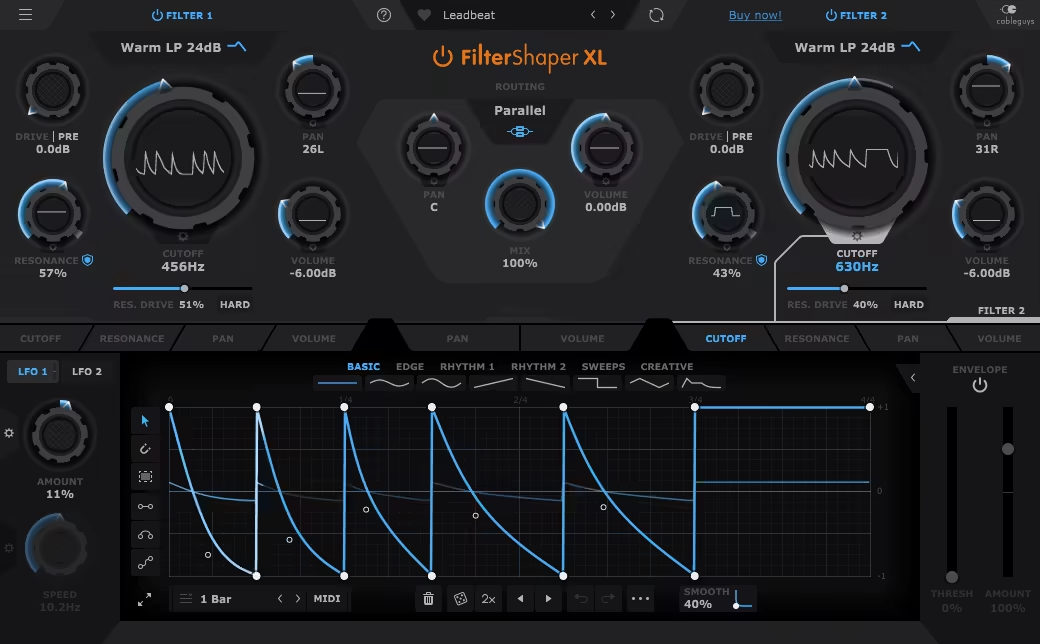
If you love turning static sounds into dynamic, living elements, FilterShaper XL is your new best friend.
FilterShaper XL can take even the most basic sound and twist it into intricate, evolving textures with dual filters, deep modulation capabilities, and a crazy flexible workflow.
I really liked the slick interface, if you’re familiar with ShaperBox, you’ll feel right at home. Drawing modulation curves is effortless, and syncing or sidechaining the movement is super intuitive, making this filter VST pretty beginner-friendly.
- 20 Filter Types
FilterShaper XL gives you 20 filter types, including low-pass, high-pass, notch, and peak filters. But here’s the deal, you can choose between clean digital filters or warm, analog-modeled ones inspired by MS-20-style circuits.
I love that you can add in the Resonance Drive, and can push things into saturated, overdriven madness, ideal for gritty basslines, tearing leads, or even warm, vintage-style sweeps.
- Vast Modulation System
This is where FilterShaper XL destroys the competition. Every major parameter like cutoff, resonance, volume, pan, has its own dedicated LFOs and envelope followers.
And you can even modulate the modulators, meaning your LFO speed can have its own LFO. The result? Ever-evolving, never-repeating movement that keeps your sounds alive and shifting.
- Rhythmic Filtering
When I need pulsing, sidechained movement on my synths, or wanna turn a pad into an evolving, breathing texture, the modulation curves make it insanely easy to draw in perfectly timed sweeps, wobbles, or even randomized chaos.
This is one of the best tools for electronic music, hands down.
I recommend you to try modulating the LFO rate with another LFO, as you’ll get organic, shifting movement that never sounds repetitive. This trick is great for glitch effects, evolving pads, or experimental textures.
I think for electronic producers and sound designers, FilterShaper XL is one of the most essential filtering tools out there.
Cableguys FilterShaper XL is available in VST, AU, and AAX formats for macOS and Windows.
4. Moog Moogerfooger MF-105S MuRF
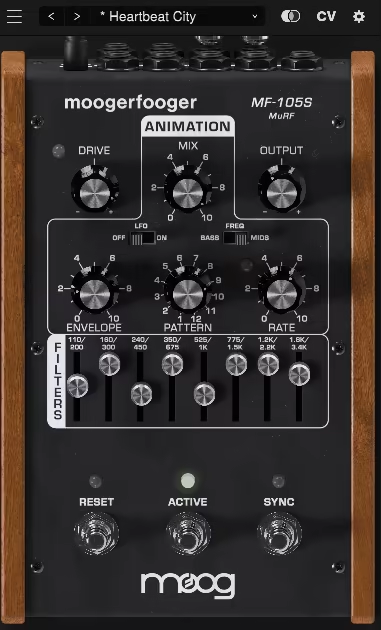
I love it when a plugin takes something classic and flips it on its head, and MF-105S MuRF does exactly that.
Moog could’ve just ported the original legendary analog unit and called it a day, but nah, they went all in with full DAW integration, modern workflow tweaks, and way more flexibility.
MF-105S MuRF is basically a filter on steroids, except instead of just making things sound slightly better, it shapes, warps, and transforms your sound into rhythmic madness.
- 8-band Resonant Filter
Unlike a boring old low-pass filter, MuRF has an 8-band resonant filter array, which means you’re not just sweeping frequencies, but sculpting full-on evolving textures.
It’s kinda like a mini modular synth hiding inside a filter plugin, except you don’t need a physics degree to use it.
I throw this on pads, synths, and even guitars when I want them to feel like they’re moving and breathing rather than just sitting there like a lazy couch potato in the mix.
- Built-In Animation
MuRF comes with a pre-programmed animation module, which is a fancy way of saying: it makes your sounds groove without you lifting a finger.
But if you wanna get nerdy (like I always do), the Pattern Editor lets you draw in your own rhythmic filter sequences. It’s like a step sequencer but for filtering, which means you can go from subtle movement to full-blown psychedelic mayhem in seconds.
- Stereo Mode
One of my favorite tricks is taking advantage of MuRF’s stereo routing, which lets you spread those filters across the stereo field like butter on warm toast.
I’ve used it on atmospheric pads, percussive loops, even vocal chops, and it always adds this dreamy, spacious character that makes everything feel bigger than it really is.
At the end of the day, MF-105S MuRF is all about vibe, movement, and that warm Moog magic. It’s got that vintage soul but modern flexibility, and I cannot get enough of it.
Moog Moogerfooger MF-105S MuRF comes in VST3, AU, and AAX formats for macOS and Windows users.
5. TDR Infrasonic
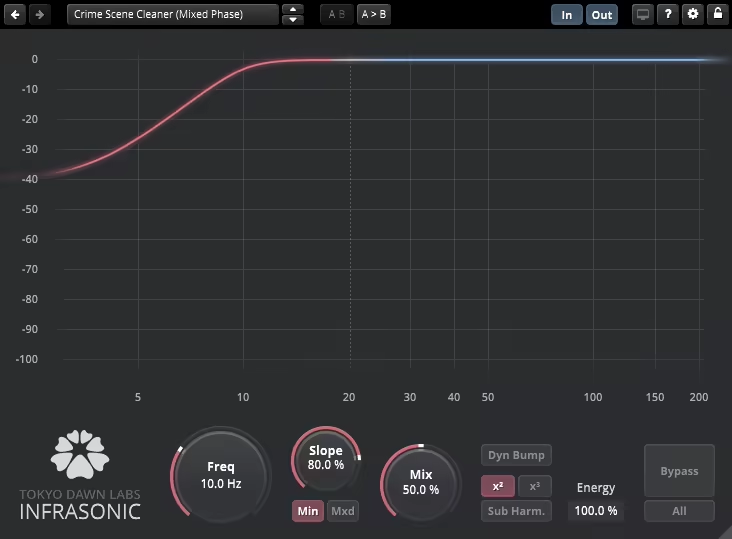
If you’ve ever struggled with muddy, out-of-control sub-bass, this filter plugin is your new best friend.
Infrasonic is not just about rolling off low-end frequencies, but about sculpting them properly, so your mix stays tight, clean, and punchy without losing impact.
I’ve used plenty of low-cut filters, but this one feels way smarter than just slapping on a high-pass and hoping for the best.
- Minimum & Mixed-Phase Filtering
You get to choose between minimum-phase filtering, which keeps things transparent, and mixed-phase filtering, which gives a balance of clarity and smoothness.
I found it to be ideal for situations where you need to clean up subs without making the mix sound hollow.
- Continuously Variable Filter Slope
Instead of fixed cutoff curves, this lets you dial in exactly how aggressively you want to filter out those deep frequencies.
Whether you just want to gently clean up some rumble or go full surgical mode, this feature makes a huge difference.
- Dynamic Bump Mode & Harmonic Generators
One of my favorite tricks, cutting subs can sometimes drain the energy from a track, but this feature restores punch and depth without adding mud.
It’s great for keeping the weight in your kicks and basslines while still making space for everything else.
This isn’t a slap-it-on-every-track kind of plugin, but when your low end feels messy or weak, it’s a lifesaver.
If you’re working with bass-heavy genres, cinematic subs, or mastering for vinyl and live systems, this will tighten things up while keeping the character intact.
This is one of those “essential but invisible” tools, as it won’t make your mix sound cooler, but it’ll make sure your lows translate perfectly across every system.
TDR Infrasonic comes in VST2, VST3, AU, and AAX formats for macOS and Windows users.
6. SoundToys FilterFreak
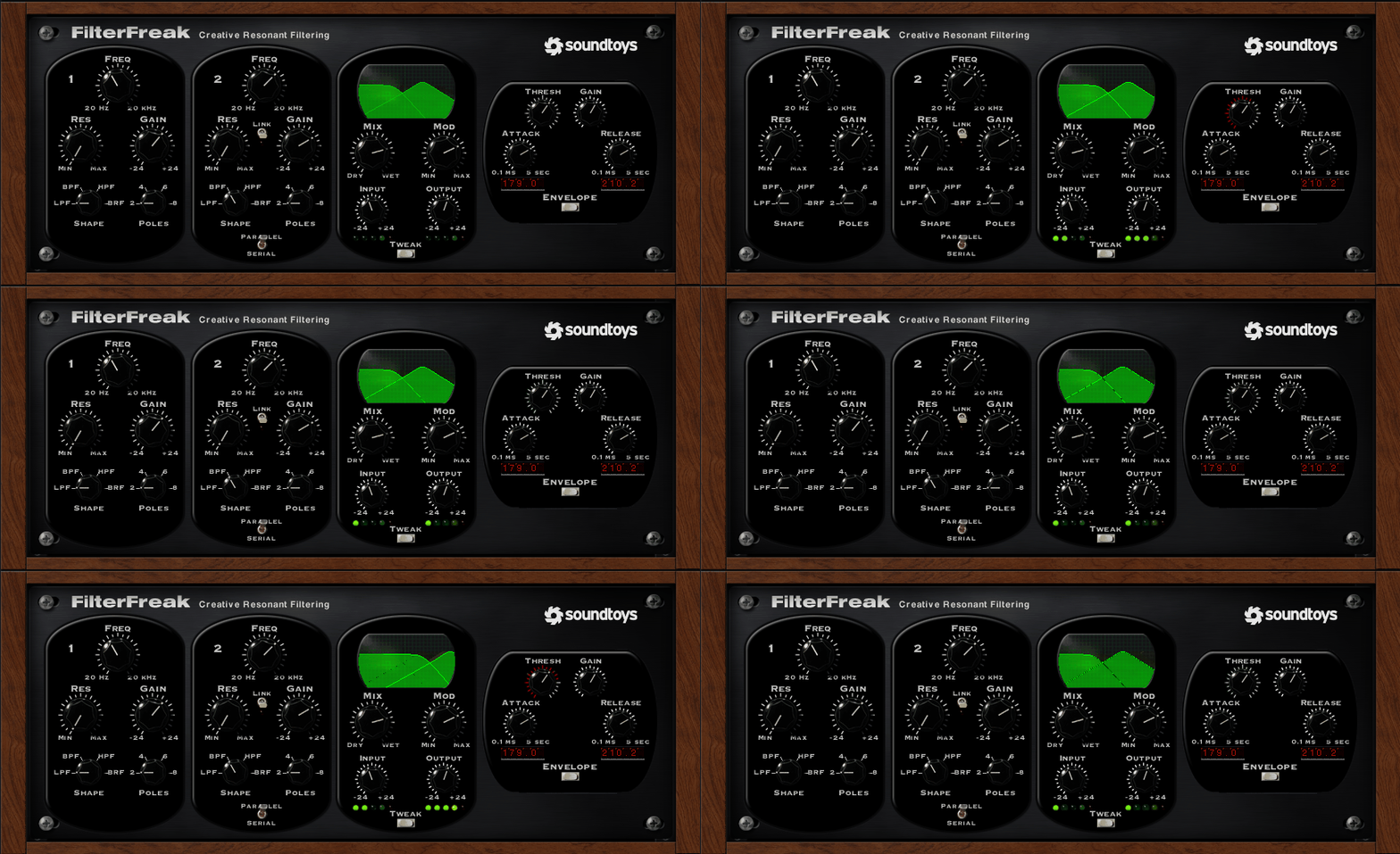
FilterFreak brings that vintage vibe and then some, for those after that fat, analog-style filtering with a ton of character,
FilterFreak isn’t just about sweeping frequencies, it’s about giving your sound movement, warmth, and straight-up attitude.
For fattening up a bassline, adding groove to drums, or going full sci-fi with some weird modulations, this thing has you covered.
- Vintage Analog Sound
This thing nails the vintage filter sound, from smooth synth sweeps to gritty, screaming resonance.
Crank up the drive, and it reacts like real hardware, breaking up in all the right ways. There are 7 different saturation styles, so you can go from warm and subtle to full-on distorted chaos.
I love slapping this on synths and guitars when I want to add some extra attitude and movement.
- Rhythm and Groove
I think the Rhythm Mode is a great addition. Instead of just setting a static filter sweep, you can sync it to your DAW for groovy auto-wah effects.
You get pre-made rhythmic patterns or can draw your own with the Rhythm Editor, making it insanely fun for adding movement to drum loops and basslines.
And the Groove knob? Instant swing and shuffle, so everything locks into the pocket.
- Two-Plugin Design
FilterFreak actually gives you two plugins, FilterFreak 1 for simple filtering and FilterFreak 2 for dual-filter madness.
Running two filters in series or parallel opens up a ton of creative possibilities, from deep, throaty sweeps to completely alien soundscapes. It’s one of those things where you start tweaking and lose an hour just experimenting.
If you’re into electronic music, funk, or psychedelic textures, you’re gonna have a blast with this. The only downside? The interface feels a bit old-school, but honestly, once you start tweaking knobs and hearing the results, you won’t care.
In my experience, this thing is a full-blown character processor. If you want rich, warm filtering with tons of creative control, FilterFreak is a highly valuable addition to any arsenal.
SoundToys FilterFreak comes in VST2, VST3, AU, and AAX formats for macOS and Windows users.
7. FabFilter Volcano 3
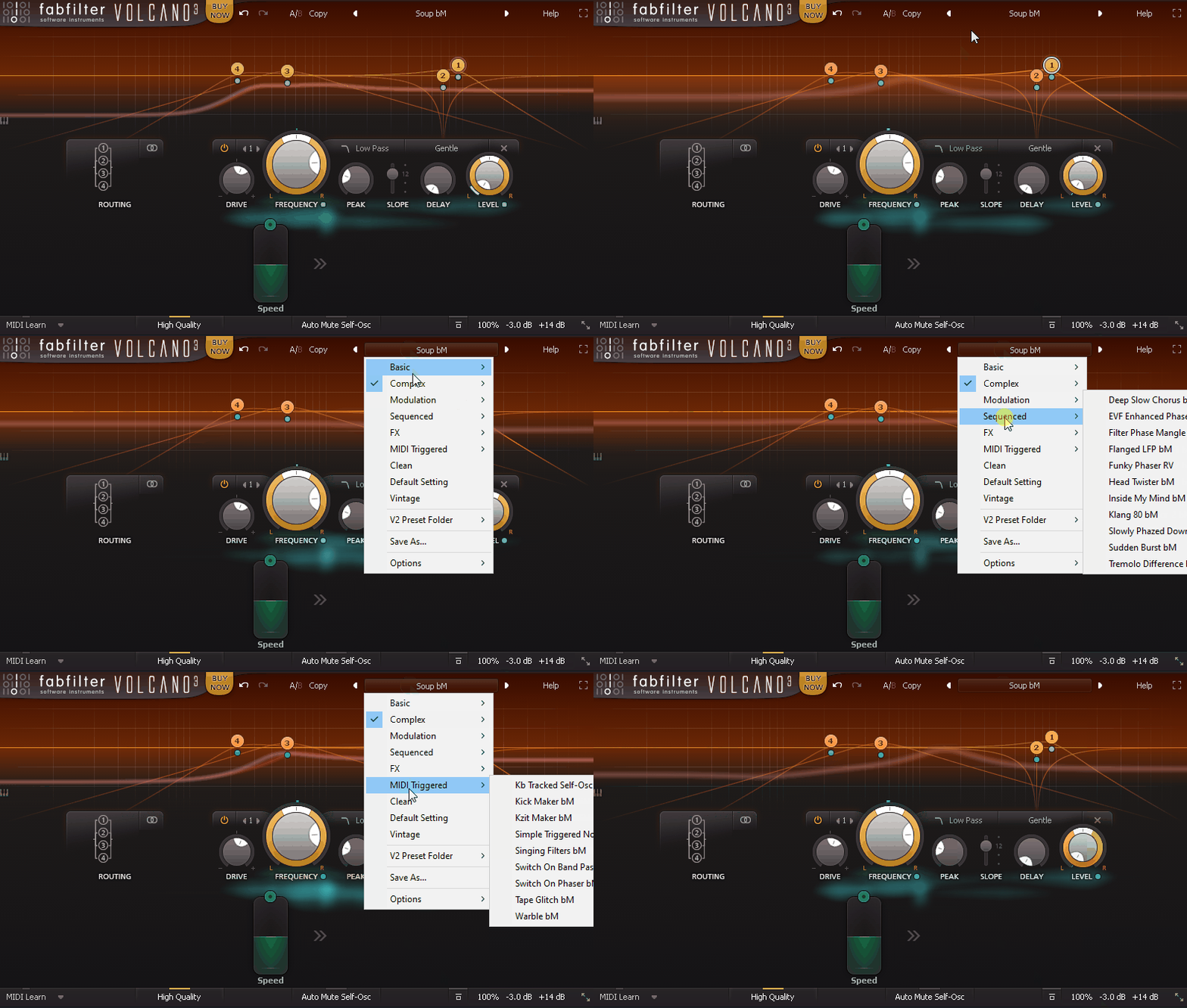
As one of my favorite filters, Volcano 3 is a characterful all-in-one filter solution for filtering needs with its great flexibility.
With 4 analog-modeled filters, endless modulation, and a slick UI, Volcano 3 can do everything from subtle tone shaping to complete audio destruction.
If you like precision and creativity wrapped in one, I’d say this is the tool for you.
- Filter Variety
You get low-pass, high-pass, band-pass, notch, bell, and all-pass filters, all with their own unique flavors.
Whether you need surgical EQ moves or massive, sweeping effects, this filter VST plugin lets you stack, link, and shape filters however you want. The self-oscillation mode is a super handy for crazy resonant effects.
- Modulation & Routing
This is where Volcano 3 gets ridiculous as you can modulate literally anything, cutoff, drive, panning, stereo width, you name it.
The drag-and-drop modulation system makes it stupidly easy to set up complex movements. Plus, with multiple routing options, you can layer and sequence filters like a mad scientist.
- Interactive UI
The real-time visual feedback is one of my favorite parts. You can see exactly how your filters are shaping the sound while you tweak.
And if you love getting lost in sound design, the full-screen mode gives you all the space you need to dial in something wild.
I gotta say, the depth can feel overwhelming at first. There’s just so much control, but if you spend some time with it, it becomes second nature.
My tip would be to use the LFO modulation to create rhythmic filter movements, it’s killer for adding pulse to pads and basslines.
FabFilter Volcano 3 comes in VST2, VST3, AU, and AAX formats for macOS and Windows users.
8. Sugar Bytes WOW2
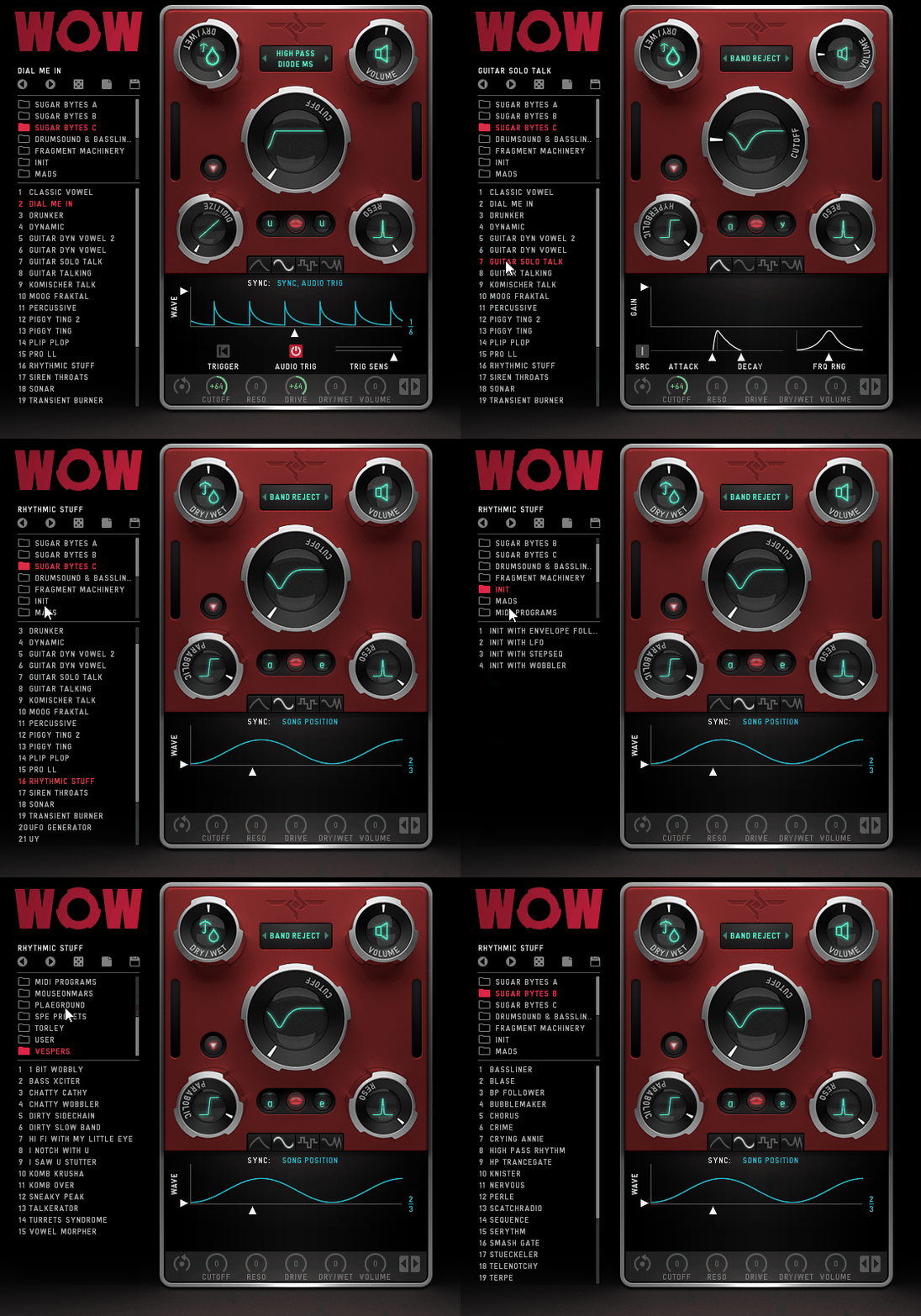
I’ll be real, WOW 2 is a total character beast. This thing warps, twists, and injects serious personality into whatever you throw at it.
With 21 filter types, including comb, vowel, and classic low/high-pass modes, WOW 2 is insanely versatile. But what really sets it apart for me is how effortlessly it blends creativity with functionality.
The interface is a bit on the busy side, but super visual, showing cutoff, resonance, distortion shape, and mix levels in a clear way. I’m not gonna lie, the preset browser is kinda oversized, but once you get the hang of it, navigating feels natural.
- Vowel Mode
As one of my absolute favorites, this feature adds a vocal-like, almost living texture to your sound.
You can pick from 9 vowels, blend between two at once, and combine them with different filter types for expressive formant-shaping effects.
I’ve used it to make synths talk, turn basslines into growling beasts, and sneak subtle vocal textures into pads, it’s a blast.
- 7 Distortion Types
WOW 2 goes hard on distortion, offering Parabolic, Hyperbolic, Diabolic, Sine, 1Bit, Crush, and Digitize modes, covering everything from smooth warmth to full-on sonic mayhem.
The best part? You can choose whether the distortion applies before or after the filter, giving you total control over the final tone; whether you want gritty, crunchy bass or just a touch of warmth.
- Modulation with Wobble, LFO, & Envelope
This is where WOW 2 really earns its name. The modulation system is next-level, with an LFO, envelope follower, and a wobble generator for insane rhythmic movement.
If you’re after that classic “wobble bass” in dubstep, electro, or hybrid trap, this is your go-to. But it’s also fantastic for adding subtle motion to pads, leads, and textures.
For creative filtering, WOW 2 is easily one of the best out there. It’s a dream for sound design, electronic music, and anything experimental.
That said, there is one small quirk; it always attenuates some high-end frequencies, even when using high-pass filters.
Sometimes, that works in your favor (like taming harsh digital synths), but if you need surgical control over the top end, you might need to adjust elsewhere.
WOW2 is available in VST, AU, and AAX formats for macOS and Windows.
9. Waves MetaFilter

Some filters just sit there, but MetaFilter actually breathes life into your track. Whether you throw it on drums, vocals, synths, or even guitars, it adds movement, rhythm, and texture with almost no effort.
It blends classic filters, comb filters, and resonators, letting you switch from subtle tonal shifts to wild, rhythmic effects in seconds.
The MetaFilter interface is clean and simple, exactly why I love it. No getting lost in endless tweaking; just grab a few knobs, and suddenly, your track has depth and groove.
- Built-in Step Sequencer
One of my favorite features! This makes rhythmic filter sweeps ridiculously easy.
Whether I’m automating filter movement on a drum loop or adding a pulsing groove to a synth line, it keeps everything locked to the beat. If you love groovy modulations, this is your jam.
- Envelope Follower
This lets the filter react dynamically to the incoming audio, creating organic, evolving effects.
I love using it on basslines and percussive sounds because it makes them feel alive and punchy like the filter is actually listening to the track.
- LFO for Smooth, Evolving Movement
If you want to breathe life into a static sound, the built-in LFO is perfect.
Add gentle movement to pads, create classic wobble effects on basslines, or slow filter sweeps for rising tension. With 5 waveforms (including random!), you’ve got tons of flexibility.
On the downside, if you’re someone who likes precise visual feedback for filter curves, you might find it lacking. Not a dealbreaker, but having that display would make fine-tuning sweeps a bit easier.
For me, MetaFilter is a go-to for adding rhythmic interest and texture. It’s fast, fun, and musical, perfect for both subtle mix tweaks and full-on sound design madness.
MetaFilter is available in VST, AU, and AAX formats for macOS and Windows.
10. MOK Filtryg

If you love filters that go beyond basic sweeps, Filtryg is an absolute beast.
Filtryg comes with 3 different filter types, State Variable, Ladder, and Biquad, so whether you want smooth, warm shaping or wild, aggressive resonance, it’s got you covered.
The best part for me is that you can run them in series, parallel, or even a mix of both, which opens up an insane amount of sound design potential.
The interface is fun to tweak and I love how everything is laid out logically, so you don’t have to dig through menus to get creative. The modulation section is really flexible, with an Envelope Follower, LFOs, and MIDI tracking that lets you shape sounds dynamically.
- 3 Filter Types
Filtryg gives you 3 distinct flavors: the State Variable Filter, which morphs between low-pass, high-pass, band-pass, and notch; the Ladder Filter, which delivers classic analog warmth and punch.
And the Biquad Filter, which is great for my workflow when precision sculpting. Add in the Drive control, and you can push things from subtle saturation to full-blown grit.
- Modulation That Feels Alive
This filter plugin isn’t just about static filtering, as it moves with your track. The Envelope Follower reacts to incoming audio, making it perfect for sidechain-style pumping effects or rhythmic filtering that grooves with your song.
The tempo-synced LFOs let you add movement that stays locked to your beat, while MIDI tracking lets you control filter behavior based on what you play.
- User-Friendly Design
Filtryg makes complex routing easy so that you can run filters in parallel for wide, stereo textures or stack them in series for layered filtering effects.
The visual feedback helps a ton, as you can see exactly how your sound is being shaped in real-time, which makes tweaking feel highly natural.
I would have liked to see a built-in sequencer, which would have made it even more powerful for pattern-based modulation. Also, I gotta say it can get a little CPU-hungry, so be mindful when running multiple instances in big sessions.
For sound designers and producers who want deep, flexible filtering with hands-on control, Filtryg is a powerful and fun tool.
MOK Filtryg is available in VST, VST3, AU, and AAX formats for macOS and Windows.
11. FKFX Obvious Filter (Free – Best Value)
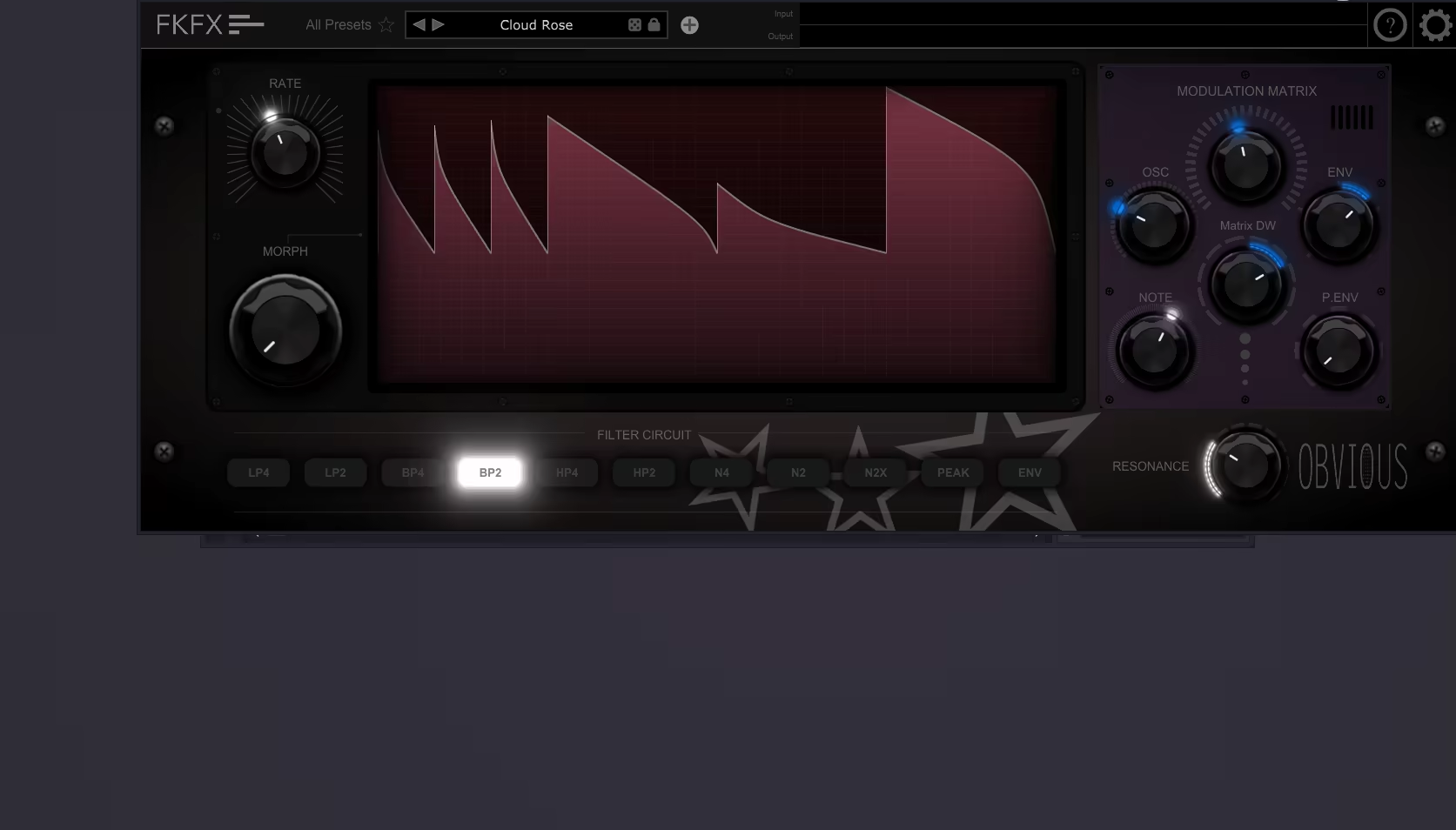
For those after a filter that brings movement, groove, and insane modulation possibilities, all for free, Obvious Filter is a no-brainer.
The Morph Sequencer steals the show, letting you create evolving, rhythmic filter patterns that make any sound feel alive. Whether I’m spicing up a drum loop, adding animated sweeps to a pad, or making a bassline breathe, this VST filter plugin delivers.
Well, I think y’all know by now that it’s rare to find a free plugin this powerful. But here, you get 10 analog-inspired resonant circuits, giving you everything from smooth filtering to aggressive resonance.
Plus, the 39 unique oscillators bring unexpected movement and textures, pushing the creative envelope way beyond standard filtering.
- Morph Sequencer for Dynamic Filtering
The Morph Editor is the heart of Obvious Filter, allowing you to create custom filter sequences that evolve over time.
You can set different morphing modes (Immediate, Morph, Linear), letting you glide between filter states smoothly or snap between them for a glitchy effect. This feature alone makes it perfect for transforming static sounds into expressive, evolving textures.
- Modulation Matrix with 39 Oscillators
Unlike most filters that just let you sweep the cutoff, Obvious Filter lets you modulate everything.
With 39 oscillator types (including classic synth-style LFOs, FM, and Pulse options), you can craft movements that range from subtle and organic to wild and unpredictable.
The 33 routing circuits give you precise control over how these modulations interact with your filters.
- Full-Screen Curve Editor
Tweaking your filter movements is a breeze with the full-screen curve editor. You can draw in your own shapes, mirror, normalize, and even randomize them.
It makes complex modulation effortless, and it’s one of the reasons this plugin feels more like a playground for sound design than just a filter.
For a free plugin, I think Obvious Filter is ridiculously feature-packed. It’s perfect for electronic music producers, sound designers, or anyone who loves animated filtering.
The only small drawback I could find is that it’s not as deep as some paid plugins, but honestly, it’s hard to complain when it already outperforms many premium options.
For a free plugin, Obvious Filter is a must-have. It’s fun, creative, and incredibly powerful, proving that you don’t need to spend money to get pro-level sound design tools.
FKFX Obvious Filter is available in VST, VST3, and AU formats for macOS and Windows.
