
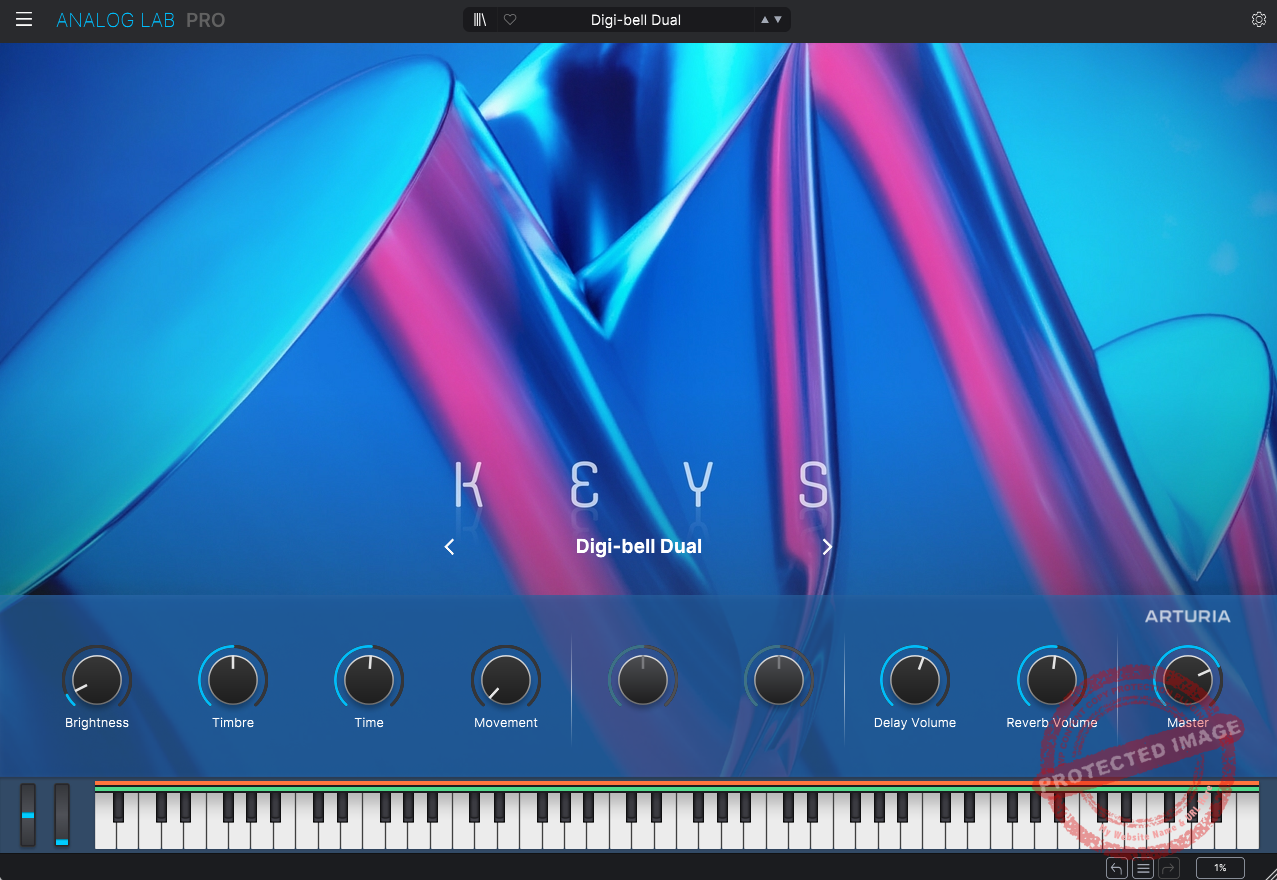
If you crave authentic vintage sounds with powerful effects and seamless hardware integration, Analog Lab Pro is worth it. Perfect for producers and composers who want great analog tones without deep sound design. Casual users? Try a demo or wait for a sale!
Price
Pros
- Vast sound library with over 2,000 presets
- Seamless integration with Arturia’s hardware
- Powerful effects suite
- Multi-layering and split functionality
- Intuitive interface and workflow
- Stage Mode for Live Performances, which is ideal for gigging musicians
Cons
- High CPU usage with complex patches and occasional preset overload
- Limited Sound Editing (While you can tweak parameters, deeper customization is locked unless you own the full V Collection suite.)
- The price point may be steep for casual users
- Inconsistent Preset Quality (Though most presets are stellar, a few digital-sounding ones may lack the warmth or depth of others.)
In this article, I will be diving deep into a question every producer, synth enthusiast, and keyboard wizard has probably asked: Is Arturia Analog Lab Pro worth my hard-earned cash?
Look, Analog Lab already has a rock-solid reputation in the industry, so as someone who’s messed around with everything from vintage hardware to cutting-edge software synths, I’m here to cut through the marketing fluff and give you the real scoop on its latest update: Analog Lab Pro.
People call Analog Lab Pro the ultimate collection of vintage sounds, all wrapped up in one sleek plugin. Sounds great, right? But then you see that $199 price tag, and the real question kicks in: Is it actually worth it?
So, let’s break it down, feature by feature, and figure out if this synth is a must-have or just another fancy plugin fighting for a spot in your library. Let’s go!
Features
Arturia Analog Lab Pro isn’t just another preset player; it’s a synth and keyboard tool designed for flexibility and creativity. The interface has changed and simplified quite a lot as compared with its previous version, which was launched about five years back.
Packed with over 2,000 presets from Arturia’s acclaimed V Collection, you’d get a treasure trove of vintage emulations ranging from Moog modular to Junos and quirky samplers.
- Massive Sound Library
Analog Lab Pro boasts a staggering library of over 2,000 presets spanning decades of musical history. I see no shortage of inspiration here, from iconic synths like the ARP 2600 and Prophet-5 to lush pianos and eerie samplers.

-
-
- Synths: Moog Mini V, Juno-6 V, ARP 2600, Prophet-5
- Pianos & Organs: Stage-73, B3 Organ
- String Machines & Samplers: Mellotron, CMI V
-
To me, each preset seems to be well crafted and intends to capture the essence of the original hardware, so sound designers and nostalgia seekers are in for a treat.
- Multi-Layering & Split Keyboard Functionality
One of my favorite features is the ability to layer or split two instruments across the keyboard. Imagine pairing a dreamy Juno pad with a gritty Moog bass, a combination that immediately sparked excitement in me.

You can layer multiple instruments for complex textures or split them across different key ranges for live performance flexibility. What’s more, you can also easily control the volume and effects independently for each layer.
- Comprehensive Effects Section
You get a solid suite of modulation, delay, reverb, and distortion options.
The ability to chain effects like a virtual pedalboard enhances creative sound design. You’ll find a range of modulation effects, such as chorus, flanger, and phaser, along with tape, analog, and digital delays.

The plugin also includes multiple reverb types, including plate, spring, and shimmer, alongside easy-to-tweak EQ and master settings.
Whether you’re after lo-fi vibes or polished, studio-quality sounds, Analog Lab Pro has you covered.
- User-Friendly Preset Browsing & Management
So, this is what I found specifically beautiful about Analog Lab’s interface. It allows you to browse your sounds by categories like instruments, Styles, Banks, Types, and even Designers. So, whatever your mood is, finding the right sound for your project becomes really easy.

You can navigate through these sounds in the above interface style or in a menu/browser style, as in the image below.

Moreover, you can also ‘Like’ presets and create personalized playlists for quick access during performances or studio sessions.
Interface and Workflow
The streamlined interface of Analog Lab Pro is both visually appealing and functional, making sound design intuitive even for beginners. I mean, all you have to do is browse through the sounds, find the one that you prefer, and start tweaking it from there if you’re someone who’d like to go deep.
The first instance that opens up for the plugin is too simplified, and I don’t mean that as a bad thing. Arturia has made the job easier for us, and we can simply tweak the MACRO controls to make changes to our sounds.

In my opinion, Arturia has done a solid job balancing form and function, ensuring the interface isn’t cluttered and that navigating thousands of presets feels surprisingly intuitive. Integration with Arturia’s KeyLab controllers further enhances usability, offering hands-on control to tweak parameters without the need for a mouse.

So, there’s the Home window, from where you can navigate through different categories of sounds, and you’d like this if you prefer a colorful and filled interface instead of straightforward menus, which you will find in the Browser window. Then there are straight ‘Sound Banks’ windows with a list of presets and sounds ordered in alphabetical order.
You can edit whichever sound you select by clicking on the ‘Edit Preset’ button.

What that means is that you can essentially change or add different effects, change their routings, and also adjust the macros.

First Impressions and Sound
The real magic of Analog Lab Pro? It’s all in the sound. Whether you’re going for cinematic soundscapes, gritty electronic beats, or lush ambient textures, this thing delivers. The presets are rich, dynamic, and ridiculously authentic to their vintage inspirations, no lifeless, stale sounds here.
I’ll be honest, a lot of the presets sound amazing right out of the box, but they do tend to come drenched in effects. That wet profile can be a bit much in a dense mix, so sometimes you’ll need to dial things back to make everything sit right.
When I first fired it up, I spent a solid 30 minutes just cycling through presets, and I was shocked at how fast I found inspiring sounds, no endless tweaking needed.
Now, Analog Lab Pro isn’t a rompler, but it kind of feels like one in the best way. Instead of raw sample playback, you get expertly emulated instruments, giving you the vintage vibe without the deep-dive sound design.
If you’re new to synthesis, this is a perfect gateway, with legendary synth sounds, and zero intimidation. And honestly, the presets are so good that you can start making music without touching a single knob.

That said, the massive preset library in Analog Lab Pro is both a blessing and a curse. On one hand, you’ve got an insane variety of sounds at your fingertips. On the other, you can easily fall into the endless scrolling trap, and let’s be real, nothing kills creativity faster than decision fatigue.
Luckily, Analog Lab’s smart categories and search filters help keep things organized and manageable. Personally, I’ve learned that sticking to a handful of go-to sounds is way more productive than wasting hours hunting for the ‘perfect’ preset, because, spoiler alert, there’s always another one just around the corner.
If you’re the type who lives for crafting custom patches from scratch, you might vibe more with something like Arturia Pigments. But if you just need quick, effective sound shaping, Analog Lab Pro’s macro controls give you instant access to filters, envelopes, and effects without overcomplicating things.
If your music leans heavily on vintage textures, the full suite (Arturia’s larger V Collection bundle) might be worth considering. On the flip side, if your productions demand more sample-based or digital synthesis, something like Omnisphere could be a better fit. But for its price and versatility, Analog Lab Pro is a standout contender.
Presets like Digibrass Pad add bold, cinematic flair to synthwave tracks, while Mountain Flutes provide an organic touch for ambient pieces. Dark Rider has become a staple for deep, gritty basslines in my hip-hop productions. These sounds are ready to go, delivering inspiration when I need to lay down ideas quickly.

Compatibility
Analog Lab Pro is compatible with Windows 10 (or later) and macOS 11 (or newer) operating systems, supporting VST, VST3, AU, and AAX formats. It runs smoothly in most DAWs, though using high-polyphony patches can tax older systems. It also requires a minimum of 4 GB RAM and 4 cores in CPU.

Berk Öztuna, a musician from Istanbul, is skilled in handpan, percussion, and guitar, performing and recording his own compositions globally. With expertise in music production and audio technology, he integrates virtual instruments and sound design tools seamlessly into his work. He also writes insightful articles on music production and gear for platforms like Plugin Noise and shares his music on Spotify and Instagram.
DONATE: Love our content? Help us keep Plugin Noise alive in the age of AI — Your donation fuels better content for music creators like you! You can donate here: pluginoise@gmail.com (Every amount counts.)