
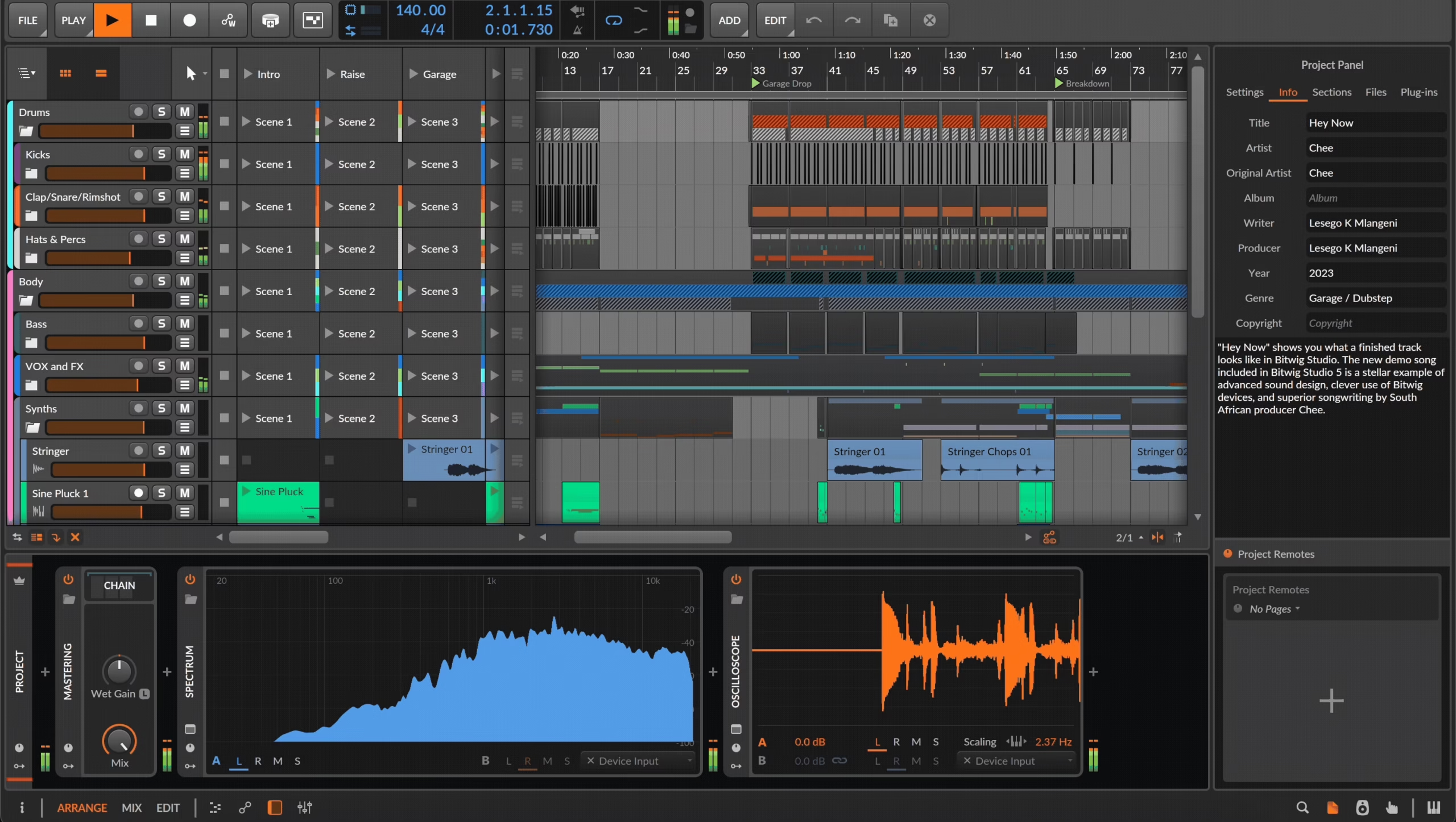
Today, we’re diving deep into the world of music production with a full-on Bitwig vs Ableton comparison, two DAWs that have taken over my brain (and probably yours too if you’re reading this).
Whether you’re making beats, layering ambient textures, or prepping a live set for your next rooftop gig, you’ve likely wondered: “Which one of these powerhouses fits me best?”
I’ve been an Ableton Live user for years, and it’s like that old friend who always knows what you need, even if it’s just a fourbar loop and a Drum Rack.
But then I tried Bitwig, and things got… complicated. It was like going from driving an automatic to flying a spaceship with endless knobs. At firs,t I was overwhelmed, but then I started seeing its quirks as superpowers. And now? I switch between them like I switch guitars, depending on the mood, the mission, and how weird I want to get.
This article isn’t just a feature checklist or tech spec dump. I’ll walk you through the key differences, sound and workflow vibes, and how each DAW holds up in realworld use. Think of it like a jam session, not a lecture. So grab a coffee (or your favorite synth), and let’s nerd out together!
Each row above highlights how the DAWs stack up in that area. In summary, Bitwig often shines with deep modularity, flexible routing, and unified modulation (e.g. its powerful Grid system and per-note MPE features).
Ableton Live excels in streamlined workflows for writing and performing (famous clip launching, warping, and instrument/effect pipelines), with a vast ecosystem via Max for Live.
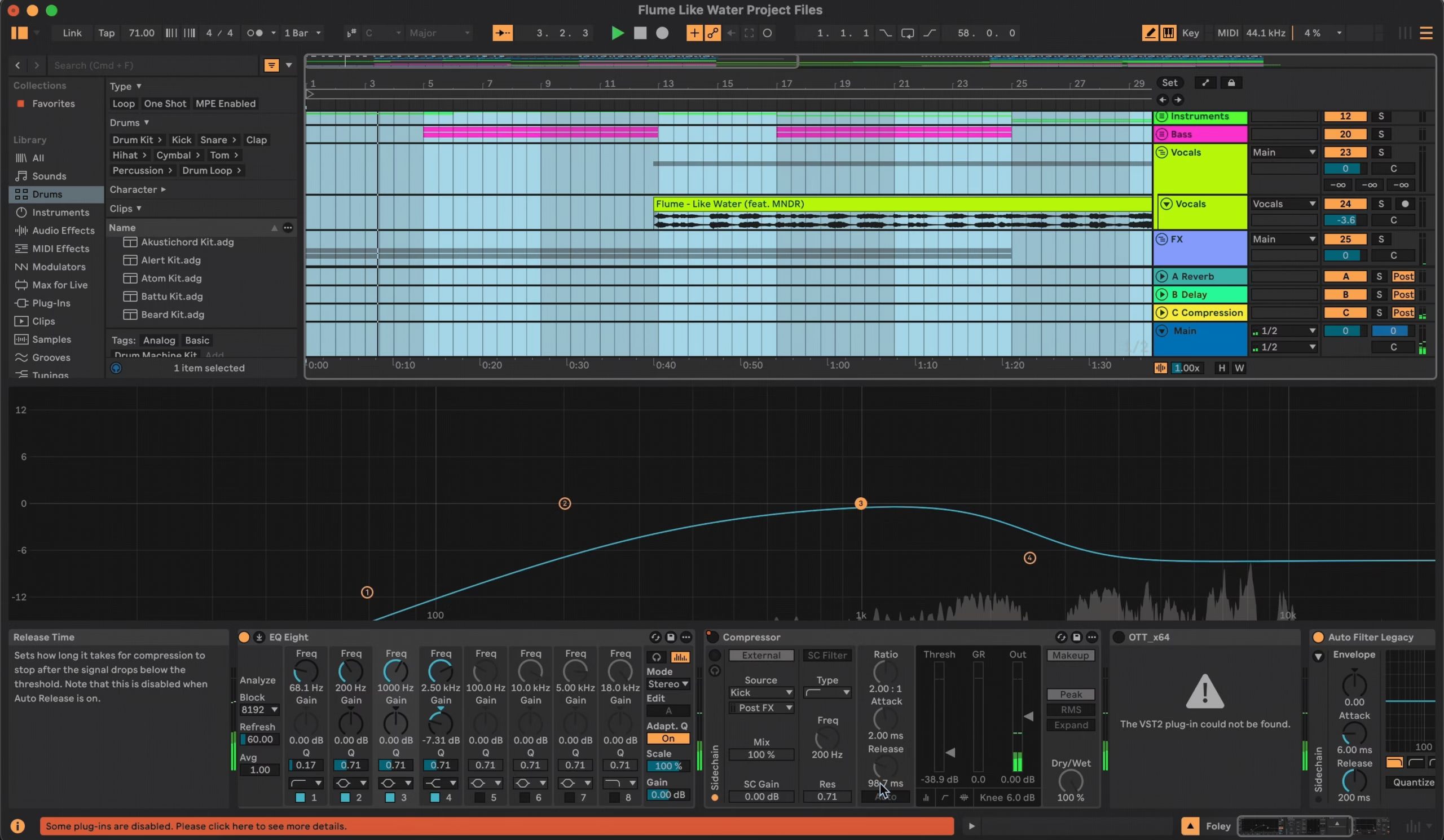
Modulation System
This is where Bitwig totally flexes. Modulation is built right into the core, I’m talking LFOs, step sequencers, envelopes, randomizers, and even multi-stage modulators. And you can just drag these onto literally any parameter. It’s wild. I’ve modulated modulators… on purpose. You don’t need extra plugins or routing nightmares.
Ableton’s caught up a bit with Live 11 and 12, you get LFOs, envelope followers, and Roar’s modulation tools, but it’s kinda spread out. Most of the time, you’re using a specific device or diving into Max for Live to get that level of control.
If you love to tinker and see instant results, Bitwig just makes modulation feel effortless and fun. In Live, it’s doable, but you have to work for it.
Automation
Both DAWs handle automation well, but the vibe is different.
Ableton keeps it clean and classic: you get dedicated lanes, clip automation, and an easy Draw mode. Need to automate a filter cutoff? Just click and paint. Super intuitive.
Bitwig, though, takes it way deeper. Automation can come from modulators too, and every MIDI or audio clip can hold its own automation. One thing I love? You can Bounce in Place instantly, turn MIDI into audio with all effects baked in, without stopping the flow.
If you’re looking for quick, reliable automation, Live’s probably the easier pick. But for more creative flexibility, Bitwig’s got it in spades.
Samplers and Instruments
So, Bitwig’s Sampler is a beast. Looping, crossfading, multisample editing, and full modulation routing, it feels like a sound designer’s playground. Plus, synths like Polymer and Phase-4 are built on The Grid, which means you can get modular fast.
Live counters with Simpler and Sampler, both super efficient. I personally love Wavetable and Operator, clean, solid, and inspiring. And don’t sleep on the Drum Rack; it’s crazy good for building beats fast.
In the end, Bitwig gives you raw power and patch freedom, while Live gives you polished instruments with that Ableton feel. Depends if you want to tweak from scratch or just get going.
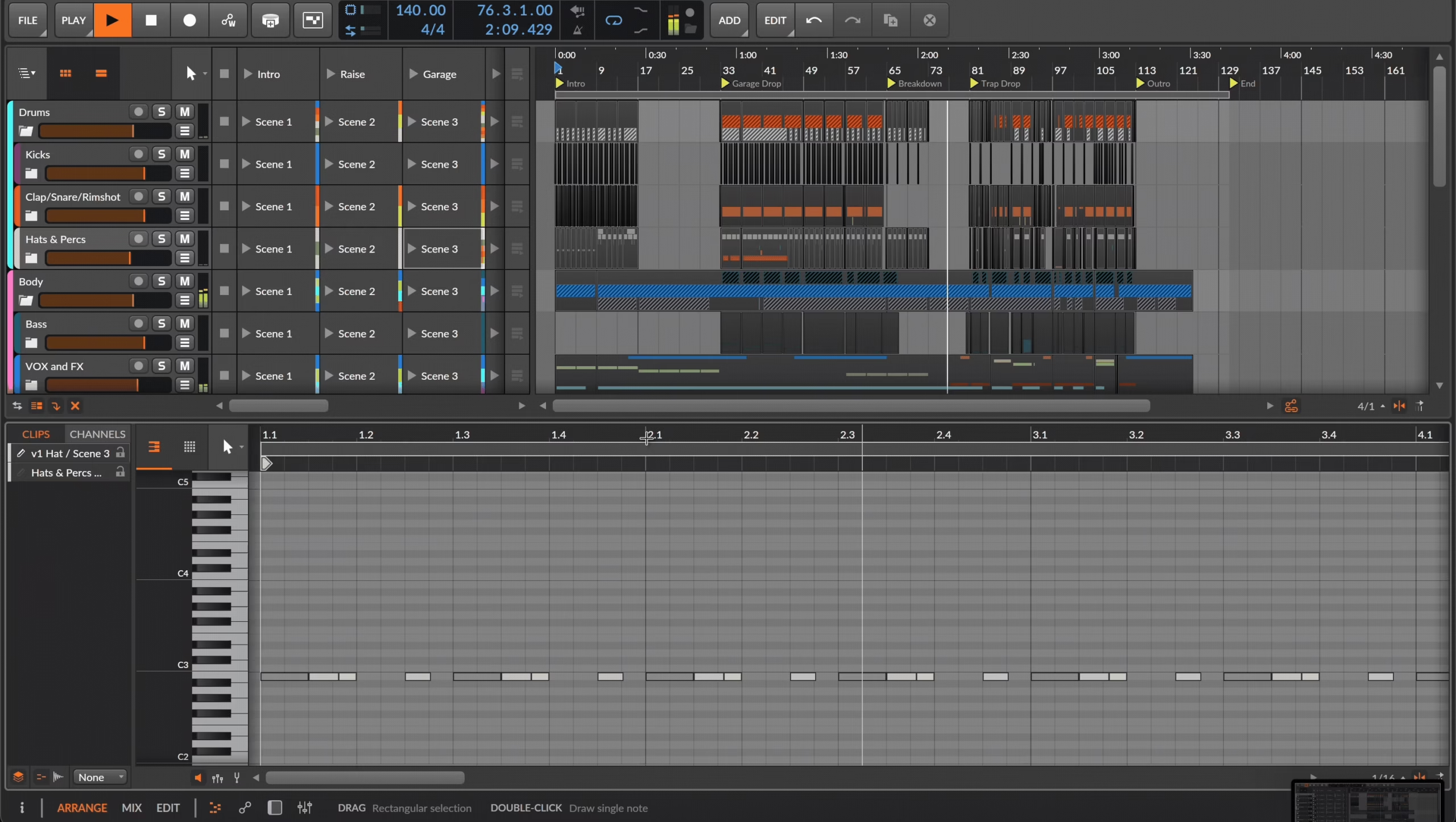
UI Customization
Bitwig’s UI? So much flexibility. I can see both the clip launcher and arrangement side-by-side, float windows, stack panels, and more. It feels like I’m arranging a spaceship cockpit exactly how I want it.
Live’s UI is more fixed, Session View and Arrangement View live separately. It’s efficient, but a little boxed-in. Live 12 improved this a bit, but you’re still working inside a tighter frame.
So if you want a malleable interface that adapts to your brain, Bitwig’s it. If you prefer a simple, focused workspace, Live’s the way.
Device Chains / Routing
Bitwig absolutely rules here. You can nest FX chains, create layered synths, and even put audio and MIDI in the same track. It’s like Lego blocks for sound design. I’ve done ridiculous things like modulate a delay feedback with a kick drum envelope, all in one track.
Ableton’s routing is more traditional, MIDI tracks host instruments, audio tracks do audio. You’ve got Instrument and Effect Racks, which are powerful but a bit more locked in.
So yeah, Bitwig’s routing is next-level deep. Ableton’s is still great, just more conventional.
Clip Launching (Session View)
Ableton invented it, and it still feels like home. I can jam with clips, trigger scenes, and stay in sync like a pro. It’s intuitive and super tight for live sets.
Bitwig copied the concept, and I mean that as a compliment. It works nearly the same, but here’s the kicker: you can see your clips and timeline together. No flipping views.
Ableton wins for legacy, user familiarity, and performance polish. But Bitwig’s view integration? Honestly, a game-changer for hybrid workflows.
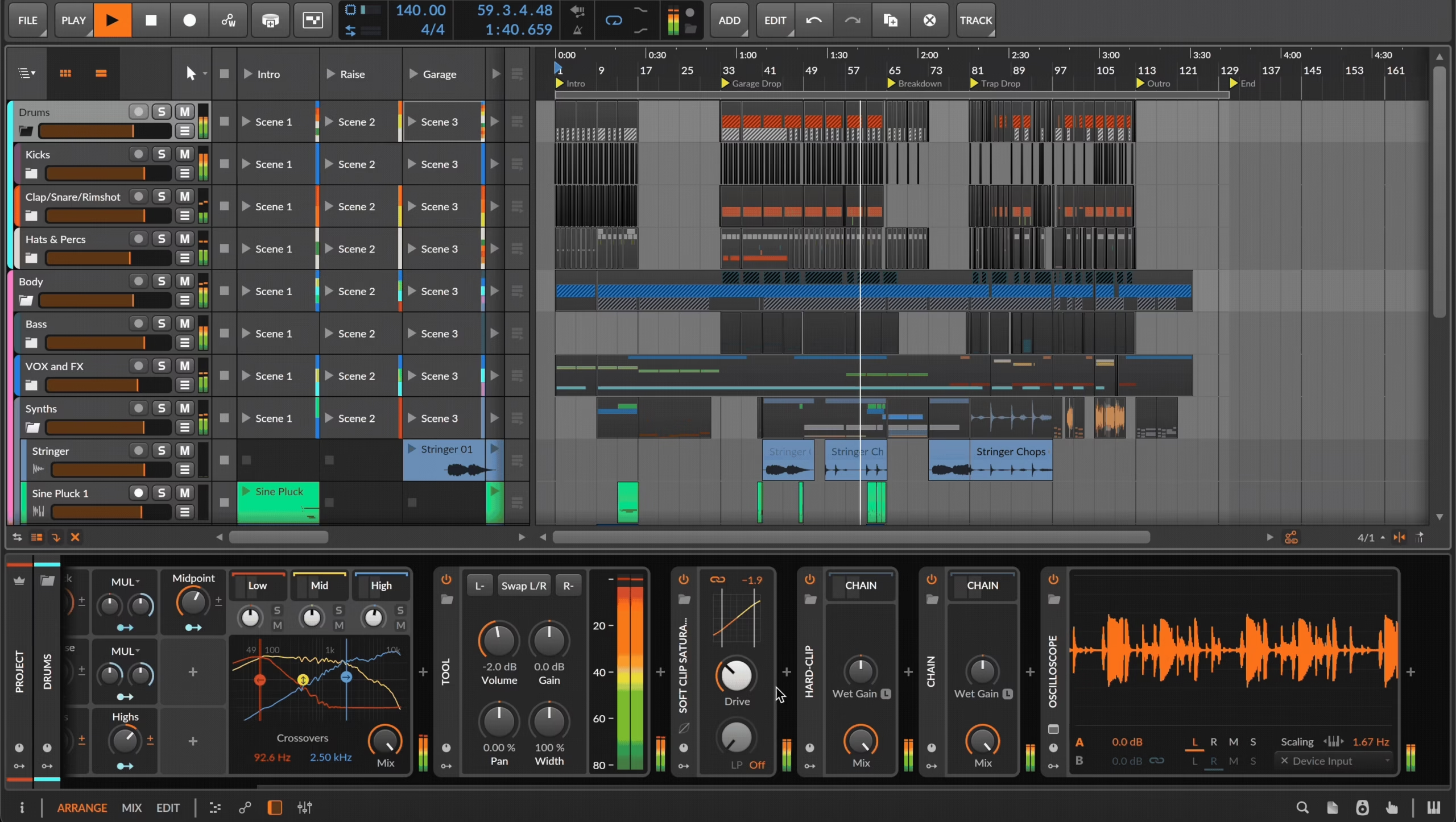
MIDI Editing
Bitwig’s MIDI tools are insanely detailed. I can tweak micro-pitch, per-note pressure, and even add modulators to individual MIDI notes. And if you use MPE, you’re gonna love it.
Ableton keeps it simple and speedy. I use Capture MIDI all the time; basically, if I play something cool before hitting record, it still grabs it. You also get scale folding, stretching, and a solid suite of MIDI effects.
In short: Bitwig’s for deep MIDI sculpting, and Live’s for quick, intuitive MIDI jamming.
Audio Editing
Live’s Warp Markers are legendary. Drop a loop in, warp it to tempo, done. It’s fast, intuitive, and perfect for live remixing or looping.
Bitwig’s time-stretching is solid (thanks to Zplane algorithms), but the real magic is inside the audio clip container. You can slice, reverse, pitch, and edit individual bits of a loop, all within the clip. It’s super detailed, but yeah, it’s more complex too.
Live is smoother for fast warping, Bitwig is more surgical.
Native Effects and Devices
Both have awesome devices, but they lean different ways.
Bitwig’s are clean, modern, and modular. Think EQ+, Compressor+, and the insane Grids (Poly, FX, Note). I built a custom delay from scratch in Grid and felt like a mad scientist.
Ableton’s devices have more flavor and character, Echo, Corpus, Saturator, Wavetable, and the mighty Roar. Plus, if you’ve got Max for Live, there’s a whole galaxy of devices to explore.
Bitwig’s for modular creators, Live’s for curated sonic color palettes (and Max for Live adds infinite spice).
Third-Party Plugin Support
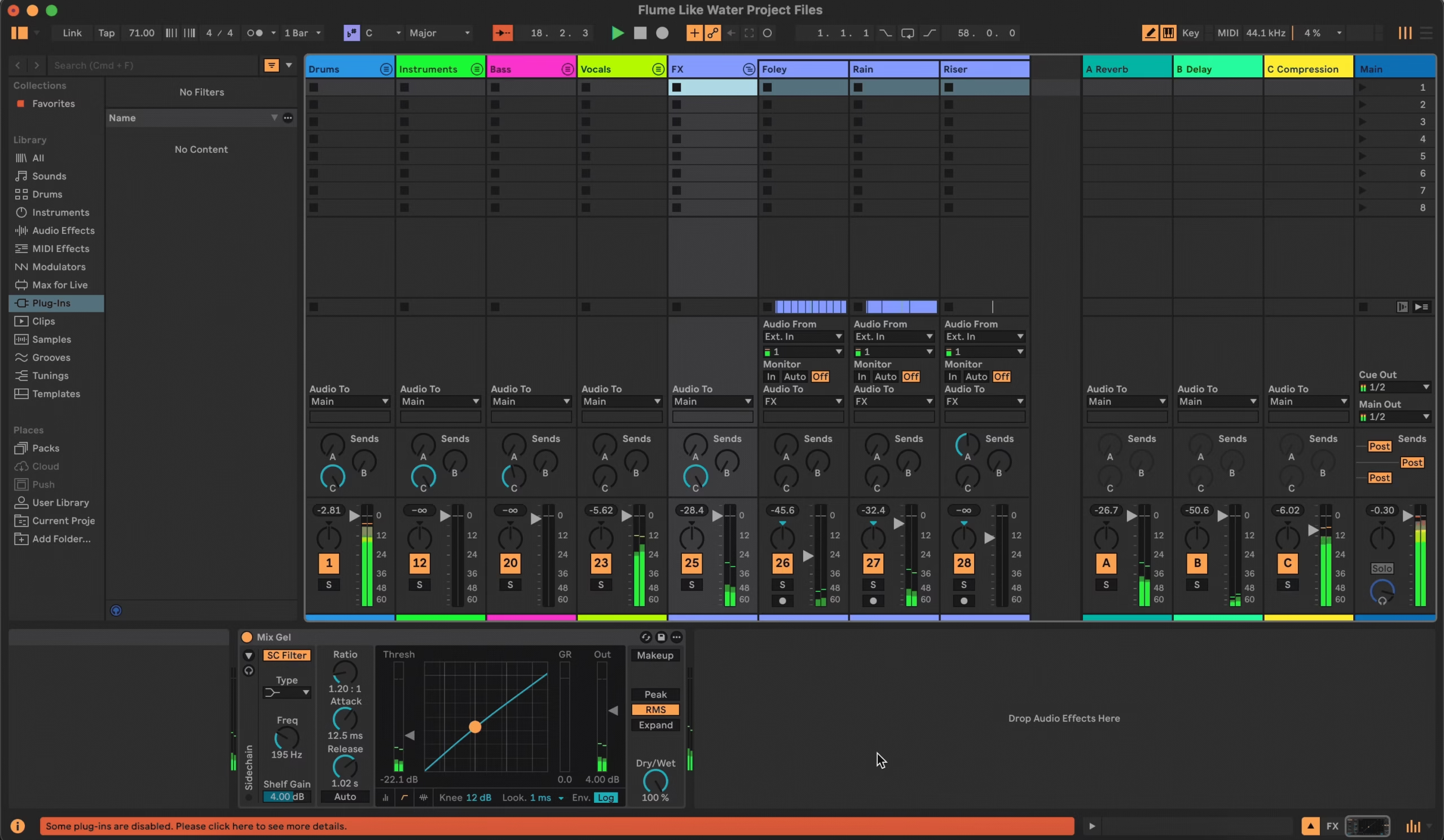
Bitwig supports VST2 and VST3 (even on Linux!), but not AU. The real gem? Plugin sandboxing. If one plugin crashes, your project stays alive. That’s saved me so many headaches.
Ableton handles VST2, VST3, and AU (on Mac), and of course, Max for Live patches. It doesn’t sandbox plugins, so one bad plugin can crash the DAW, but honestly? It’s pretty stable.
If you’re plugin-heavy, Bitwig offers more crash protection. But Live supports more formats and tools out of the box.
Performance Tools
Live was built for the stage, and it shows. Session View, Push integration, Follow Actions, Ableton Link, it’s just ridiculously smooth for live gigs.
Bitwig’s no slouch, though. There’s a Perform View, clip launcher, and even touchscreen support. And the fact that it’s super stable (thanks to sandboxing) makes it great for live tweaking.
Live is still the king of live performance, but Bitwig gives you more creative flexibility while you’re on stage.
Experimental / Sound Design
If you’re into wild modular stuff, Bitwig is the dream. The Grid, per-note modulation, unified modulators, and even microtuning, it’s like a sonic playground with no walls.
Live leans more on Max for Live for experimental fun. And trust me, M4L can go deep. From spectral effects to granular madness, it’s all there. Live 12 added more native randomness tools too, so you don’t always need Max.
Bitwig is for the builders and tweakers, while Ableton is a creative hub for sound explorers who love community-made tools.
Interface and Workflow
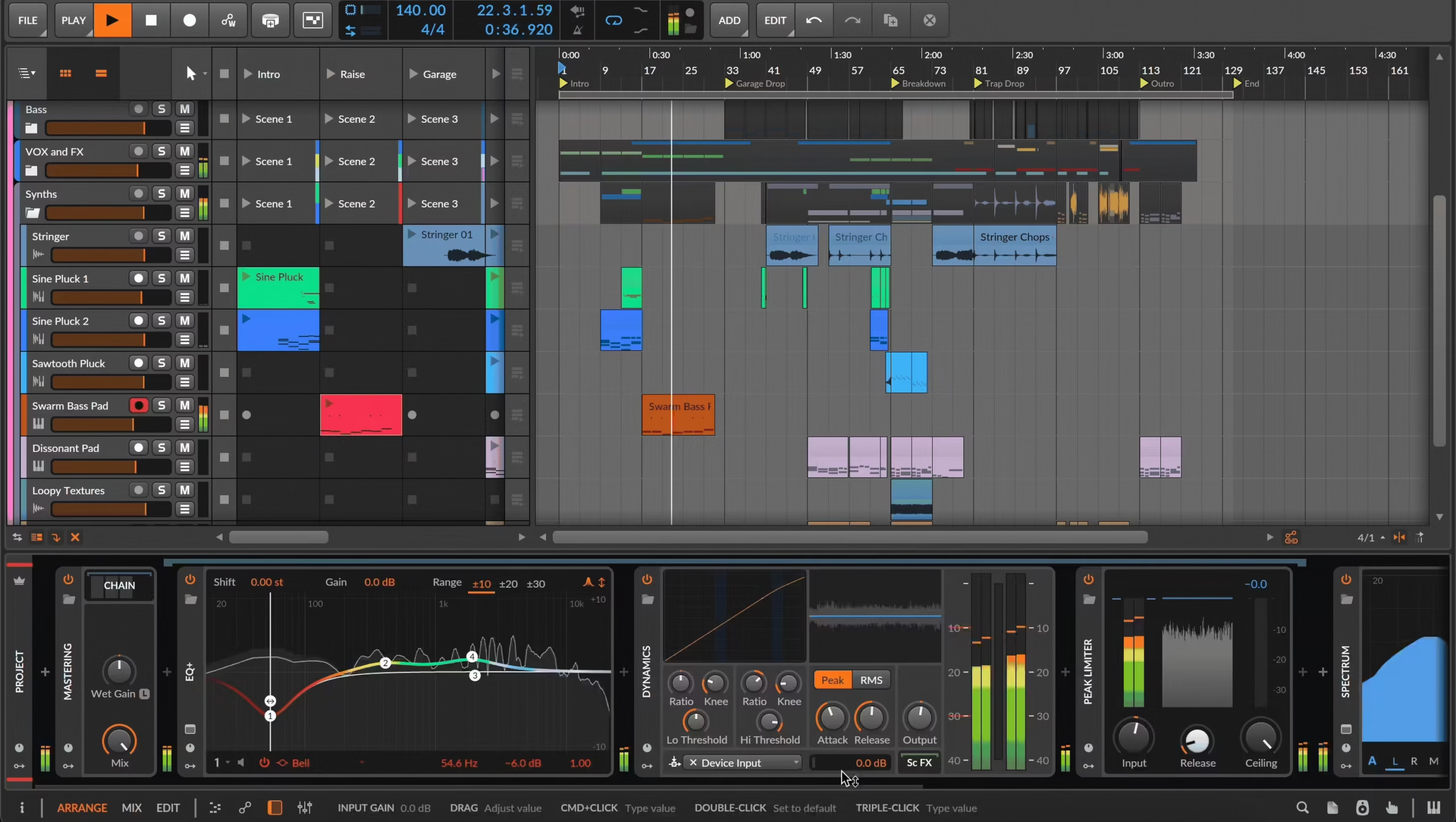
When it comes to DAW interface design, Ableton Live and Bitwig Studio are clearly cousins, but one of them brought more gadgets to the party. Both offer the classic dual-view setup: Arrangement View for linear composition and Session/Clip Launcher View for jamming ideas. But the way they handle that setup? Pretty different vibes.
Layout and Flexibility
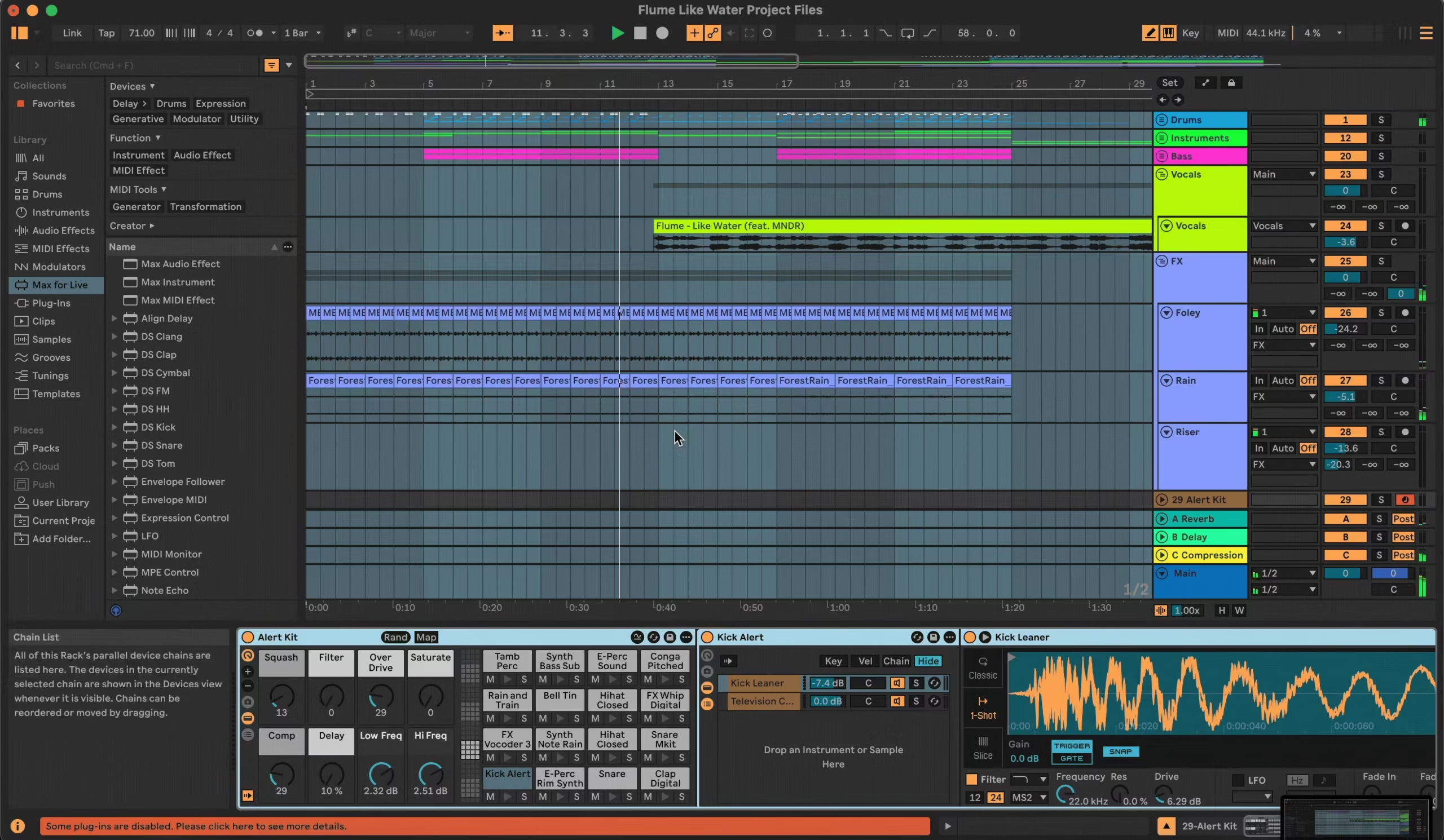
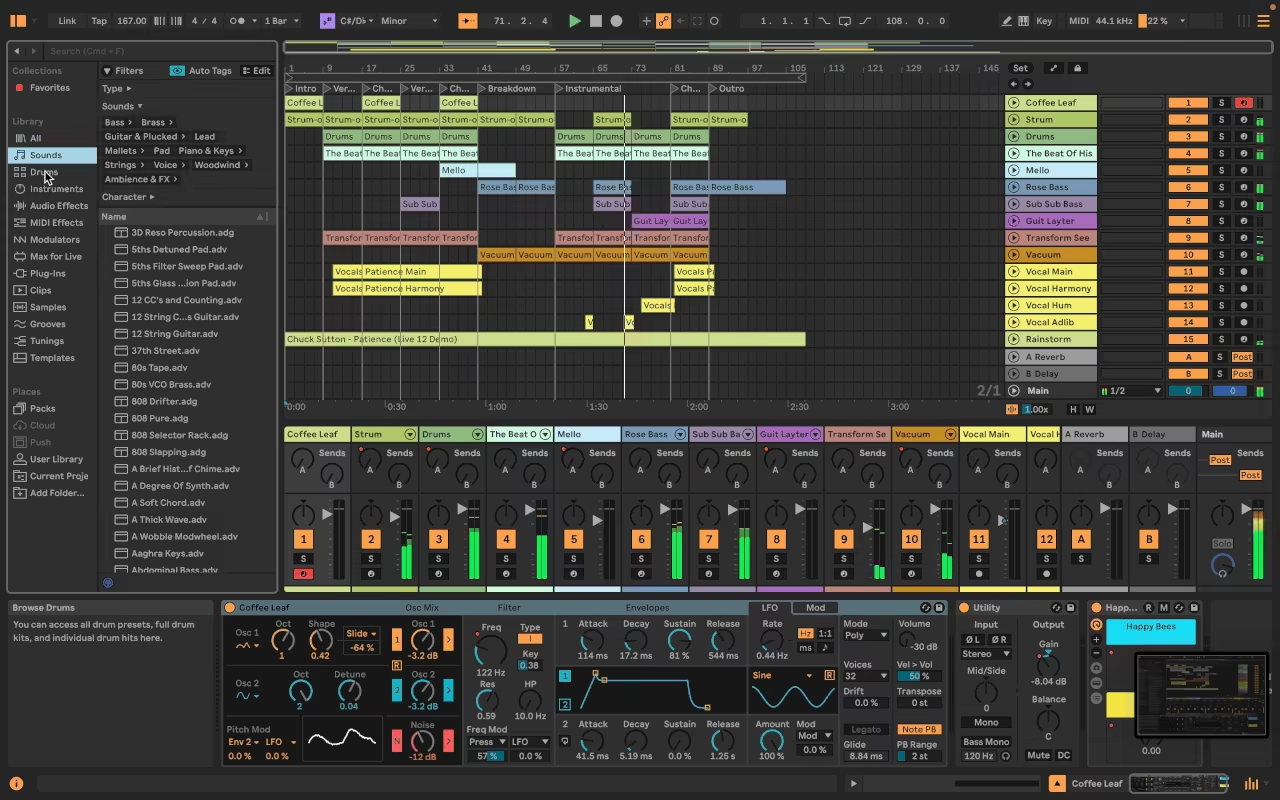
- Ableton is like a no-nonsense minimalist: left-side browser, bottom device panel, toggle between two main views , Session or Arrangement. That’s it. No floating stuff. Everything’s where you expect it to be. Fast and fluid.
- Bitwig, on the other hand, is the Swiss Army knife of DAWs. You’ve got the Inspector on the left, Clip Launcher/Arranger in the center, Devices at the bottom, and the Browser on the right. You can resize, float, rearrange, detach, and even pop out windows to different monitors.
That’s amazing for power users, but yeah… on a small screen? It can look like your workspace exploded.
TL;DR: Ableton = lean & focused, Bitwig = customizable & modular.
Clip Launching: Session View vs Clip Launcher
Both DAWs rock a grid-style launcher for loops and live performance, but here’s the catch:
- Ableton locks you into either Session or Arrangement , you have to flip between them.
- Bitwig lets you keep both open at the same time. Clip Launcher beside the timeline? Yup. No view switching gymnastics required.
Also, in Bitwig, clips can be directly dragged or recorded into the Arranger, which feels seamless. Live still handles live triggering better (especially with Push), but Bitwig wins in multitasking.
Arrangement View
This is where traditional timeline-based editing happens, and both DAWs are strong here:
- Ableton is super clean and intuitive. The warp engine is buttery smooth, and arranging tracks feels snappy and precise.
- Bitwig ups the ante with smart touches like audio containers, where you can slice, rearrange, and reverse audio within a single clip. It’s kind of wild , each clip is its own editing playground.
Bitwig also keeps its Clip Launcher open beside the timeline, which is a dream if you’re juggling ideas.
Customization and Screen Management
Here’s where Bitwig shows off:
- Everything is dockable, floatable, resizable.
- You can set Display Profiles, use multi-monitor layouts, and toggle themes.
- Right-click gives access to fast UI scaling and layout switching.
By contrast, Ableton’s single-window approach is tighter but much more static. That’s great for staying focused, but not so hot for multitasking or big-screen workflows.
If your screen space is limited (looking at you, laptop warriors), Bitwig might feel a bit crowded unless you manage panels carefully.
MIDI & Audio Editing
- MIDI: Both DAWs are packed. Ableton’s new generative MIDI tools and Groove Pool are killer for getting rhythms that feel alive. Bitwig has Note Grid, modulators, and seriously deep MIDI FX , great for experimental stuff.
- Audio: Ableton still leads in ease of use. Warp, stretch, drag, done. It’s almost too easy. But Bitwig’s audio containers are next-level for beatmaking and slicing. You can get surgical in a way Live doesn’t support natively.
Both systems are very capable, so your preference will likely hinge on these workflow factors.
If you want immediate loop-driven creativity in a tidy interface, Ableton might win out. If you want deep sound design options and total interface freedom (at the cost of a bit more setup), Bitwig could be your playground.
Either way, you’ll find both DAWs pack all the tools for arranging, launching, editing, and FX-chaining; it’s more about which interface style feels right to you.
In Practice
Live Performance
Ableton Live is made for stage work, with its iconic Session View allowing you to launch clips and loops in real-time like a musical ninja. I’ve played countless gigs with it, and between rock-solid stability, Push controller integration, and super-flexible MIDI mapping, it feels like a full-blown instrument under your fingertips.
Bitwig’s Clip Launcher also lets you fire off clips and scenes, but it leans more toward live production and modular jamming than classic DJ-style performance. It shines for on-the-fly arrangements, parameter morphing, and textural improvisation, especially if you love building complex setups with gear like the APC40 or Launchpad.
Mixing and Mastering
Mixing in Ableton is solid, especially if you’re staying electronic, but no floating windows and limited mixer views can feel cramped in big sessions. Still, you get excellent tools like EQ Eight, Utility, and Multiband Compressor for clean and effective in-the-box mixing.
Bitwig feels more like a mix engineer’s playground, with its pop-up device chains, drag-and-drop FX containers, and customizable signal flow giving way more flexibility. I love how I can visually manage multiple plugin chains side by side, and insert parallel chains anywhere, making mastering a creative joy.
Sound Design and Instruments
Bitwig is absolutely wild for sound design, it’s a modular synth disguised as a DAW, thanks to The Grid, Polymer, and deep modulator support. You can modulate literally anything with anything, and I’ve built drone patches, evolving textures, and glitchy chaos all in one session.
Ableton still slaps with Wavetable, Operator, and the ever-fun Drum Rack, and if you dive into Max for Live, it opens up a world of weird. But without patching Max devices manually, you don’t get the same modular freedom Bitwig serves up by default. For full-blown synth geeks and FX wizards, Bitwig is the better sandbox.
Performance
Both DAWs are stable and legit, but when it comes to CPU efficiency, Bitwig consistently pulls ahead..
Compatibility
- Bitwig Studio: Runs on Windows, macOS, and Linux, with native ARM and multi-core support.
- Ableton Live: Available for Windows and macOS, and also optimized for Apple Silicon.
CPU Use
In my experience as a Mac user, Bitwig uses fewer CPU resources overall, thanks to its leaner engine and smarter optimization, perfect for laptop production sessions.
Conversely, Ableton tends to put more load on your CPU, especially as you pile on clips and effects plugins
I heard people saying, Bitwig can handle 2–4x more plugin instances than Ableton under the same conditions. One user reported 36 instances of Diva running in Bitwig vs only 9 in Ableton Live, a stark difference in performance. But, I’d say a decent machine can handle any of these DAWs.
Conclusion
In the end, both Bitwig Studio and Ableton Live are absolute beasts; it’s less about which one is better and more about which one feels right for your brain and creative flow. They’re both powerful, stable, and packed with features that make modern music production ridiculously fun.
If you’re after a clean, focused, and intuitive setup, Ableton Live’s fixed layout, no-nonsense UI, and tried-and-tested tools make it a dream for fast-paced electronic music, live gigs, and streamlined workflows. It’s like the iPhone of DAWs, elegant, efficient, and ready to go the moment you open it.
But if you’re the type who loves to tinker, build custom chains, or reimagine your DAW layout like a mad scientist, Bitwig gives you total control. The ability to layer modulators, stretch routing beyond normal limits, and get deep with The Grid makes it a playground for sound designers, experimental artists, and modular-heads alike.
Still can’t pick? Honestly, try the demos, both Bitwig and Ableton offer trial versions so you can see what clicks.
