
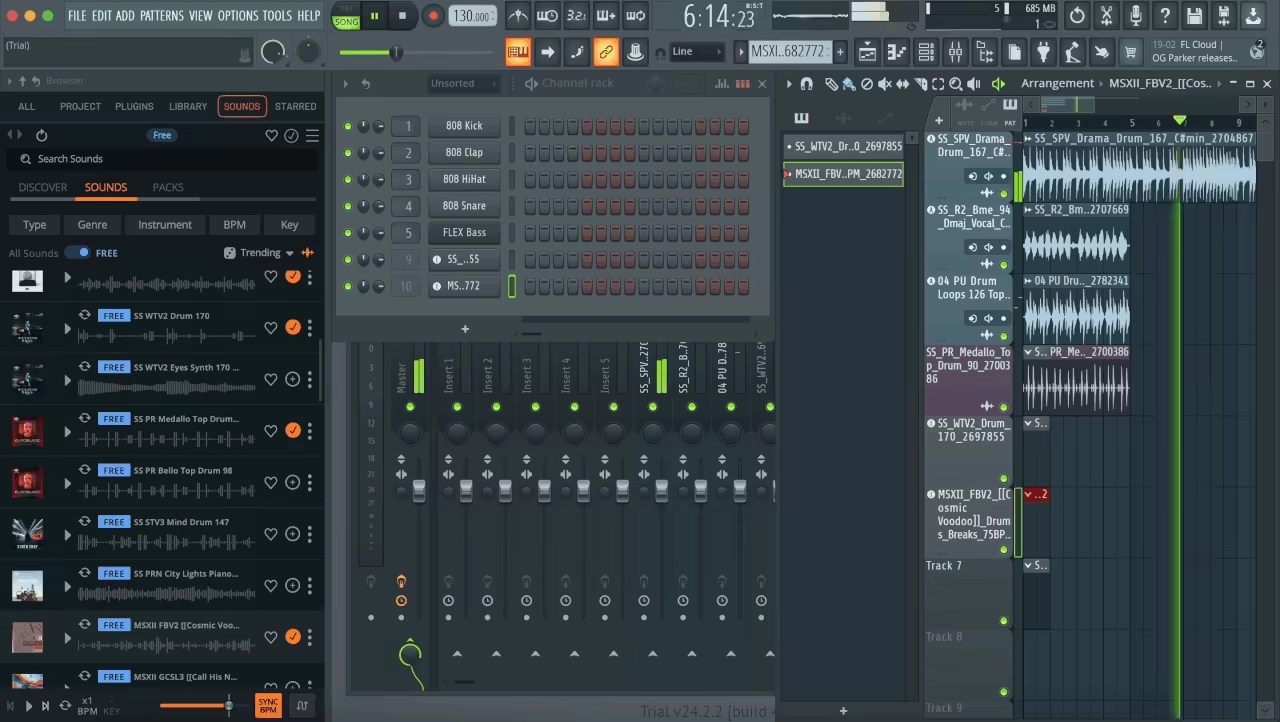
One of the most-searched questions from musicians who wanna step into the music production world is if FL Studio is a good DAW for beginners. Let’s find out!
Alright, so you want to step into the world of music production and create songs, beats, or just play around. Doesn’t matter! Welcome to the club!
Chances are high that somebody whispered the name FL Studio to your ears, which is one of the most famous and widelu used DAWs in the music industry. Actually, it was originally called FruityLoops (yeah, the name was a little goofy), but despite that, this DAW has grown into popularity, loved by beginners and pros alike.
Well, it’s main foucs is electronic music, hip-hop, or anything with punchy drums and melodic loops, but this DAW can handle most DAW tasks to start with.
With its pattern-based workflow, intuitive interface, and killer built-in instruments, it’s easy to see why so many producers start (and stick) with FL Studio. But is it the right DAW for you? And more importantly, is it beginner-friendly?
Today, I’m breaking down FL Studio’s features, workflow, learning curve, and pros & cons to help you decide if it should be your first DAW or if you should look elsewhere!
What is FL Studio?
FL Studio is one of the most common music production programs worldwide, formerly known as FruityLoops. It was created by Image-Line around 20 years ago and today it’s used by producers, beatmakers, and musicians worldwide.
Unlike other DAWs that focus on analog recording, FL Studio is about fast, creative music-making, especially electronic music and hip-hop genres are in the radar. It comes with a great set of features, making it a great platform, such as virtual instruments, effects, and a simple piano roll for both beginners and advanced users.
For me, the best selling point is the lifetime free updates! Yep, you buy it once and get every future version for free, which is a rare offer in the DAW world.
In contrast to Pro Tools, which rules the recording studios, or Ableton Live, designed for live performance, FL Studio is a loop-based DAW. That means it was built for quick beat-making, layering sounds, and experimenting with ideas visually.
It’s most popular for hip-hop, EDM, and trap but can handle any genre. Well, many love FL Studio because you can start making music immediately. Open it up, add a few drum samples, a melody in the piano roll, and voila.
So, whether you want to use synths, samplers, or recorded instruments, it’s got you covered. It even runs on Windows and macOS, so no worries about compatibility.
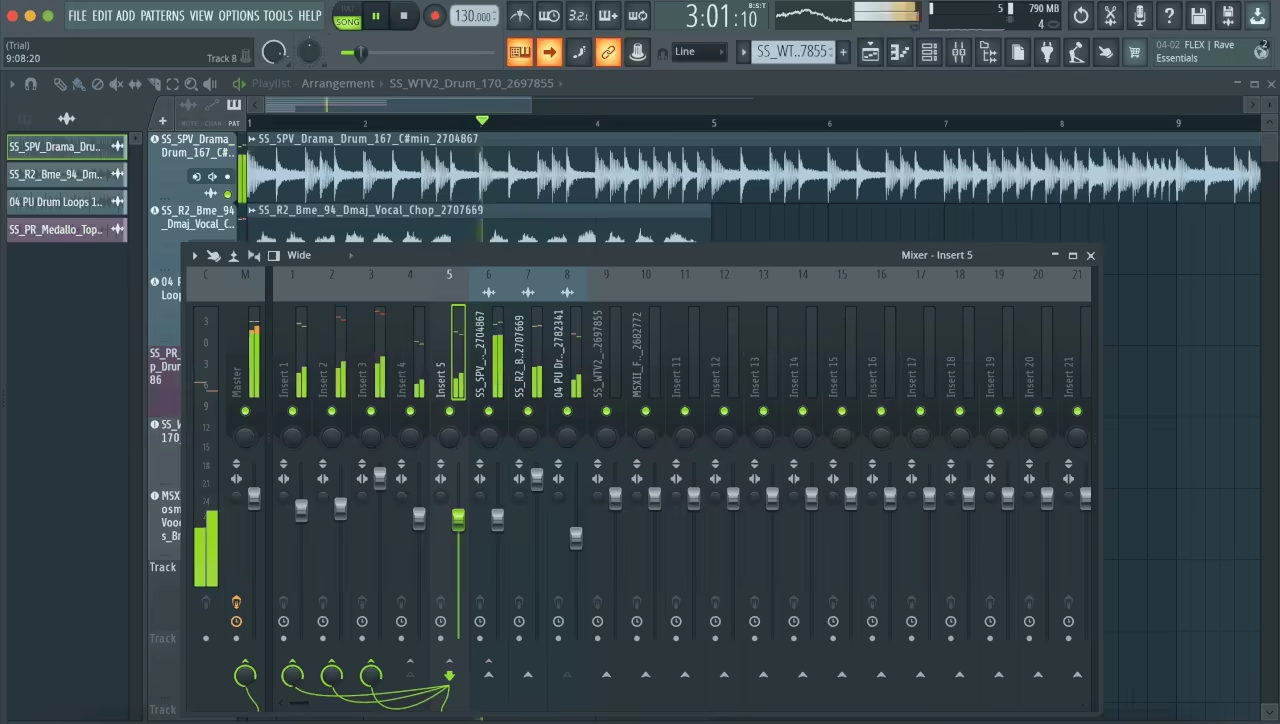
| Feature | Description |
| Pattern-Based Workflow | A grid-based sequencing system that makes beat-making fast and intuitive. |
| Piano Roll | One of the best MIDI editors available, perfect for writing melodies and chords. |
| Step Sequencer | Simple, visual drum programming for quick and easy beat creation. |
| Mixer with Built-in Effects | Includes EQ, reverb, compression, and more to help craft professional mixes. |
| Automation & Modulation | Allows control over parameters over time for dynamic sound design. |
| Virtual Instruments & Plugins | Comes with a variety of built-in synths, samplers, and effects to expand creativity. |
| Lifetime Free Updates | One-time purchase gives you all future updates at no extra cost. |
| Multiple Editions Available | Ranges from the budget-friendly Fruity Edition to the fully-loaded All Plugins Edition. |
How Beginner-Friendly is FL Studio?
FL Studio is one of the easiest DAWs to start with, but like any music software, it has its quirks. For instance, for beginners it’s super easy to make beats quickly and easily but if you want to record, you need some tweaks.
Regarding workflow, DAWs like Ableton Live and Logic Pro are more structured, in my opinion. And that’s pretty good for long run but the initial tries with them can be a bit overwhelming. FL Studio allows you to experiment freely with ites open-ended approach.
The drag-and-drop functionality, colorful interface, and pattern-based workflow make it fun to work with, especially if you’re into basic beat-making and loop-based production.
But, here I gotta say FL Studio isn’t ideal for every beginner, especailly if you’re into recording like working with bands and-or live intruments. FL Studio is not really designed for that, altough it’s capable the workflow feel less intuitive than other DAWs like Logic or Pro Tools.
When I first used it the mixer arrangement window seemed a bit cluttered, and the interface needed some tweaking, but thankfully it’s highly customizable. But, after a few minutes the workflow felt right!
I recommend starting with the Fruity Edition, as it’s the lightest and cheapest version. Later you can take the steps to Producer edition or All Plugins version.
But note that, the Fruity Edition is ideal for beginners, while the Producer Edition adds recording capabilities if you plan to work with vocals or live instruments.
Features That Matter for Beginners
FL Studio is packed with features, but to be honest, not all of them matter when you’re just starting out.
Some will make your life easier, while others might leave you staring at your screen wondering what you just clicked. I’ve been there. So let’s break down the stuff that actually helps you make music without losing your mind.
- Recording & Editing Simplicity
FL Studio was built for beatmakers, but it handles recording pretty well too. You can easily lay down vocals or instruments, and the multi-track recording is solid.
The waveform editor lets you chop, stretch, and tweak audio without much effort. It’s not as hardcore as Pro Tools for recording bands, but for solo artists or producers, it does the job.
Setting up an audio interface can be a bit annoying, though. I won’t lie, it’s not as plug-and-play as some other DAWs. But once you get it running, recording is smooth.
Plus, FL Studio has built-in pitch correction, so if your vocals are a little rough (no judgment), you can clean them up without needing Auto-Tune.
- MIDI & Virtual Instruments
This is where FL Studio really shines. If you’re into beat-making, composing, or just messing around with synths, the piano roll is your best friend.
It’s hands down one of the best MIDI editors out there. You can fine-tune melodies, tweak automation, and even humanize your notes so they don’t sound robotic.
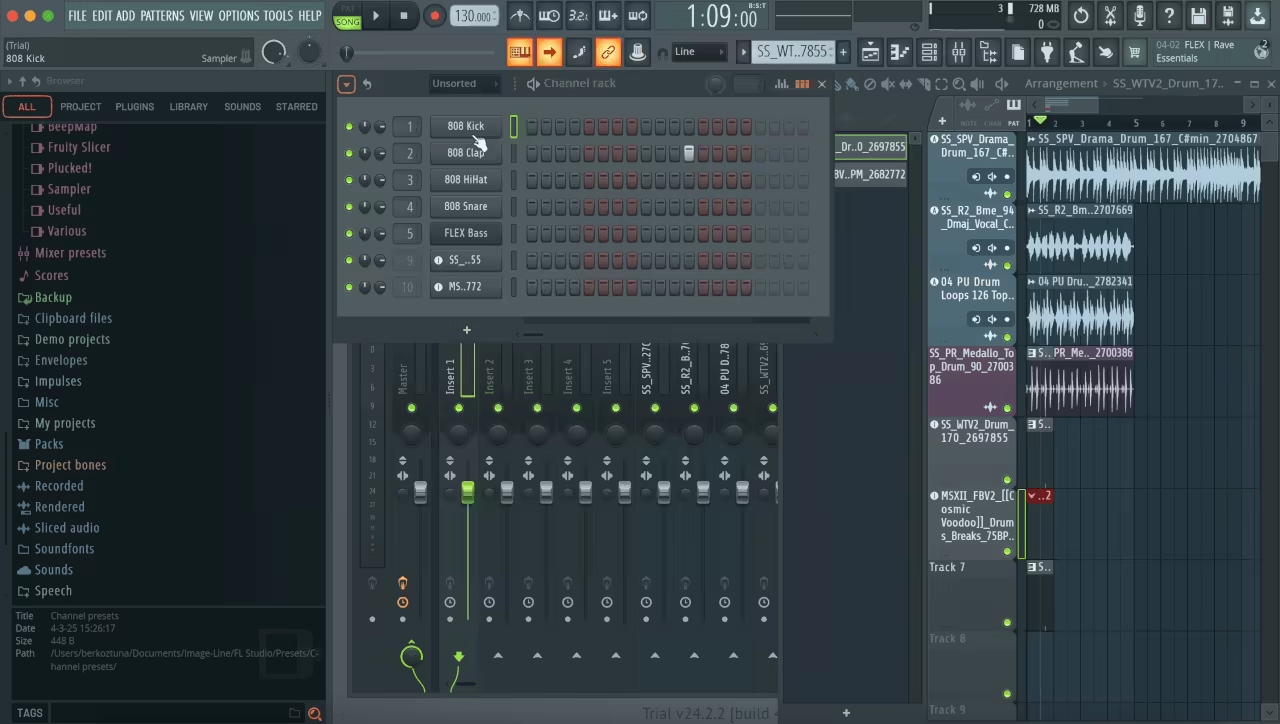
The step sequencer makes drum programming ridiculously easy. Click in some hi-hats, throw in a kick, and, you’ve got a beat in seconds.
And FL Studio’s stock instruments? Well, they’re not bad at all. You get stuff like FLEX, a super versatile synth, and Sytrus, which is great if you like messing with FM synthesis.
If you need more, FL Studio plays nice with VST plugins, so you can load up whatever fancy synths or samplers you want.
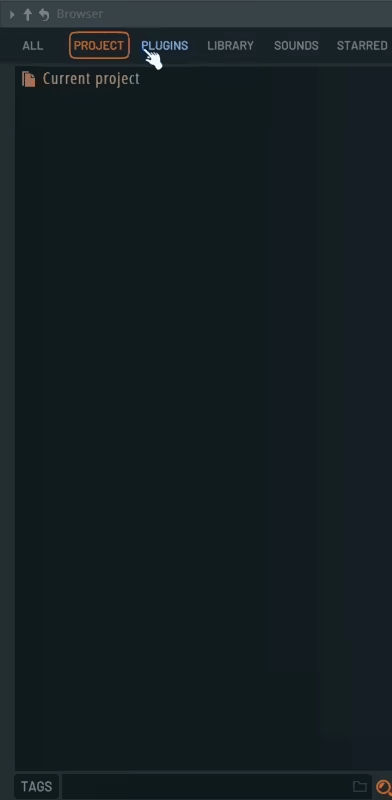
- Built-in Effects & Mixing Tools
Mixing in FL Studio can feel a little overwhelming at first. The mixer looks like the cockpit of a spaceship, but once you learn where everything is, it’s actually pretty intuitive.
The built-in EQ, reverb, and compression are solid, and you can drag-and-drop effects onto tracks, which makes things super convenient.
One thing I love is the automation clips. You can control volume, effects, or synth parameters over time, which makes your music sound way more dynamic.
Also, FL Studio’s stock effects are solid, but if you want to level up your mix, third-party plugins will take you even further.
- Workflow & Navigation
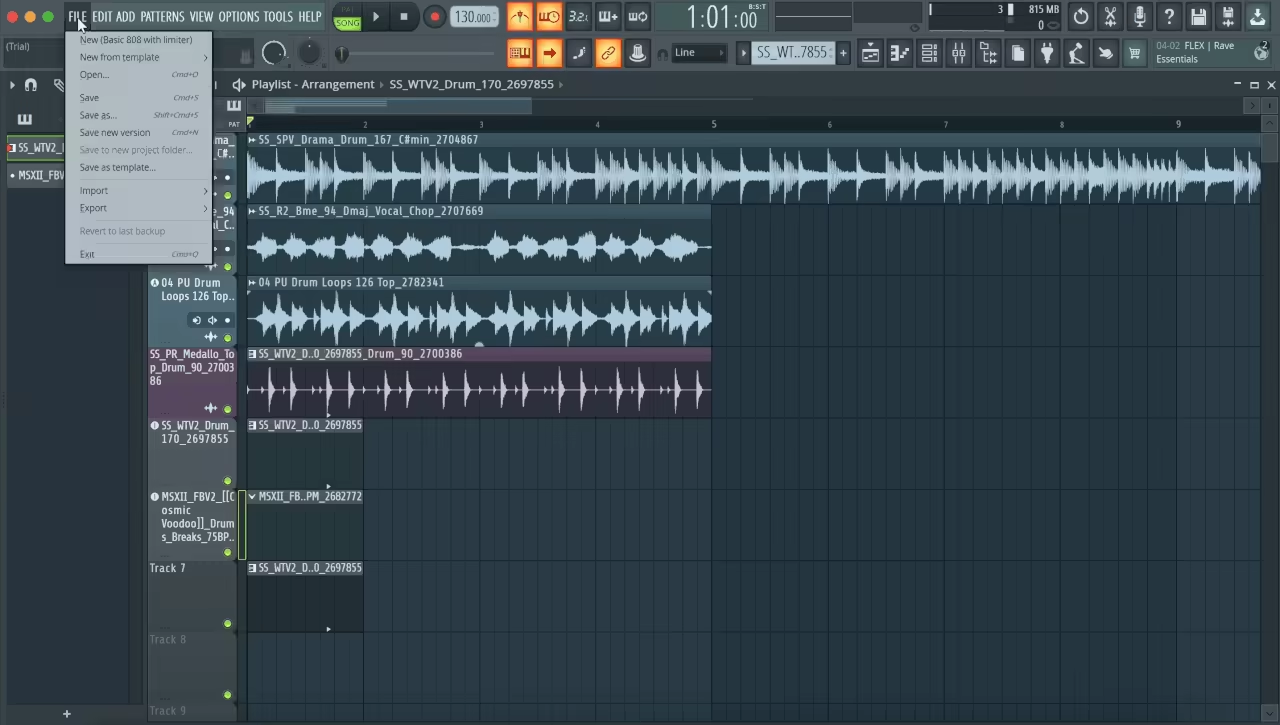
I won’t sugarcoat it: FL Studio’s interface can look messy when you first open it. There are a lot of windows, a lot of buttons, and a lot of ways to get lost.
After you learn your way around, the workflow is actually smooth. Everything is drag-and-drop, and you can customize the layout however you want.
The inspector panel makes it easy to tweak track settings, and FL Studio lets you save workspaces so you can switch between different setups. It’s not as streamlined as something like Logic, but once you memorize a few shortcuts, you’ll be flying through projects in no time.
How Hard Is It to Learn FL Studio?
FL Studio is one of the easiest DAWs to start with, but that doesn’t mean you won’t have a few “what the hell am I looking at?” moments.
When you first open it, the interface can feel like a mess of buttons, windows, and flashing lights. But give it a little time, and it all starts making sense.
Some DAWs, like GarageBand, are built to be dead simple. You open it up, throw in some loops, and boom, instant music. FL Studio isn’t quite that basic, but it’s not some intimidating, overcomplicated mess like Pro Tools either.
Once you get past the first few days, things start clicking, and you’ll be building full beats in no time.
How Does FL Studio Compare to Other DAWs for Beginners?
FL Studio vs. Ableton Live
If FL Studio is the flashy, colorful sports car of DAWs, then Ableton Live is the sharp, futuristic electric car. It works for electronic music and live performance but has a pretty different workflow.
Ableton uses session clips instead of patterns and loops, which can be structured but less free-flowing than FL Studio.
FL Studio works better for quick beat making, MIDI composition, experimenting, while Ableton excels at live looping, performance and real-time tweaking.
FL Studio vs. Logic Pro
Logic Pro is Apple’s answer to an all-in-one music production tool. If FL Studio is about quick creativity, Logic is about polished production. The built-in instruments and effects in Logic are some of the best out there, making it a great choice for singer-songwriters, bands, and film composers.
FL Studio is way more fun and intuitive for beat-making, while Logic feels more like a professional recording studio.
If you want to record live instruments, Logic is the better pick. If you want a DAW that’s visually engaging and fast to use, FL Studio takes the crown.
FL Studio vs. Pro Tools
I’ll say it directly: Pro Tools is NOT for beginners. It’s the industry standard for professional studios, but it’s also clunky, expensive, and honestly kind of a pain to learn.
If your goal is to record a band, mix live drums, or work in a high-end studio one day, Pro Tools might be worth learning later. But if you just want to make beats and start producing now, FL Studio is 1000% the better option.
FL Studio vs. GarageBand
If you’re on a Mac and just dipping your toes into music production, GarageBand is a solid place to start. It’s simple, free, and doesn’t overwhelm you with features.
But you’ll outgrow it fast. The moment you start wanting more control, better instruments, and pro-level mixing tools, GarageBand starts feeling like a toy.
FL Studio is way more powerful and flexible, and unlike GarageBand, it’s available on Windows too. If you’re serious about music production, skip GarageBand and go straight to FL Studio.
FL Studio vs. Reaper
Reaper is like the budget-friendly, no-frills DAW that can do almost everything, but with a bit of a learning curve. It’s cheap, insanely customizable, and powerful, but the interface looks straight out of 2005.
If you’re on a tight budget and want pro-level features at a low price, Reaper is a solid pick. But if you want a DAW that feels more modern, fun, and intuitive, FL Studio is the better choice.

How Much Does FL Studio Cost?
FL Studio has a unique pricing model that makes it stand out: buy it once, and you get free updates for life. That’s right, no subscriptions, no upgrade fees, no yearly payments.
Once you own it, you’ll always have the latest version without spending an extra dime. That alone makes it one of the best deals in the DAW world.
| Version | Price | Who It’s For? |
| Fruity Edition | $99 | Good for beginners who just want to make beats but don’t need audio recording. |
| Producer Edition | $199 | The best starting point for most users. Includes recording, full piano roll, and more features. |
| Signature Bundle | $299 | Adds extra plugins like Gross Beat and Pitcher. Great if you want more creative effects. |
| All Plugins Edition | $499 | Comes with every plugin Image-Line makes. Overkill for beginners, but great for pros. |
If you’re just testing the waters, the Fruity Edition is the cheapest way to start, but it has a huge limitation as you can’t record audio. That means no vocals, no live instruments, nothing. If you plan on doing anything beyond beat-making, go straight for the Producer Edition.
The Signature Bundle adds extra plugins, but honestly, you can buy those separately later if you decide you need them. The All Plugins Edition is pricey, but if you want every effect and synth FL Studio has to offer, it’s the full package.
Last Words
If you want to make beats, electronic music, or anything MIDI-heavy, then FL Studio is one of the best digital audio workstations to start with. Fun, fast, packed with features… and once you get past the learning curve you become a powerhouse.
If you plan to do a lot of live recording, work with a band or track instruments then other DAWs like Logic Pro or Pro Tools might work better for you. Nonetheless, FL Studio is a solid purchase if you want serious music production and a digital audio workstation that grows with you.
