
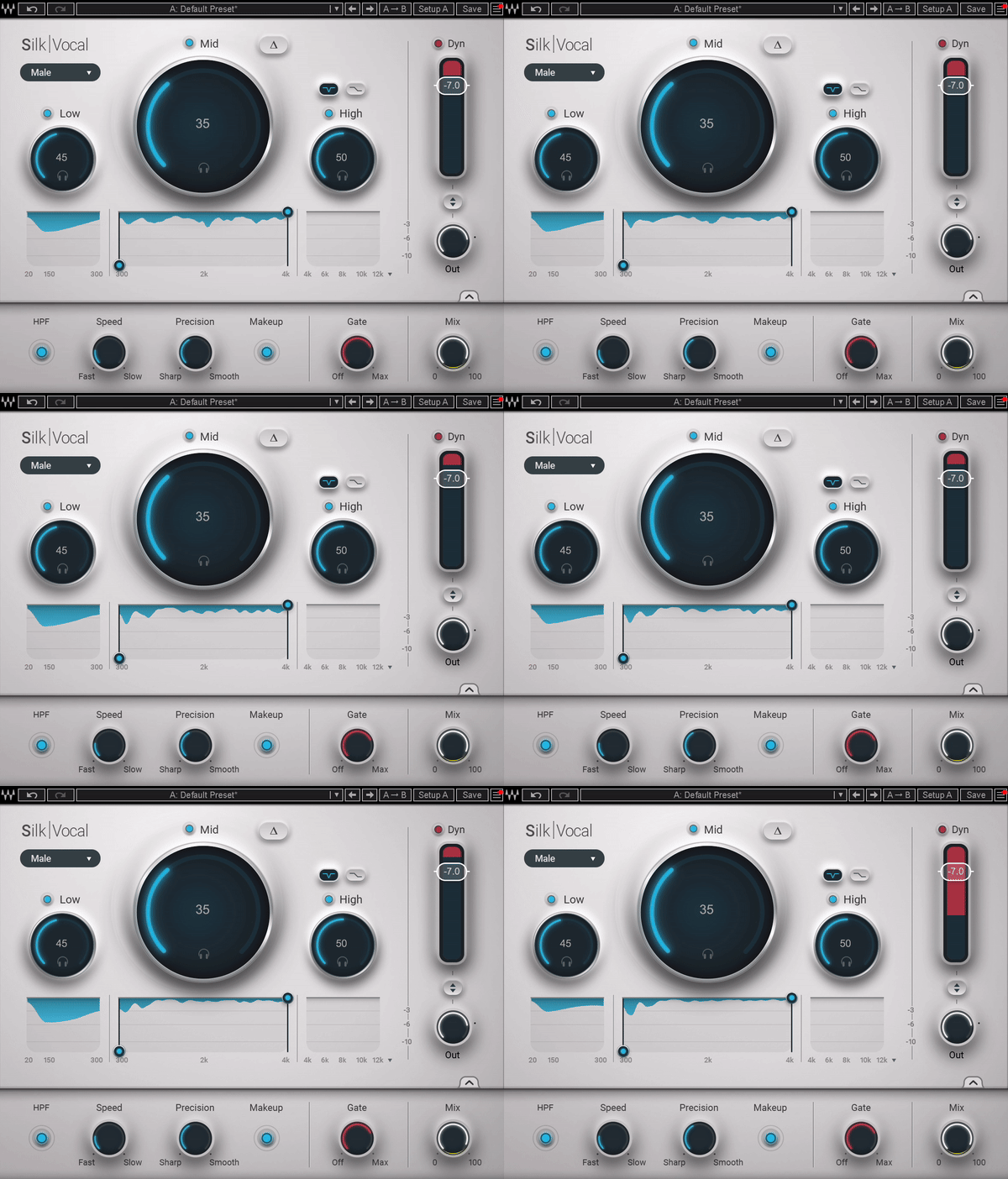
Silk Vocal is a solid all-in-one vocal processing plugin that simplifies mixing with effective tools and ease of use. While it may lack depth for advanced users, its speed and simplicity make it a great option for quick, polished results.
Pros
- Combines EQ, resonance control, and compression into one streamlined plugin for efficient vocal processing
- Intuitive interface with real-time visual feedback and beginner-friendly tooltips for easy navigation
- Delta mode allows users to isolate and hear the removed frequencies for precise adjustments
- Real-time low-latency processing with the Silk Vocal Live version for tracking and performances
- Vocal type selector and presets offer tailored processing for different vocal characteristics
Cons
- Lacks advanced compressor controls, limiting in-depth dynamic tweaking
- Simplified, automatic workflow may not satisfy professionals who prefer full manual control
Ever dreamt of a simple and quick yet accurate and professional vocal mixing? Let me introduce you to Silk Vocal, which has been making Waves (pun intended!) in the music production world for a while now. If you often find yourself juggling multiple plugins just to get the vocals to sit right in the mix, this VST might be just what you need.
Silk Vocal is essentially a combination of EQ, resonance control, and compression in a sleek plugin. It is claimed that this unit can take raw vocals and turn them into professionally balanced and mixed tracks. It is a comprehensive plugin with many different features and big claims, like an all-in-one solution for vocal mixing.
So, today, I will dig deep to find out if it lives up to its name. So, let’s start our investigation on how silky vocals can get with Silk Vocal!
Features
- Dynamic 3-Band EQ with Resonance Detection
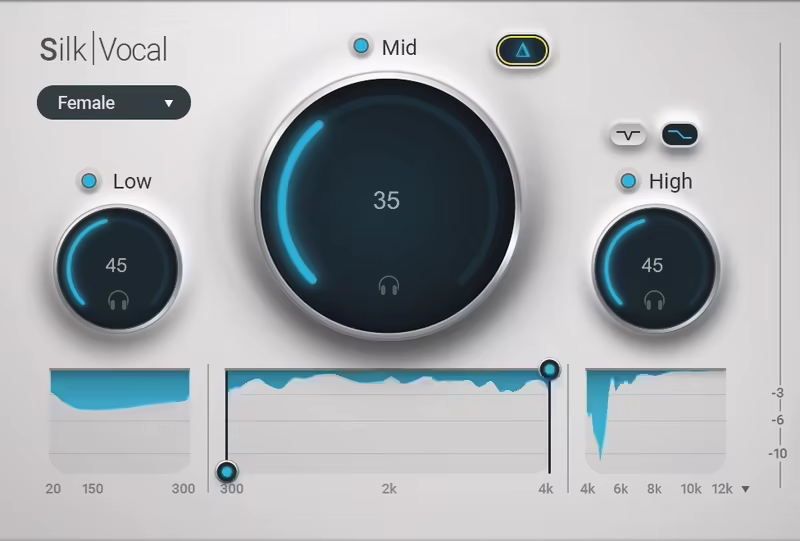
The brain and power of Silk Vocal come from the Dynamic 3-Band EQ section, which analyzes up to 2000 frequency bands to find and tame the resonances that lead to harsh or unbalanced vocals.
What I love about this section is the ease of use, as most of the work is done by the plugin. In standard EQs, you have to tweak the settings manually, but this dynamic EQ acts without your help and adjusts the equalization automatically in real-time. Simply set the desired intensity of processing and let the magic happen. This feature is a real lifesaver when working on complex mixes by reclaiming vocal clarity.
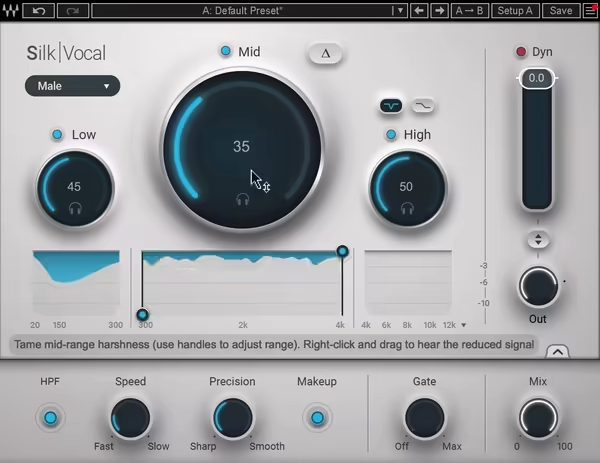
The EQ section has 3 main working circuits and controls including Low, Mid, and High. Each band can be soloed, and the visual feedback underneath the knobs makes it easy to see where adjustments are being applied.
The Low knob is all about controlling the intensity of the clean-up of muddiness and inflated low-end ranges, which mostly happens because of the proximity effect and poor recording environments. When you increase the knob, it tightens the low-end without stripping their depth.
As the most critical area where vocals live, the midrange can be the difference between a good and bad vocal mix. The mid knob helps you reduce the harshness and bite without compromising the vocal’s character, and the 2 adjustable bandwidths on the graph let you zero in on problem areas with precision.
If you recorded vocals before, you know those “s,” “sh,” or “t” sounds popping out aggressively, disturbing the mix. This is called Sibilance and is related to high-end frequencies. So, the High knob is for managing sibilance as well as adding brightness to the mix.
It has two modes, which are controlled with the buttons on top of the knob with Sibilance and High Processing, where the former is for taming harsh frequencies, as mentioned, while the latter is for boosting clarity and airiness.
- Dynamic 3-Band EQ with Resonance Detection
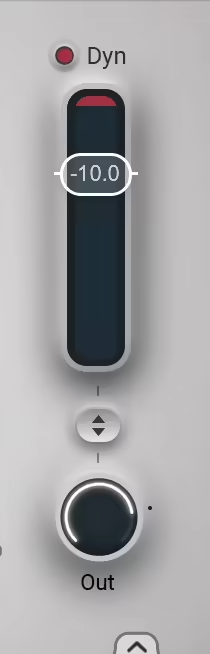
The dynamics section is even simpler compared to the EQ section and comes with a Single-dial Compressor for leveling out vocal dynamics. It has the Automatic Make-Up Gain Compensation function to adjust the output volume and prevent the addition of unwanted levels for a consistent sound without extra effort. But you can turn it off from the Advanced Settings Panel to manually adjust the Output Level with the knob under the dynamics control.
I must say it is a really simple compressor yet quite effective, making it a good addition to keep the vocals tight, upfront, and consistent after applying the equalization.

- Advanced Settings Panel
The unit has a secret (not anymore…) Advanced Settings Panel, which you can reach by clicking on the arrow toggle in the bottom right corner.
The first control is the High-Pass Filter at 60 Hz to filter out the low-end rumble from the vocal. With the Speed knob, you can finetune the envelope of the EQ processing. You can go with faster or slower processing depending on the vocals, as it comes with a fixed attack-release ratio.
The Precision knob is for adjusting the Q sharpness in each processing band, which means you can go for lower values if you want more precision, like surgical processing, or higher values for a smoother reduction.
This is where you can turn on or off the Automatic MakeUp Gain compensation to keep your vocals consistent and upfront dynamically. If you turn it off, you can adjust the Output Level from the Dynamics section with the Out knob.
As the name suggests, the Gate knob acts as a Noise Gate to clean up background noise between vocal phrases. The final control is the Mix Knob, allowing users to blend processed and unprocessed signals for parallel processing.
- Delta Listening Modes
One of my favorite features of Silk Vocal is that you can isolate the frequencies removed or modified by the unit. You can solo each EQ band or use the global delta mode to hear what is being removed to make sure that you are making the right adjustments.
The Delta modes can be turned on or off from the Triangle or Delta sign on the top side of the interface. It will allow you to listen to the isolated signals from the active bands.
- Silk Vocal Live Version
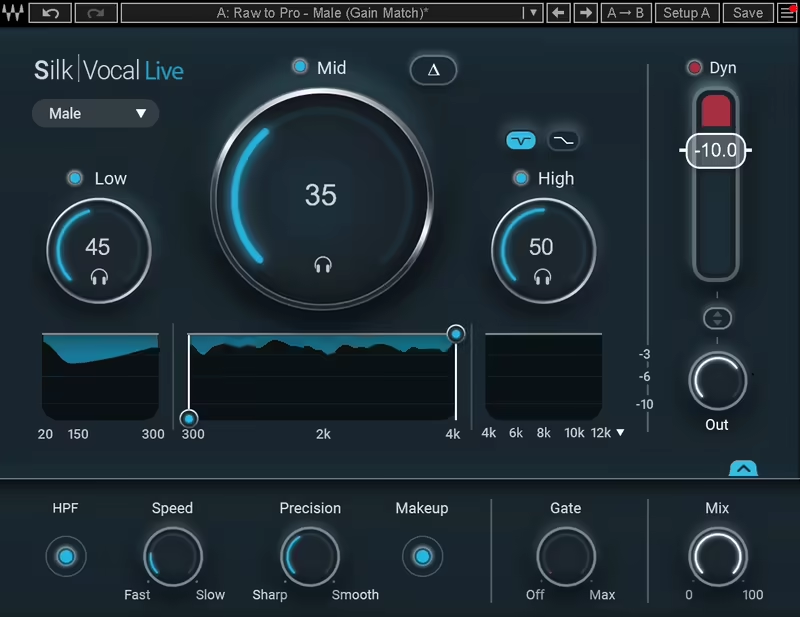
Good news! When you purchase the Silk Vocal, Waves also gives you access to the Silk Vocal Live plugin, which is basically the same unit but enhanced for real-time processing. The main difference is that the Live version uses minimum phase filtering to eliminate the latency, making it ideal for live monitoring. Also, it is SoundGrid compatible, which is a plus for live engineers.
Interface and Workflow
The interface of Silk Vocal is entirely about simplicity and efficiency with a sleek and organized design, where everything is laid out intuitively. I like that it allows you to focus on the creative aspects of mixing instead of getting lost in the navigation or technicalities. With a clear visual representation of the equalization underneath all the bands, the design makes using the plugin pretty easy for beginners as well as pros.
Interface
Using the plugin is really straightforward, as the main controls are divided into 3 obvious bands, including Low, Mid, and High, which are for targeting specific frequency ranges. Making the adjustments is as simple as moving the sliders, with real-time visual feedback helping you on the way by showing exact frequencies and amounts of the applied changes.
I think the knobs also have a good amount of sensitivity to finetune the settings; it is not highly sensitive or too unresponsive, making it harder to tweak settings. Overall, there is nothing to complain about the interface.
Another great addition is the short so-called tooltips on the bottom part when you move your mouse on to any parameter, which is great for beginners to understand and tweak the settings.
Workflow
I must say that the plugin is designed to simplify the vocal mixing process and that is what it reflects in the workflow. You don’t have to deal with multiple settings constantly or create long chains to find the sweet spot, as the workflow is mostly done automatically. Simply play the audio and listen to the mix while adjusting the equalization intensity of the frequency bands, and the plugin does its job automatically by reducing unwanted frequencies.
The compression’s single-knob design is another highlight for me, as it works pretty efficiently without losing musicality. This simple design is great for beginners as they can use the trial-and-error method to find the sweet point. Also, for most users, this means spending less time troubleshooting and more time being creative.
A smart feature I really enjoy with this plugin is the customization for different vocal types. Considered one of the strongest points of the unit, this feature allows you to select between Male and Female vocal modes as the plugin adjusts itself to deal with voices with different tonal characteristics.
Finally, I must talk about the real-time workflow of the VST, as the Live Version solely serves that purpose. The most important aspect here is latency, and I can honestly say that latency is almost zero. So, there is nothing to worry about in that sense. You can hear your vocals processed in real-time, which is great for confidence and accuracy when recording or performing.
In short, the workflow minimizes complexities, making the unit a great tool for quick and efficient high-quality vocal mixes.
First Impressions and Sound
The first thing I felt when I opened up Silk Vocal was the clean and intuitive interface inviting me to play with it. As it is a really straightforward plugin, it makes vocal processing approachable ,and you feel that even if you are not a technical wizard. Setting it up is quick and easy as you just have to insert it on a vocal track and immediately you start to hear the difference the unit creates.
- EQ
I found the sound processing of the plugin to be pretty natural and musical as the dynamic EQ works pretty subtly, smoothing out the problematic frequencies while avoiding an overly processed sound. My favorite adjustments were always in the mid-range and I can clearly say the magic happens there with the unit maintaining the vocal character while fixing the harshness and nasal tones.
The high-band adjustments were on point as well, taming sibilance or adding clarity depending on the settings and your needs. I love the Delta mode and listen to what is being left out to see if I’m on the right track. I think it is a great addition not just for workflows but also for beginners to learn more about vocal processing.
Every time I tested it, I got a good-sounding vocal mix in seconds. Whether for subtle enhancements or more aggressive fixes, it works well without changing its natural tone. But I found it to be slightly better for more subtle uses.
- Dynamics and Other Controls
Regarding the compressor, I can say that it gets the job done pretty well, as it emphasizes simplicity and functionality. It lacks the sophisticated controls that I enjoy using most of the time, but this one is highly effective for leveling vocals and providing users with polished and upfront sound. I think the automatic gain compensation is really important here as it is the pillar that maintains a balanced sound as you make changes.

- Vocal Type Selector and Presets
I also like the vocal type and selector, as they really change the approach the unit takes for processing. For deep male vocals, it focuses on low-end, while for bright female vocals, it gets more to the midrange, increasing the versatility for solo vocals, harmonies, or even spoken word.
The preset section is pretty rich with good quality ones, but I recommend going with trial-and-error as all vocal characteristics and recordings are different.
- General Opinion
In summary, I think this is a great tool that shows how one unified processor can be enough to get the task checked. As an all-in-one solution for vocal mixing, it saves you from the hassle of using multiple plugins, such as standalone EQs, compressors, and de-essers, which can take time and energy to set up, while adding complexity to your workflow.
I would recommend it for, well, everybody who actually needs to bring disparate voices together quickly. This is a great plugin to have in the collection for fast, blissful blends with almost no effort. ,
But, if you are a high-level professional audio engineer who wants to know exactly what’s going on or tweak every setting possible on each step of processing, a unit like Silk Vocal can not satisfy you (don’t worry, Waves also has you covered with different EQs, compressor,s and de-essers).
Compatibility
Silk Vocal can be used in all major DAWs in VST3, AU, AAX Native, and AudioSuite formats. It works on Windows 10 and 11 as well as MacOS Monterey 12 or later.
Conclusion
For a streamlined solution for vocal processing, Silk Vocal by Waves is a great tool that shines with its ease of use and powerful design. Features like the intuitive interface, real-time adaptability, and automatic workflow make it ideal for good quality, quick, and effective vocal processing without using multiple plugins that can complicate the workflow.
While it may not be for those who are after advanced control and super customized results, it is great for beginners as well as producers who want quick and polished results without hassle. For the price offered, I think Silk Vocal is totally worth it for most producers!
