
Drowning in reverb? Whether you’re dealing with messy room reflections, overly ambient recordings, or just too much space in your mix, this list of the best reverb removal plugins and tools will help you clean up your sound and bring back the clarity you need!
Reverb can be magical when used right, adding depth and space to your recordings. But let’s be honest, too much of it can ruin everything. An overly reflective room, poor mic placement, or just a naturally echo-heavy recording… excessive effect can muddy your mix and make it hard to get the clarity you need.
That’s where plugins like these come in. These tools help you take back control of your audio, whether you’re working on music, podcasts, or film post-production.
The tricky part? Reverb isn’t just a single sound, cause it’s layers of decaying reflections. The best plugins don’t just strip away everything, as they reduce the excess while preserving the original performance.
It’s not magic, but modern tech comes pretty close. AI-powered algorithms and spectral editing techniques allow you to clean up even the messiest recordings with surprising precision.
Of course, if you don’t have a dedicated plugin, you can still try manual techniques to tame the effect. EQ can help carve out muddy frequencies, gates can control tail decay, and multi-band compressors can tighten up specific ranges. But while these methods can work, dedicated tools are almost always faster and more effective.
In this guide, I’ll explore some of the best reverb removal VSTs, breaking down what makes them special and how they can help you achieve cleaner, more professional-sounding audio. For vocals, instruments, or dialogue, these plugins can help you bring back the clarity your project deserves. Let’s start!
1. Waves Clarity Vx DeReverb Pro
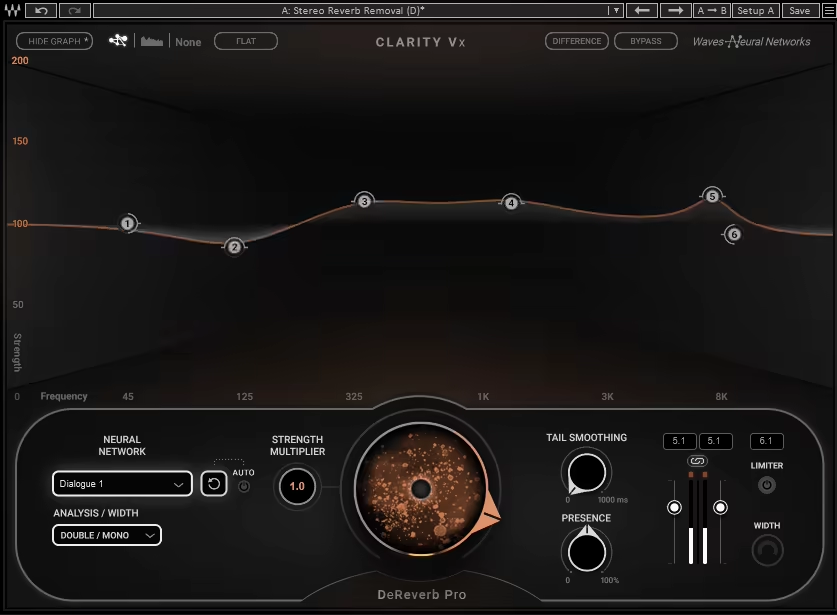
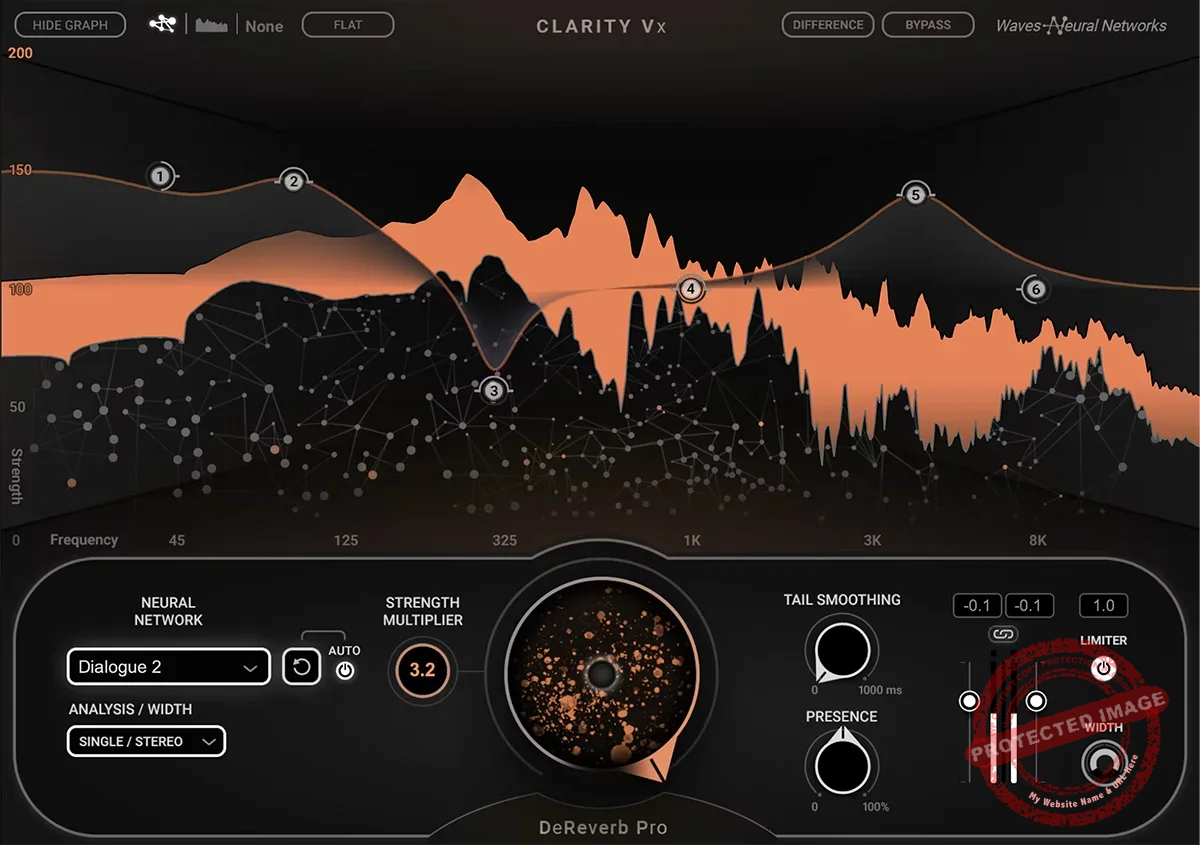
The first usual suspect here is Clarity Vx DeReverb Pro from Waves, which is considered one of the best reverb removal VSTs out there.
I used to think removing reverb was one of the most frustrating tasks in audio cleanup. It always felt like I was sacrificing natural tone just to get rid of unwanted reflections. But when I tried Clarity Vx DeReverb Pro, everything changed, as it actually made the process easy and transparent.
What sets this plugin apart is its AI-powered neural networks, designed to handle both singing and spoken word with stunning precision. Instead of a one-size-fits-all approach, it adapts to the specific characteristics of the voice, keeping everything clear and natural.
- 6 Adjustable Frequency Bands
I really like how I can target exactly where the reverb is causing problems instead of affecting the entire vocal. This makes surgical adjustments effortless.
- Tail Smoothing for Natural Decay
Some de-reverb tools leave vocals sounding choppy or robotic, but this feature preserves a smooth, organic tail, even when I push the settings hard.
- Simple Yet Powerful Interface
What I appreciated in this reverb removal VST is the quick-fix central knob for fast results, but when I need fine-tuned control, the advanced view provides everything I need.
Honestly, this plugin has become my go-to for cleaning up vocals and dialogue. It doesn’t just remove it, as it keeps the heart of the performance intact.
If you’re dealing with messy recordings, this is an absolute game-changer.
Waves Clarity Vx DeReverb Pro comes in VST, AU, and AAX formats for macOS and Windows users.
2. Accentize DeRoom Pro
Reverb cleanup used to feel like a compromise; either I’d remove too much and make the audio sound unnatural, or I wouldn’t remove enough and still be stuck with unwanted reflections. DeRoom Pro changed that.
It’s a real-time machine-learning de-reverb tool that intelligently separates the dry signal from the room sound, delivering clean, professional results without artifacts.
I love how it adapts dynamically instead of relying on static noise reduction. Unlike some de-reverb plugins that treat everything the same, DeRoom Pro analyzes the incoming audio in real time, preserving clarity while reducing only the unwanted reflections.
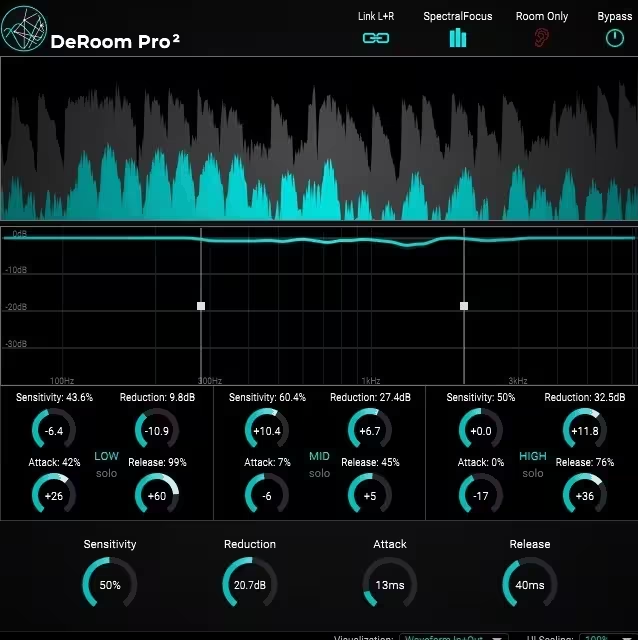
- SpectralFocus Mode
Instead of a single-band reduction, this mode lets me split the signal into 3 adjustable bands, allowing precise targeting of different problem areas in the frequency spectrum.
- Independent Sensitivity, Reduction, Attack & Release Controls
Each band has its own set of controls, so I can fine-tune how aggressively it removes reverb while keeping the vocal’s natural tone.
- Room-Only Mode
A feature I use constantly, this lets me isolate just the effect being removed, so I can hear exactly what’s being taken out and adjust accordingly.
- Real-Time Processing with Minimal Artifacts
Some de-reverb tools create warbly or robotic results when pushed too far. This plugin removes more reverb without degrading the original performance, making it one of the cleanest real-time solutions I’ve tried.
I’ve compared this to iZotope RX and Accusonus ERA, and DeRoom Pro allows for stronger processing without the usual drawbacks.
If I need more aggressive cleanup, I’ve even used two instances in series, and it still sounds smooth.
While it’s built for dialogue and vocals, it’s not designed for instruments like guitar, drums, or piano. But for podcasts, film post-production, and voice recordings, this is one of the best real-time de-reverb tools available.
Accentize DeRoom Pro comes in VST3, AU, and AAX formats for macOS and Windows users.
3. SPL De-Verb Plus
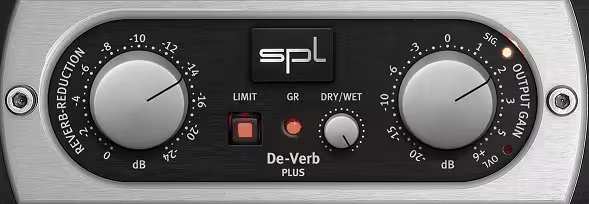
SPL De-Verb Plus makes reverb removal effortless with a simple, one-knob design that tightens up room-heavy recordings in seconds.
I must say I didn’t expect De-Verb Plus to be this good. It’s one of those plugins that looks too simple to be effective, but once I tried it, I realized how powerful it actually is.
It doesn’t matter if it’s a vocal recorded in a bad room or a drum take with excessive sustain, this plugin quickly cleans up unwanted reverb without overcomplicating the process.
What makes it unique is that it’s built on the same core technology as the SPL Transient Designer. Instead of approaching the effect removal in a traditional way , it works by reducing sustain and decay curves naturally, giving you cleaner, tighter recordings with minimal effort.
- Reverb Reduction with a Single Knob
In my experience, the workflow without menus or complex settings, makes everything quicker for reverb removal tasks. Just turn the knob to dial back room reflections, and it works instantly.
- Dry/Wet Control for Blending
I love that you’re not stuck with an all-or-nothing result. You can mix in just the right amount of processing to keep the original feel intact.
- Built-in Peak Limiter for Safe Processing
One thing I appreciate is that the limiter prevents sudden peaks after reducing sustain, so I don’t have to worry about clipping.
- Natural-Sounding Decay Reduction
Whether I’m tightening up toms, controlling vocal reflections, or shortening snare sustain, the results feel musical and natural instead of robotic.
I think De-Verb Plus is closer to an advanced transient shaper than a spectral reverb remover.
This means it won’t work on extreme issues, but for subtle room tone reduction and decay control, it’s one of the quickest, most effective tools out there.
De-Verb Plus comes in VST2, VST3, AU, AAX Native, and AAX DSP formats for macOS and Windows users.
4. Waves Smack Attack
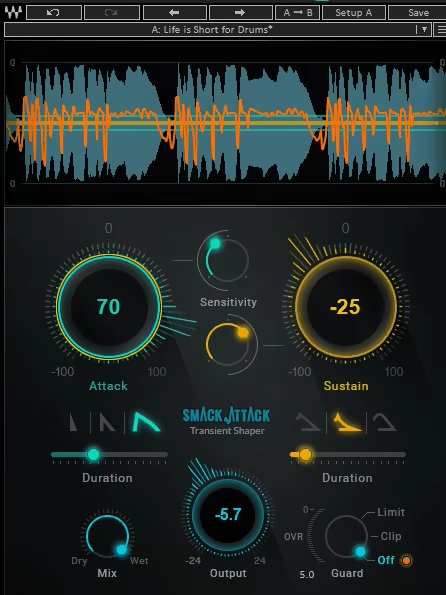
I always knew Smack Attack was great for controlling transients, but I accidentally discovered its hidden ability to tame reverb.
By adjusting the Sustain control in Smack Attack, you can reduce the reverb tail, pulling the sound closer and more direct without affecting the original tone. It’s a simple yet powerful way to clean up drums, vocals, and even guitars without using a dedicated VST reverb removal tool.
- Sustain Control
Lowering the sustain shortens the decay of the signal, effectively reducing room reflections and tightening up the sound. This works beautifully on drums, vocals, and percussive instruments.
- Attack Shaping
Increasing the attack sharpens transients, making sure your processed sound remains punchy while cutting through the mix.
- Real-Time Graphic Display
The visual feedback helps you dial in the exact settings you need, so you’re never blindly guessing how much processing is happening.
- Zero Latency
Whether I’m mixing in the studio or shaping transients in real time, the instant response makes it great for both live and recorded applications.
- Parallel Processing & MIDI Control
I love that I can blend the processed and unprocessed signals or control the effect dynamically via MIDI, making it even more versatile.
Waves doesn’t market Smack Attack as a reverb remover, but honestly, it should.
I’ve used it to tighten up overly ambient recordings, clean up drum loops, and even bring clarity to muddy vocal takes.
If you’ve never tried using a transient shaper for reverb control, I highly recommend it, this trick is a game-changer.
Waves Smack Attack comes in VST, AU, and AAX formats for macOS and Windows users.
5. Waves Clarity Vx DeReverb
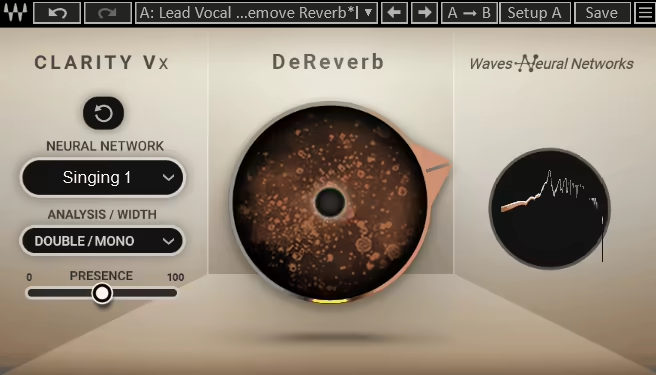
Waves Clarity Vx DeReverb makes cleaning up vocal reverb effortless with its simple one-knob AI processing.
Clarity Vx DeReverb is the lite version of Clarity Vx DeReverb Pro, the first pick in the list, and while it doesn’t have all the deep tweaking options, it’s perfect when you just need a quick fix.
I tried it out and found it to be decent for home recordings with too much room sound or a vocal sample that feels distant. This VST reverb removal unit pulls the voice forward and tightens everything up in seconds.
- One-Knob AI Reverb Removal
Well, it is so simple here! You can turn the dial, and it automatically reduces room reflections without needing any manual adjustments.
- Optimized for Vocals & Dialogue
The AI is trained specifically for speech and singing, so it cleans up the space without making the voice sound thin or unnatural.
- Handles Short & Long Reverb Tails
From subtle room ambiance to a full-on echo chamber, it adjusts dynamically to the recording.
- Easy Integration with DAWs & Video Editors
Also, the support versatility is good as it works right inside Pro Tools, Premiere Pro, Logic, Audition, Final Cut Pro, and more.
This isn’t as advanced as the Pro version, so if you need surgical control over different frequency ranges, you’ll want to upgrade. But for fast, hassle-free reverb cleanup, this plugin just works.
Waves Clarity Vx DeReverb comes in VST3, AU, and AAX formats for macOS and Windows users.
